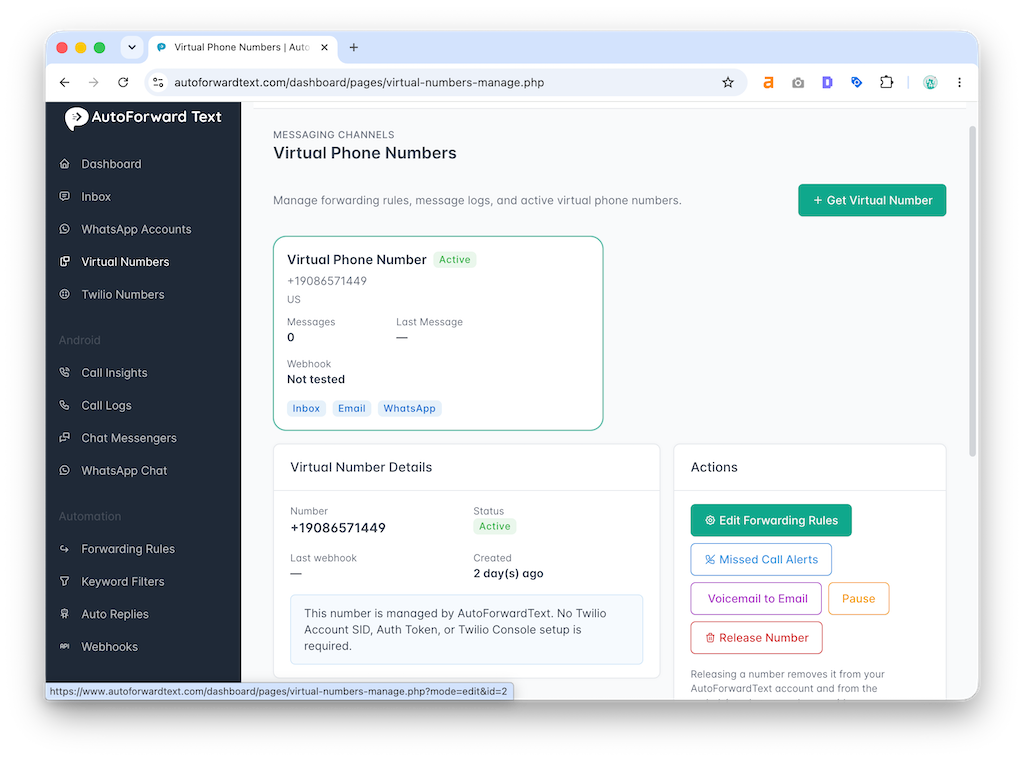
How do I get a Virtual Phone Number?
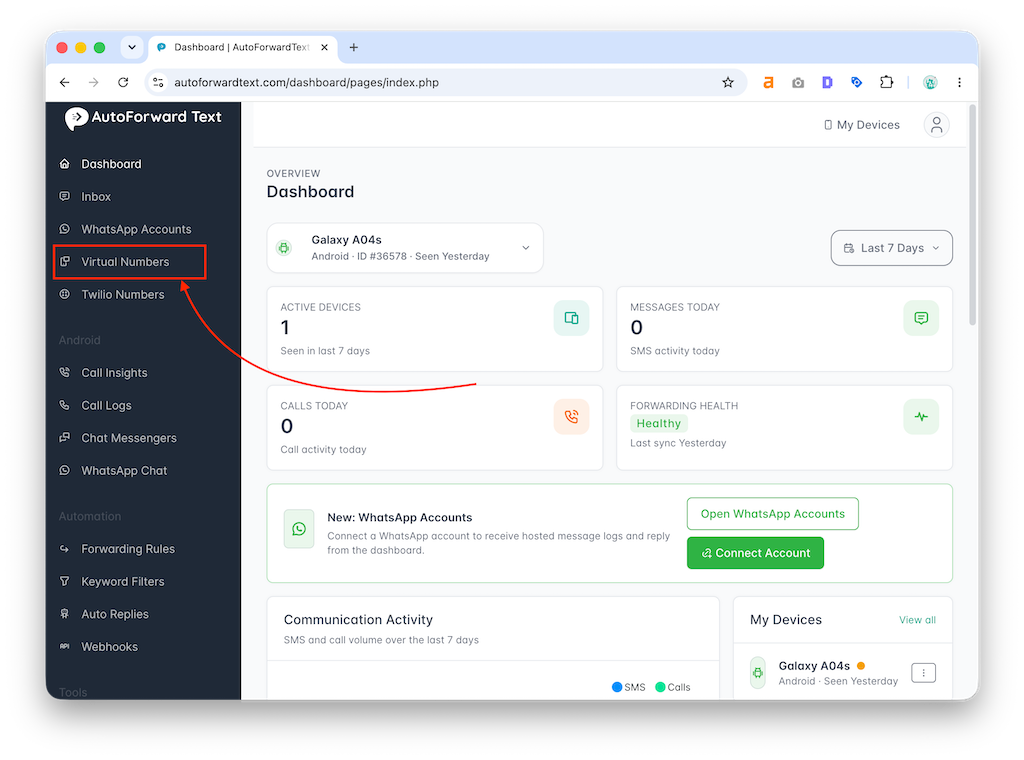
- Log in to your AutoForward Text dashboard
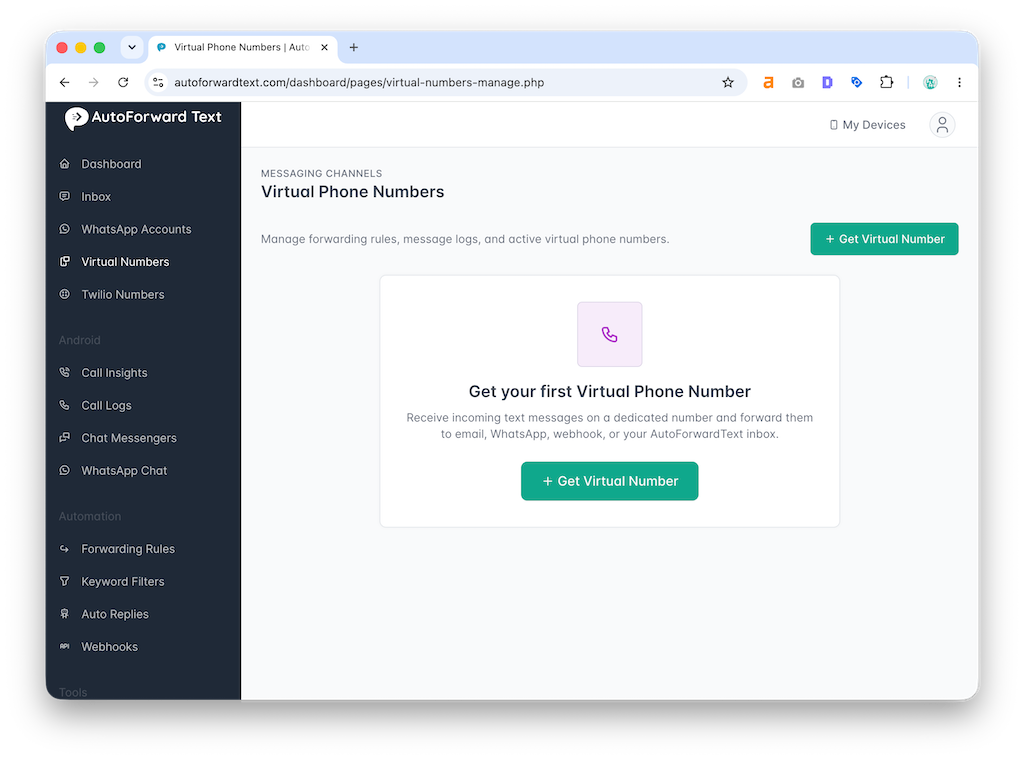
- Open Virtual Phone Numbers
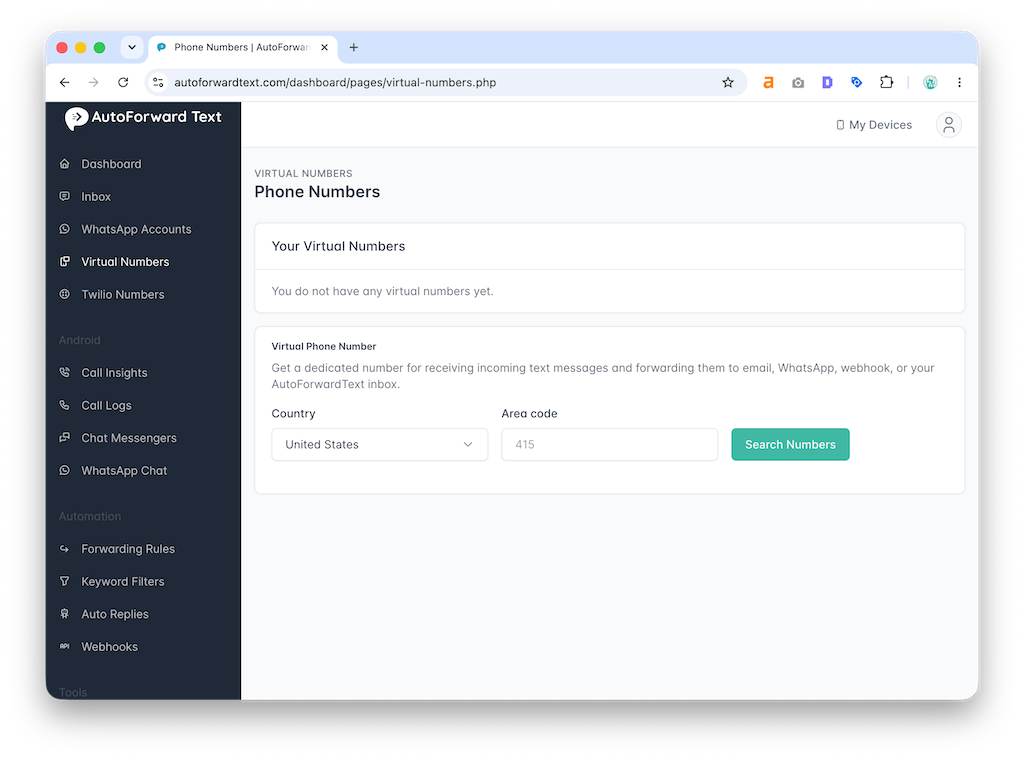
- Click Add Virtual Number
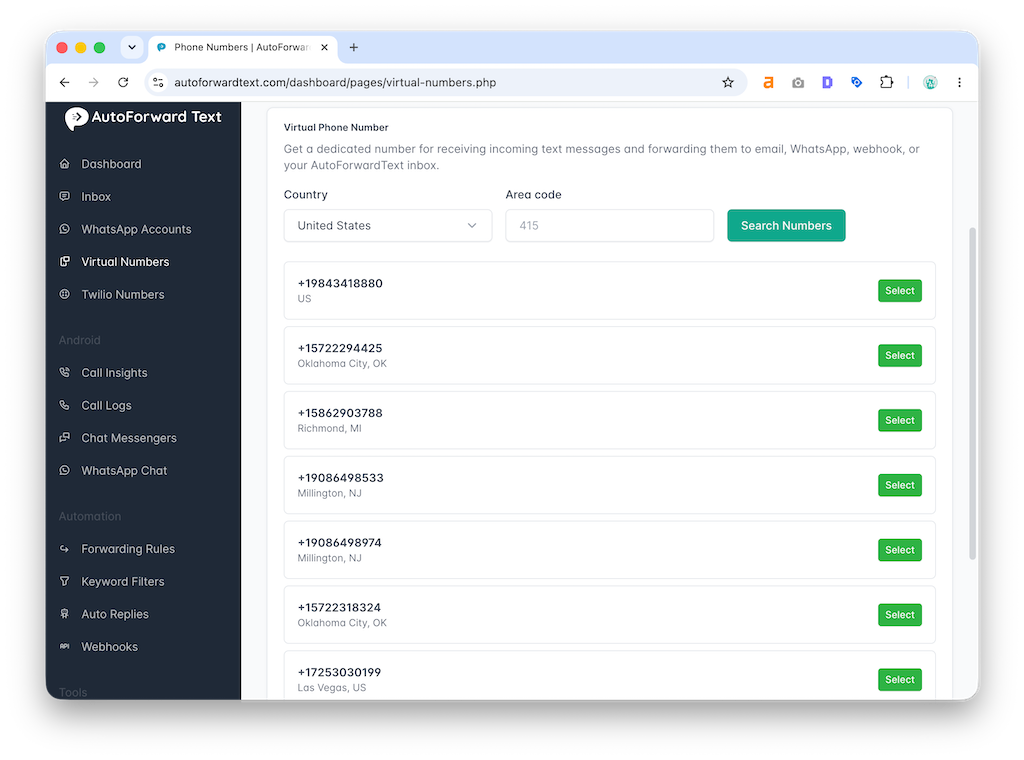
- Choose an available number
- Confirm allocation
Once added, the number appears in your dashboard and can be configured for forwarding.