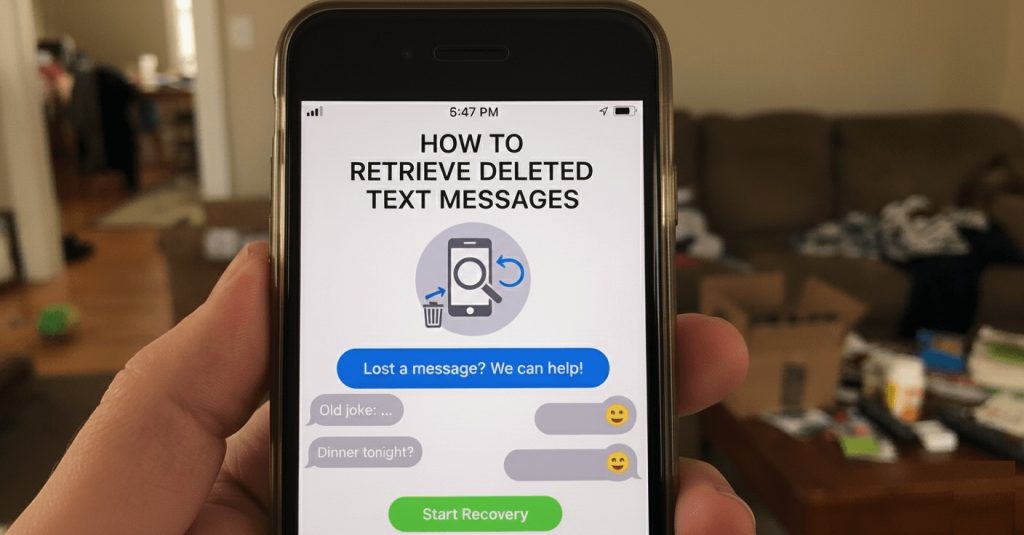
Deleting a text message by mistake can be stressful—especially when that message was important. Whether it was a verification code, a work conversation, or personal messages you didn’t mean to erase, the first question is always the same: Can deleted text messages actually be recovered?
The short answer is sometimes. Recovering deleted texts depends on your device (Android or iPhone), whether backups were enabled, and how quickly you act after deletion. In some cases, messages can be restored from cloud backups or recent archives. In others, they may be permanently gone.
This guide walks you through realistic, proven ways to retrieve deleted text messages, explains which methods work (and which don’t), and helps you avoid common mistakes that make recovery impossible. We’ll cover Android and iPhone separately, keep the steps practical, and be upfront about limitations—so you know exactly what’s worth trying.
Quick Reality Check (Read This Before Trying Anything)
Let’s be blunt: deleted text message recovery isn’t guaranteed. A lot of “recovery” advice online sounds confident, but it only works under specific conditions—usually when you have a backup.
If you don’t have a backup (iCloud / Finder / iTunes on iPhone, or Google Drive / manufacturer backup on Android), recovery is often not possible—because once the phone overwrites that storage space, the old messages are gone.
Warning: Avoid factory resets “just to try recovery.” A reset can erase remaining traces and make deleted messages harder or impossible to recover—especially if you restore the wrong backup or none at all.
Also, be skeptical of tools claiming “one-click recovery”. Many apps can only restore messages if they can access an existing backup, or they show partial fragments—not full conversation threads. If a tool promises miracles, it’s usually marketing.
Fast checklist (before you touch anything)
- ✔ Are you on Android or iPhone?
- ✔ Was backup enabled (Google Drive / iCloud / Finder / iTunes / Samsung Cloud)?
- ✔ Do you have access to the cloud account used on that phone (Google/Apple ID)?
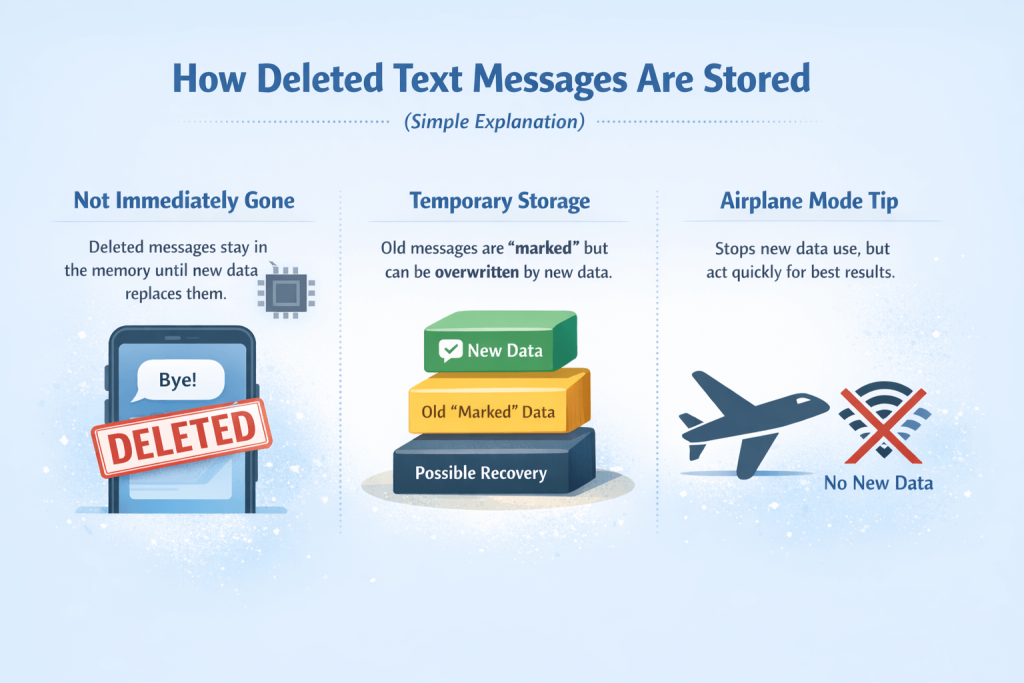
- ✔ Did you stop using the phone heavily after deletion (to avoid overwriting data)?
How To Retrieve Deleted Text Messages on Android
Android offers more recovery paths than iPhone—but only under the right conditions. Whether you can retrieve deleted texts depends largely on backups, device brand, and what you did after deletion.
Let’s go through the realistic options, from safest to riskiest.
Recover Deleted Texts from Google Drive Backup (Safest Method)
This is the most reliable way to recover deleted text messages on Android—if a backup exists.
When this works
- Google Drive backup was enabled before the messages were deleted
- The backup includes SMS messages
- The backup was created before the deletion date
What gets restored
- SMS and MMS messages saved in that backup
- Other data tied to the same backup (apps, call logs, settings)
Limitations you must understand
- Restoring a backup overwrites current data
- Any messages received after the backup date will be lost
- You cannot selectively restore only messages
High-level recovery steps
- Check the date of your Google Drive backup
- Back up anything important currently on your phone
- Perform a factory reset
- Restore data from Google Drive during initial setup
Restoring a Google Drive backup will erase your current phone data and replace it with the backup contents. If the backup is older than your deleted messages—or you restore the wrong backup—you may permanently lose data.
Recover Deleted Messages Using Android Backup Apps or OEM Tools
Some Android manufacturers offer their own backup systems, which may store SMS independently of Google Drive.
Common examples
- Samsung Cloud (for Samsung devices)
- Manufacturer-specific backup tools (varies by brand and region)
When this works
- OEM backup was enabled before deletion
- Messages were included in the backup
- Backup retention period hasn’t expired
Why results vary by brand
- Android is fragmented—backup behavior differs by manufacturer
- Some OEMs limit how long SMS data is retained
- Restore options may be restricted to full device restores
Bottom line: OEM backups can work, but they’re less predictable than Google Drive.
Can Android Recovery Software Actually Work?
This is where many articles oversell results. Let’s be honest.
The reality
- Most recovery software cannot magically restore deleted SMS
- Android security limits direct access to message databases
- Results depend heavily on device model and OS version
Key technical limitations
- USB debugging is required
- On non-rooted devices, access is extremely limited
- Rooting improves access—but carries serious risks
Privacy and security concerns
- Some tools request full device access
- Data may be uploaded to third-party servers
- Risk of malware or data misuse is real
Important to know:
Many tools only detect fragments or metadata, not full conversations. Seeing message “previews” doesn’t mean full recovery is possible.
If a tool promises “one-click full recovery without backup, that’s usually marketing—not reality.
Tip: Deleted messages aren’t always recoverable—especially without backups. A safer approach is keeping a copy of important texts outside the phone.
AutoForwardText automatically forwards incoming SMS to your email or another destination, so messages remain accessible even if they’re deleted later. Learn more →
Can Your Mobile Carrier Recover Deleted SMS on Android?
Short answer: rarely, and not for normal users.
What carriers may store
- Metadata (date, time, sender/receiver)
- Sometimes message content—for a limited time
Retention limits
- Varies by country and carrier
- Often days or weeks, not months
- Content is typically purged quickly
Access restrictions
- Usually requires:
- Legal requests
- Court orders
- Law enforcement involvement
- Not provided on customer request alone
For everyday recovery needs, carriers are not a practical solution.
How To Retrieve Deleted Text Messages on iPhone
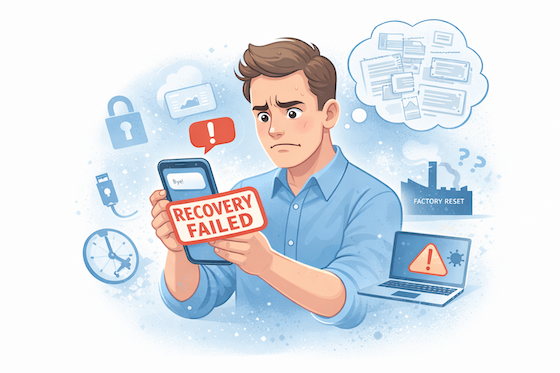
Recovering deleted text messages on an iPhone is more restricted than on Android. Apple’s security model is tight by design, which means backups are usually the only real recovery path. If no backup exists, options are extremely limited.
Here’s what’s realistically possible.
Recover Deleted Text Messages from “Recently Deleted” (iOS 16+)
This is the first place you should check—and many guides forget to mention it.
When this works
- You’re running iOS 16 or newer
- Messages were deleted within the last 30–40 days
- Messages haven’t been permanently removed yet
What gets restored
- Individual messages or entire conversations
- Restores instantly without affecting other data
How it works (high level)
- Open Messages
- Navigate to Recently Deleted
- Select messages and restore
If you’re within the retention window, this is the safest and fastest recovery method.
Recover Deleted Text Messages from an iCloud Backup
If the messages are no longer in “Recently Deleted,” iCloud backup is the next best option.
When this works
- iCloud Backup was enabled before deletion
- Backup was created before the messages were deleted
- You can access the Apple ID used on the device
What gets restored
- Messages stored in that backup
- Other data tied to the same backup snapshot
Major limitations
- Restoring an iCloud backup erases current iPhone data
- Messages received after the backup date will be lost
- You cannot selectively restore only texts
Restoring an iCloud backup replaces your current data with the backup version. If the backup predates important messages or files, those items may be permanently lost.
Retrieve Deleted Messages Using Finder (Mac) or iTunes (Windows)
If you backed up your iPhone locally, this method may work.
When this works
- A Finder or iTunes backup exists
- Backup was created before the messages were deleted
- The backup is not encrypted (or you know the password)
How it works (high level)
- Connect iPhone to Mac or PC
- Open Finder or iTunes
- Select the device
- Choose Restore Backup
Limitations
- Full device restore only
- No preview or selective message recovery
- Overwrites current phone data
Can iPhone Recovery Software Restore Deleted Texts?
This is where many people get misled.
The reality on iOS
- iOS sandboxing prevents direct access to message databases
- Most tools cannot scan deleted messages directly
- Many tools simply extract data from existing backups
Common misconceptions
- “Deep scan” ≠ guaranteed recovery
- Seeing message titles ≠ full conversation restored
- No backup = almost always no recovery
Privacy & security risks
- Tools often require full device access
- Some upload backup data to remote servers
- Risk of data misuse or account compromise
In short: if a tool claims full recovery without a backup, be skeptical.
Can Apple or Your Carrier Recover Deleted Messages?
Short answer: no, not for consumers.
Apple’s position
- Apple does not retrieve deleted messages on request
- iMessage content is end-to-end encrypted
- Apple cannot access message content even if asked
Carrier limitations
- Carriers may retain metadata briefly
- Message content is rarely stored long-term
- Access usually requires legal orders
For everyday users, this path is not viable.
Common Mistakes That Kill Recovery Chances
If you want any real chance of retrieving deleted texts, avoid these mistakes. Most people accidentally make recovery impossible within minutes.
| Mistake | Why It Hurts Recovery | Do This Instead |
|---|---|---|
| Keep using the phone normally | New texts, photos, app installs, and updates can overwrite deleted message data. | Stop heavy use immediately. Avoid downloads, updates, and lots of messaging until you check backups. |
| Installing “recovery” apps on the same phone | Installing apps creates new data and may overwrite the exact space you’re trying to recover. | Check cloud backups first. If using tools, prefer desktop-based ones and only if you understand the risks. |
| Doing a factory reset without confirming a backup | A reset can permanently erase remaining traces and you may restore nothing if no backup exists. | Verify backup date and contents first (Google Drive / iCloud / Finder / iTunes) before any reset. |
| Restoring the wrong backup | If the backup was created after deletion, the deleted messages won’t come back—and you may lose newer data too. | Pick the newest backup that’s still before the deletion date. When unsure, pause and verify. |
| Using “one-click miracle recovery” software | Many tools can only recover from backups or show partial fragments. Some are risky for privacy. | Treat tools as a last resort. Use reputable vendors only and read permissions carefully. |
| Logging into the wrong Apple ID / Google account | Backups are tied to a specific account. Wrong account = no backup = wasted time. | Confirm the exact Apple ID / Google account used on the phone before attempting any restore. |
| Ignoring the “Recently Deleted” folder (iPhone) | On iOS 16+, messages may be recoverable for a limited time—missing it can be permanent. | Check “Recently Deleted” first before any resets or restores. |
- ✔ Stop heavy phone usage (avoid overwriting).
- ✔ Verify backup exists and confirm its date.
- ✔ Check iPhone “Recently Deleted” before restoring anything.
- ✔ Treat recovery software as a last resort—privacy risks are real.
How To Prevent Losing Text Messages in the Future
After everything you’ve seen so far, one thing should be clear: recovering deleted text messages is unreliable. Sometimes it works, often it doesn’t—and when it fails, there’s usually no second chance.
That’s why prevention matters more than recovery. The goal isn’t to become better at restoring deleted messages, but to make sure important texts never disappear in the first place.
Use Multiple Backup Layers (Not Just One)
Relying on a single backup is risky. Cloud backups can fail, get overwritten, or be disabled without you noticing. A safer approach is to have more than one way your messages are preserved.
- ✔ Keep iCloud or Google Drive backups enabled
- ✔ Periodically verify that SMS messages are actually included
- ✔ Make sure you still have access to the Apple ID or Google account used for backups
Understand the Limits of Cloud Backups
Cloud backups are snapshots in time. If a message is deleted and a new backup runs afterward, that message is gone from the backup history. There’s no rewind button.
This is exactly why many people lose messages permanently—even though backups were “enabled.”
Use Automatic Message Forwarding as a Safety Net
A smarter approach is to keep a secondary copy of important messages outside the phone itself. Automatic text message forwarding sends incoming messages to another destination—such as email— so they exist even if the original message is deleted later.
This doesn’t replace backups; it complements them. If something goes wrong with the phone, the messages already exist elsewhere and don’t need to be “recovered” at all.
Why This Matters for Work, Verification Codes, and Critical Messages
Many deleted-message emergencies involve things like:
- • One-time passwords (OTPs)
- • Client or work-related texts
- • Account alerts and confirmations
- • Messages needed for records or reference
For these cases, prevention isn’t about convenience—it’s about reliability. Once a message is gone, no recovery method can guarantee it will come back.
If a message is important enough to worry about recovering later, it’s important enough to make sure it’s automatically preserved now.
Tip: Deleted messages aren’t always recoverable—especially without backups. A safer approach is keeping a copy of important texts outside the phone.
AutoForwardText automatically forwards incoming SMS to your email or another destination, so messages remain accessible even if they’re deleted later. Learn more →
Why Auto-Forwarding Text Messages Is a Smarter Backup Strategy
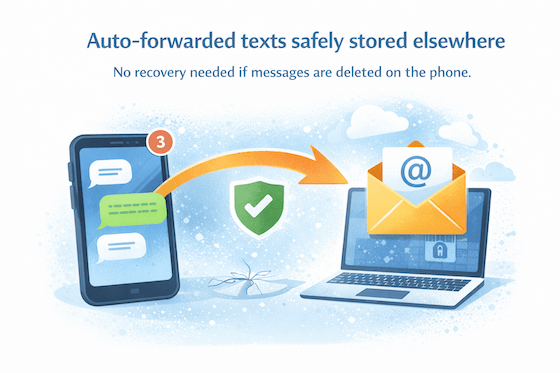
By now, the pattern should be obvious: recovery depends on luck, timing, and whether the right backup existed at the right moment. Once messages are deleted and overwritten, no tool can guarantee they’ll come back.
Auto-forwarding takes a different approach. Instead of trying to rescue messages after something goes wrong, it ensures a copy already exists somewhere safe.
How Auto-Forwarding Solves the Recovery Problem
When text messages are automatically forwarded to another destination—such as email or a secondary device— they’re no longer tied to a single phone, app, or backup snapshot.
- ✔ Messages exist outside the phone’s storage
- ✔ Deletions on the phone don’t affect forwarded copies
- ✔ No factory resets, restores, or recovery tools needed
Why This Is More Reliable Than Cloud Backups Alone
Cloud backups work on a schedule. Auto-forwarding works in real time. If a message arrives, it’s immediately preserved—before it can be deleted, overwritten, or lost in a bad restore.
This is especially useful when backups are disabled, fail silently, or get replaced by newer snapshots.
Common Situations Where Auto-Forwarding Makes Sense
- • Important work or client messages
- • Verification codes and account alerts
- • Records you may need later for reference
- • Messages on devices used by multiple people
In these cases, the safest strategy isn’t learning how to recover deleted texts—it’s making sure you never have to recover them at all.
Key takeaway:
Recovery is reactive and uncertain. Auto-forwarding is proactive and predictable. If messages matter, preserving them automatically beats chasing recovery later.
Frequently Asked Questions
Can I recover deleted text messages without a backup?
In most cases, no. Without a backup, recovery is extremely unlikely—especially on iPhone. Some Android tools may detect fragments, but full conversations are rarely recoverable once overwritten.
How long do carriers keep text messages?
Carriers typically keep metadata (timestamps, numbers) for a limited time. Actual message content is usually stored briefly, if at all, and almost never accessible to consumers.
Does Airplane Mode really help with message recovery?
Airplane Mode can help prevent further overwriting by stopping new data activity, but it does not magically recover deleted messages on its own.
Are third-party recovery apps safe to use?
Some tools are legitimate, but many overpromise. Always review permissions carefully. Avoid apps that require full account access or upload personal data without transparency.
Can I recover text messages deleted months or years ago?
Only if a backup from that time period still exists and has not been overwritten. Without that, recovery is almost always impossible.
Final Verdict: Recovery Is Possible — But Prevention Wins
Recovering deleted text messages is sometimes possible—but it’s never guaranteed. Backups must exist, timing must be right, and even then, restores often come with data loss trade-offs.
The biggest takeaway is simple: recovery is reactive and uncertain. Once messages are deleted and overwritten, no tool can reliably bring them back.
If a text message is important enough to stress over later, the smarter approach is to make sure it’s preserved automatically from the start. That’s where prevention beats recovery every time.
Backups help. Recovery sometimes works. But having messages safely stored elsewhere means you never have to rely on luck.
Don’t Rely on Recovery — Preserve Messages Automatically
Deleted messages can be gone forever. Instead of trying to recover texts after something goes wrong, keep a copy of important messages automatically.
AutoForwardText forwards incoming text messages to your email or another destination, so your messages remain accessible even if they’re deleted from the phone.
Learn How AutoForwardText Works