How to Forward Telegram Messages to Email
AutoForwardText can automatically forward incoming Telegram messages to your email address. This is useful for receiving Telegram notifications, group discussions, and customer messages directly in your inbox.
How to enable Telegram-to-Email forwarding
-
Log in to your AutoForwardText dashboard.
-
Open Telegram Accounts.
-
Select your connected Telegram account.
-
Open the forwarding settings.
-
Enable Email Forwarding.
-
Enter the email address where you want to receive messages.
-
Save your changes.
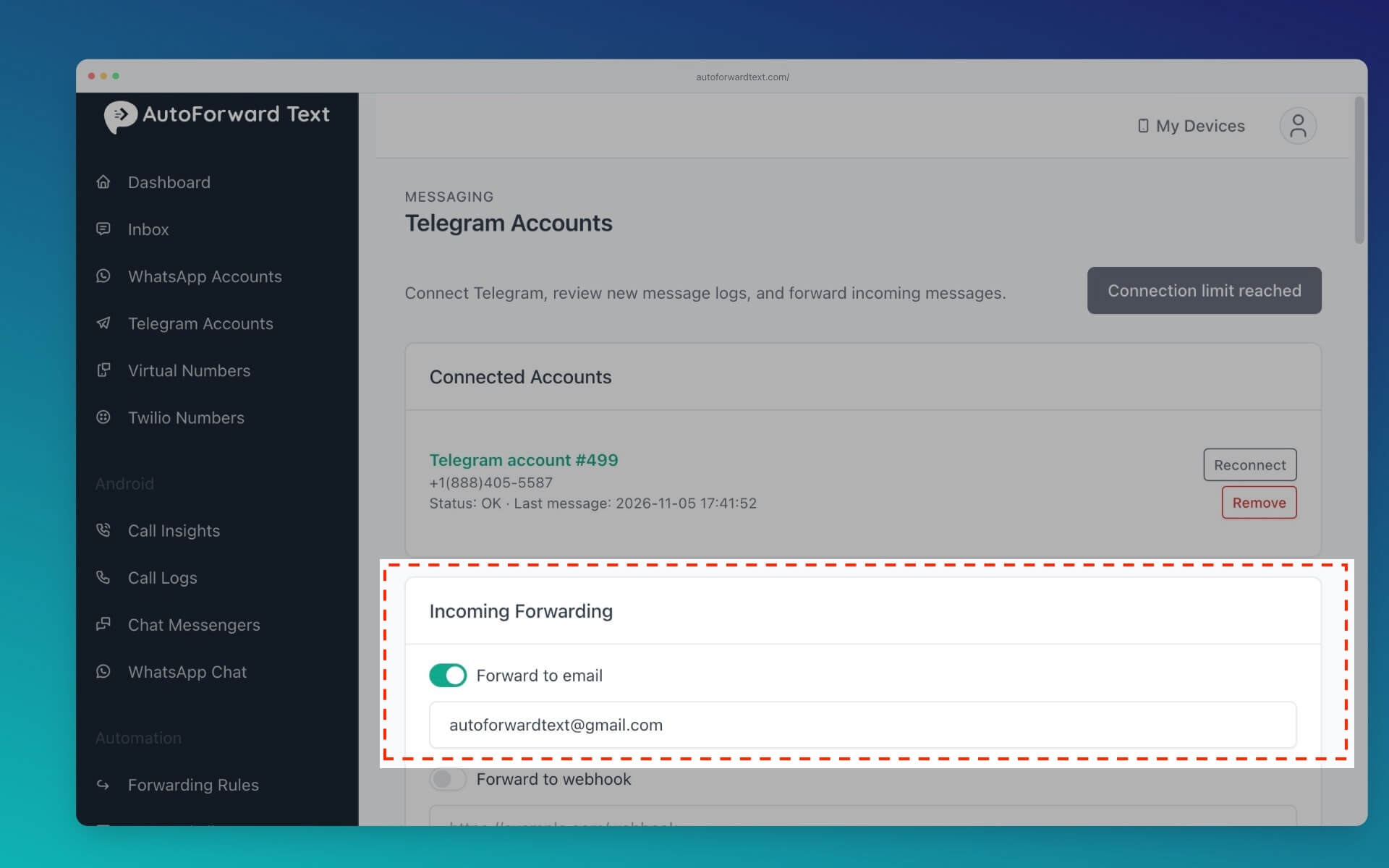
New matching Telegram messages will be forwarded automatically.
What information is included?
Forwarded emails can include the sender, chat information, message content, and supported attachments.
Can I reply to Telegram messages by email?
Yes. AutoForwardText supports two-way email replies for Telegram. Simply reply to a supported forwarded Telegram email, and AutoForwardText routes your response back to the corresponding Telegram conversation.
Can I forward only certain chats?
Yes. Use Telegram sender and chat filters to control which messages are forwarded.