How to Forward Messages from Specific Telegram Chats, Groups, or Senders
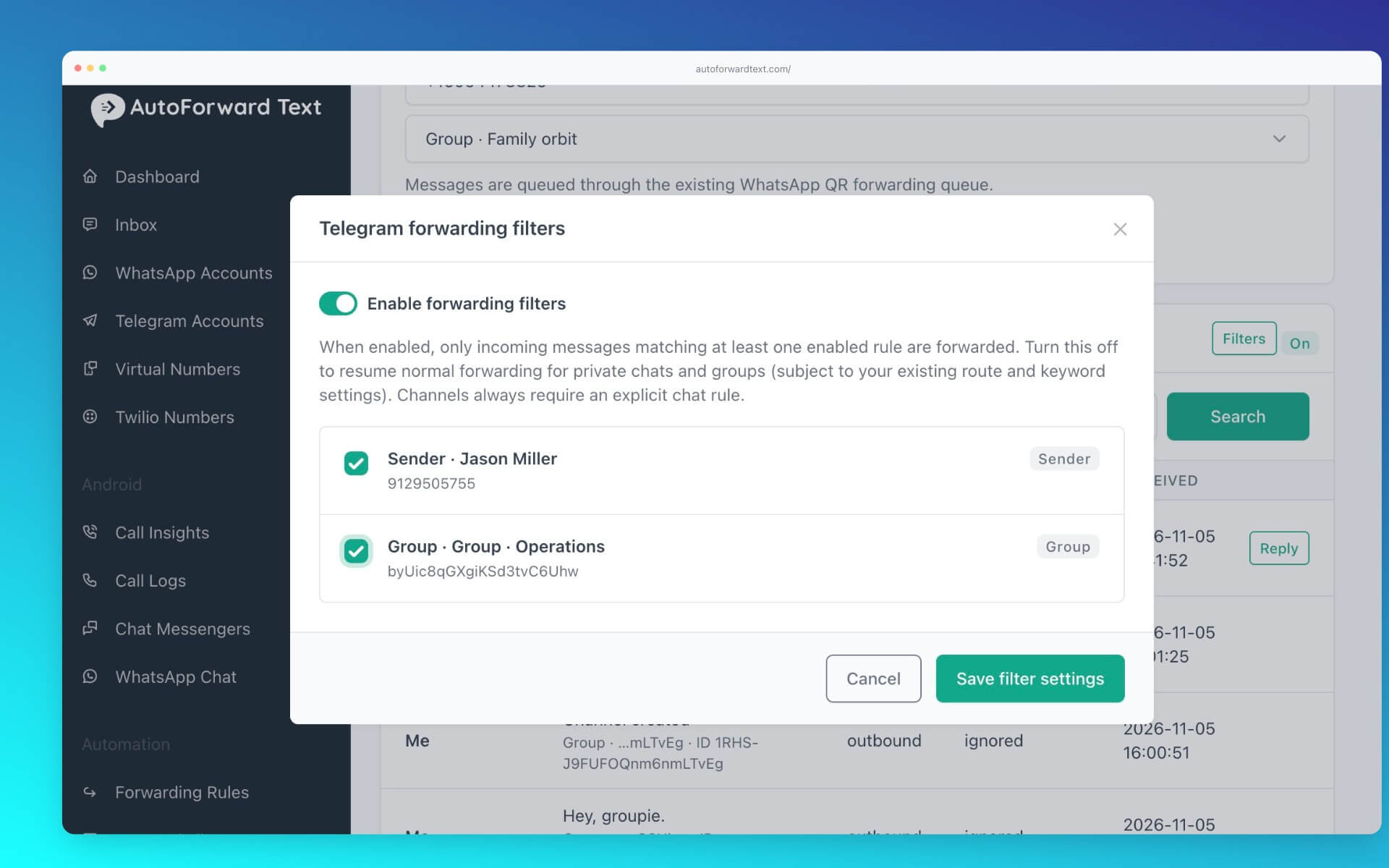
AutoForwardText allows you to control which Telegram messages are forwarded by applying sender and chat filters.
This is useful when you want to forward messages from selected groups, conversations, or individuals instead of forwarding everything.
Filter by Telegram sender
-
Open Telegram Accounts.
-
Select your connected Telegram account.
-
Locate a message from the sender you want to filter.
-
Click the sender's name.
-
Configure the sender forwarding filter.
-
Save your changes.
Filter by Telegram chat or group
-
Open your connected Telegram account.
-
Find the chat or group in the chat list.
-
Click Filter beside the chat.
-
Configure the chat forwarding filter.
-
Save your changes.
Manage existing filters
Use the Filters button in the Telegram dashboard to view and manage your configured filtering rules.
Can I forward messages from only one Telegram group?
Yes. Configure the appropriate chat filter to restrict forwarding to the selected group.
Can I filter individual senders within groups?
Sender filters allow you to configure forwarding based on the sender where supported by the incoming message data.