How to Reply to Telegram Messages from Email
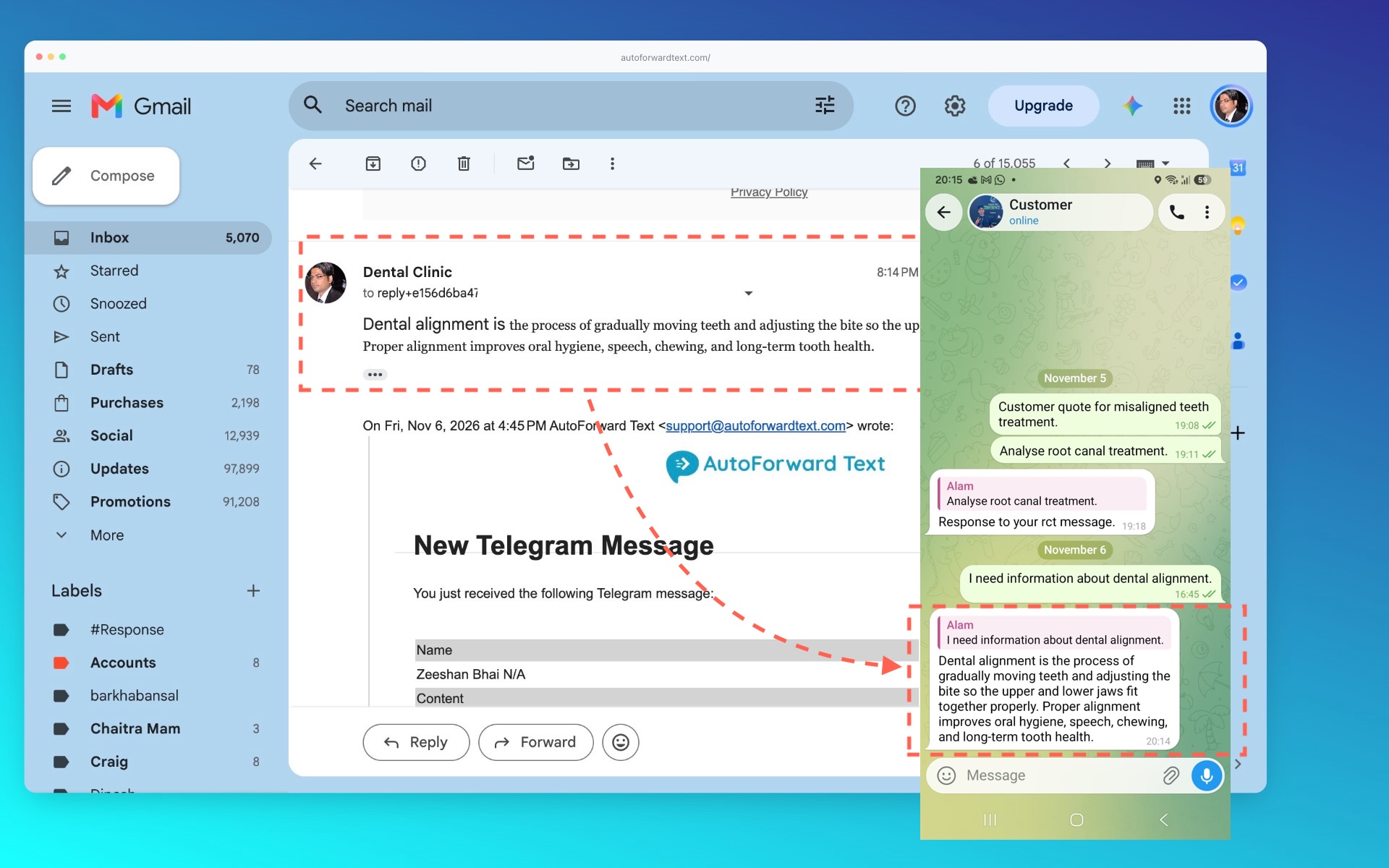
AutoForwardText supports two-way Telegram messaging through email. You can receive Telegram messages in your inbox and reply without opening Telegram.
How to reply
-
Enable Telegram-to-Email forwarding for your connected Telegram account.
-
Wait for an incoming Telegram message to arrive in your email inbox.
-
Open the forwarded email.
-
Click Reply in your email application.
-
Type your response and send it.
AutoForwardText processes the email reply and sends the response to the corresponding Telegram conversation.
Does the reply go to the original sender?
Your response is routed to the Telegram conversation associated with the forwarded email.
Can I reply to group messages?
Replies to supported group conversations are routed to the corresponding Telegram chat.
Important
Use the Reply function on the original forwarded email. Starting a new email or changing the reply destination may prevent AutoForwardText from identifying the correct Telegram conversation.