How to Forward Telegram Messages to WhatsApp
AutoForwardText lets you automatically forward incoming Telegram messages to WhatsApp. You can use this feature to send Telegram notifications, group discussions, and important updates to a WhatsApp number or supported group.
Requirements
-
A connected Telegram account
-
A connected WhatsApp account in AutoForwardText
-
An active plan supporting the required connections and forwarding features
How to configure Telegram-to-WhatsApp forwarding
-
Open your AutoForwardText dashboard.
-
Navigate to Telegram Accounts.
-
Select your connected Telegram account.
-
Open its forwarding settings.
-
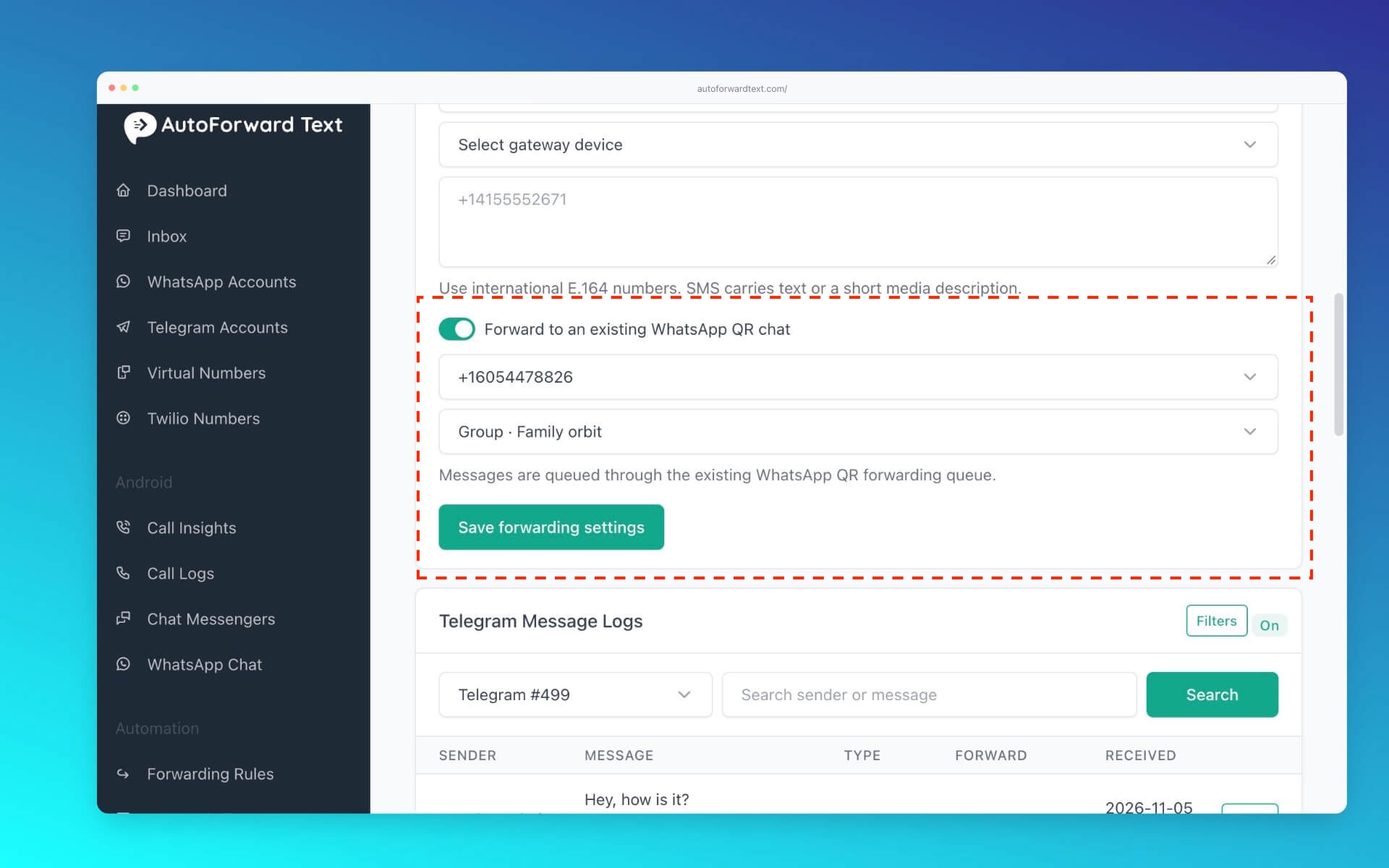
Choose WhatsApp as the forwarding destination.
-
Select your connected WhatsApp account.
-
Enter the destination WhatsApp number or select a supported group.
-
Save the forwarding rule.
New matching Telegram messages will be forwarded to the selected WhatsApp destination.
Can I forward Telegram group messages?
Yes. You can select specific Telegram groups using chat filters.
Can I forward messages from multiple Telegram chats?
Yes. You can configure forwarding rules to route messages from different chats to your preferred destination.
Important: WhatsApp delivery depends on the connection method, account status, and applicable WhatsApp messaging restrictions.