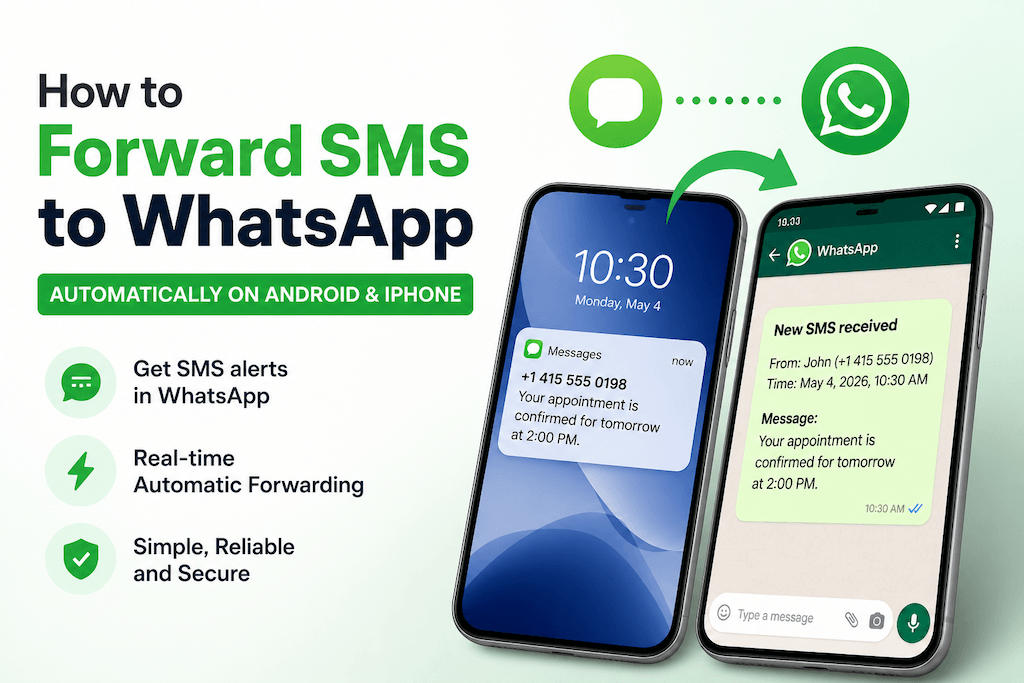
Want your text messages to show up on WhatsApp automatically?
Whether you’re handling business leads, monitoring a shared phone, or just tired of checking multiple apps, forwarding SMS to WhatsApp can simplify everything.
The catch? There’s no built-in way to do it.
But there are working solutions — and some are much easier than others.
Quick Answer: Forward SMS to WhatsApp in Minutes
If you just want the fastest way, here’s the simple setup:
- Install AutoForward Text on your iPhone or Android phone
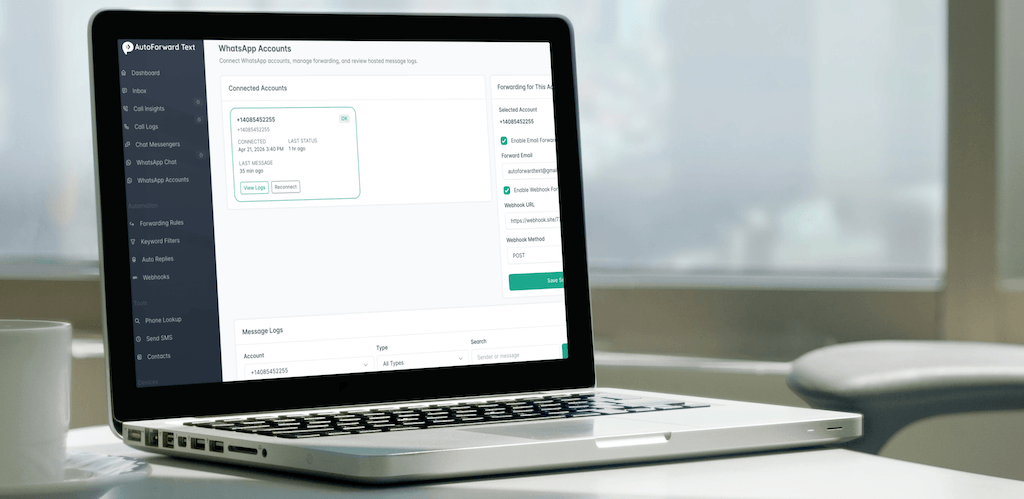
- Connect your WhatsApp account in the Online Dashboard
- Enable SMS → WhatsApp forwarding
That’s it — new SMS messages will appear in WhatsApp automatically.
Try AutoForward Text and set it up in minutes →Can You Forward SMS to WhatsApp Directly?
No — not natively.
Here’s why:
- SMS runs on your mobile carrier
- WhatsApp runs over the internet
- There’s no built-in bridge between the two
That means you need a workaround to connect them.
Method 1: Automatically Forward SMS to WhatsApp (Recommended)

This is the easiest and most reliable method.
Instead of forcing SMS into WhatsApp, you:
👉 Capture incoming SMS
👉 Automatically forward it to WhatsApp
How to Auto Forward SMS to WhatsApp
- Install AutoForward Text on your mobile device
- Open the dashboard and connect your WhatsApp account
- Enable “SMS → WhatsApp alerts.”
- Choose the destination WhatsApp number
Done. Every incoming SMS will now appear inside WhatsApp.
Example Forwarded Message
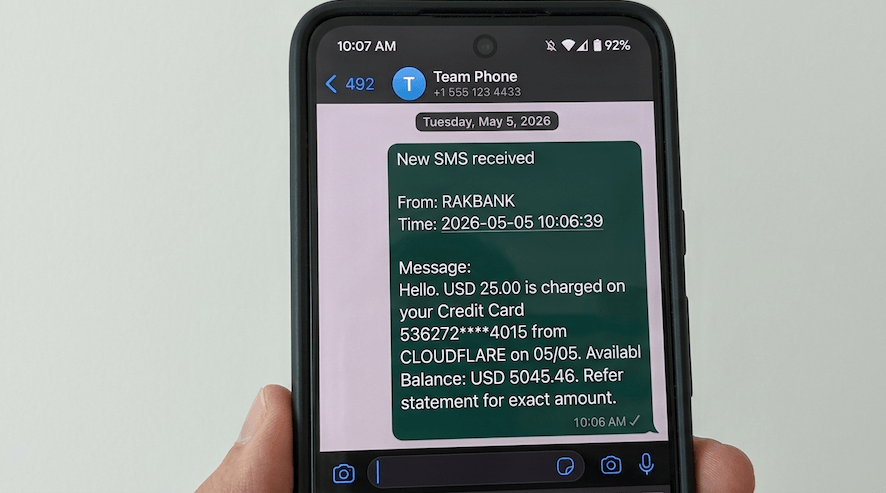
New SMS received

From: John (+1 415 555 0198)
Time: May 4, 2026, 2:31 PM

Message:
Your appointment is confirmed.
Why This Method Works Best
- ⚡ Real-time forwarding
- 🧠 No coding or setup complexity
- 🔁 Reliable (unlike automation hacks)
- 📲 Works continuously in the background
Compared to other methods, this is the closest thing to a “set and forget” solution.
Method 2: Use Android Automation Apps (Advanced)
You can use apps like:
- Tasker
- Automate
How it works:
- Trigger: SMS received
- Action: Send a message to WhatsApp
Downsides
- ❌ Complex setup
- ❌ Breaks with OS updates
- ❌ Not reliable for business use
- ❌ No proper logging or tracking
This is fine for hobby setups, but not something you want to depend on.
Method 3: Manual Forwarding
You can always:
- Open the SMS
- Copy the message
- Paste it into WhatsApp
Why is this not practical
- ❌ Not automatic
- ❌ Time-consuming
- ❌ Easy to miss messages
This only works for occasional use.
Android vs iPhone: What Works?
Android
- ✅ Fully supported
- ✅ Real-time SMS forwarding
- ✅ Works continuously in the background
- ✅ No user interaction required
👉 Best option for fully automated forwarding
iPhone
- ✅ Works using Apple Shortcuts
- ✅ Can forward SMS to WhatsApp with setup
- ⚠️ Requires initial configuration
👉 Works well for most users, but with some limitations compared to Android.
If you want fully automatic, real-time forwarding, Android is still the most powerful option.
But if you’re using an iPhone, you can still forward SMS to WhatsApp using Shortcuts with AutoForward Text — and it works reliably once set up.
When Forwarding SMS to WhatsApp Is Useful
🏢 Business Owners
- Capture SMS leads directly in WhatsApp
- Respond faster to customers
👥 Teams
- Share one phone number across multiple people
👨👩👧 Parents
- Stay aware of important messages
🌍 Travelers
- Get SMS alerts without opening the SMS app
Limitations to Be Aware Of
Let’s be honest about this:
- ❌ You can’t fully sync SMS and WhatsApp
- ❌ Replies from WhatsApp won’t go back to SMS automatically
- ❌ iPhone support is limited
But for alerts and visibility, this works extremely well.
SMS vs WhatsApp: Key Differences
| Feature | SMS | |
|---|---|---|
| Network | Carrier | Internet |
| Automation | Easy | Restricted |
| Forwarding | Possible | Controlled |
| Real-time alerts | Limited | Strong |
Frequently Asked Questions
Can you forward SMS to WhatsApp automatically?
Yes, using apps like AutoForward Text or Android automation tools.
Can I forward SMS messages to a WhatsApp group?
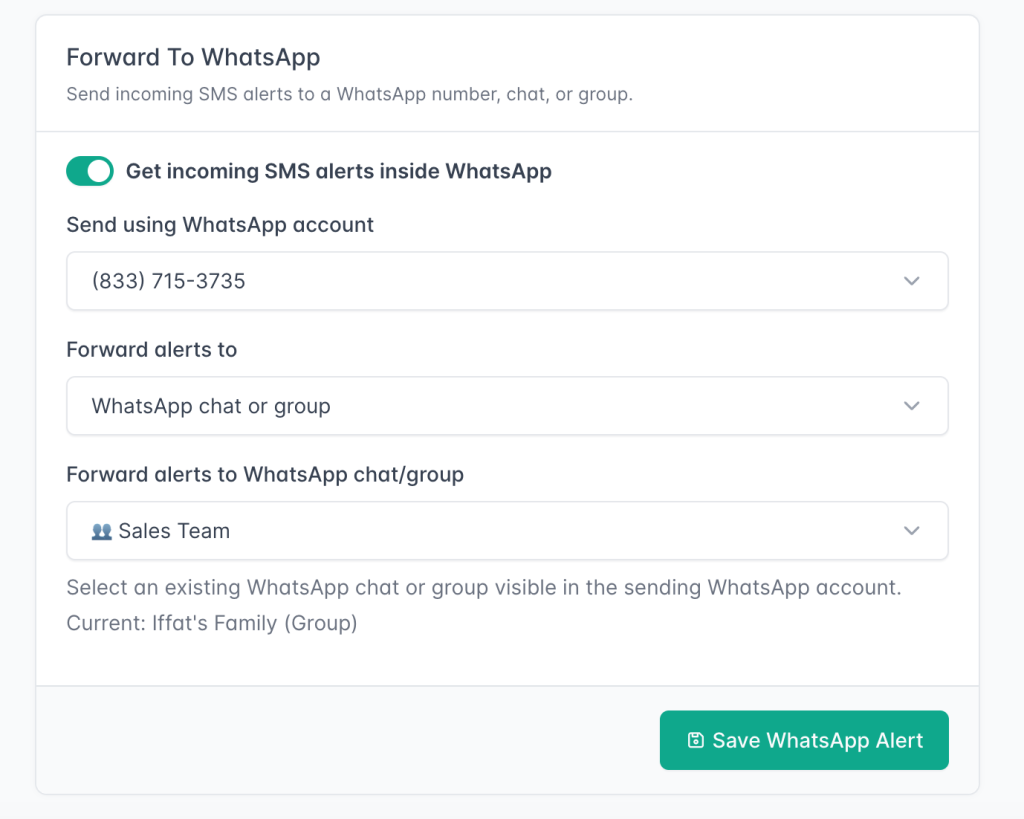
Yes.
AutoForwardText can forward incoming SMS messages from your Android device to a WhatsApp group using a connected WhatsApp account.
This is useful when multiple people need to see SMS alerts, OTP messages, booking notifications, lead alerts, delivery updates, or other important text messages in one shared WhatsApp group.
How do I auto-forward SMS to WhatsApp on Android?
Install an SMS forwarding app, connect WhatsApp, and enable forwarding rules.
Can I forward SMS to WhatsApp on iPhone?
Not reliably. iOS restrictions prevent background SMS access.
Is there an app to forward SMS to WhatsApp?
Yes — AutoForward Text is one of the simplest options.
Can I reply to SMS from WhatsApp?
No, replies must still go through SMS.
Final Thoughts
Forwarding SMS to WhatsApp isn’t built into your phone — but it’s absolutely doable with the right setup.
If your goal is:
- Staying responsive
- Centralizing messages
- Never missing important texts
Then this is one of the simplest upgrades you can make.