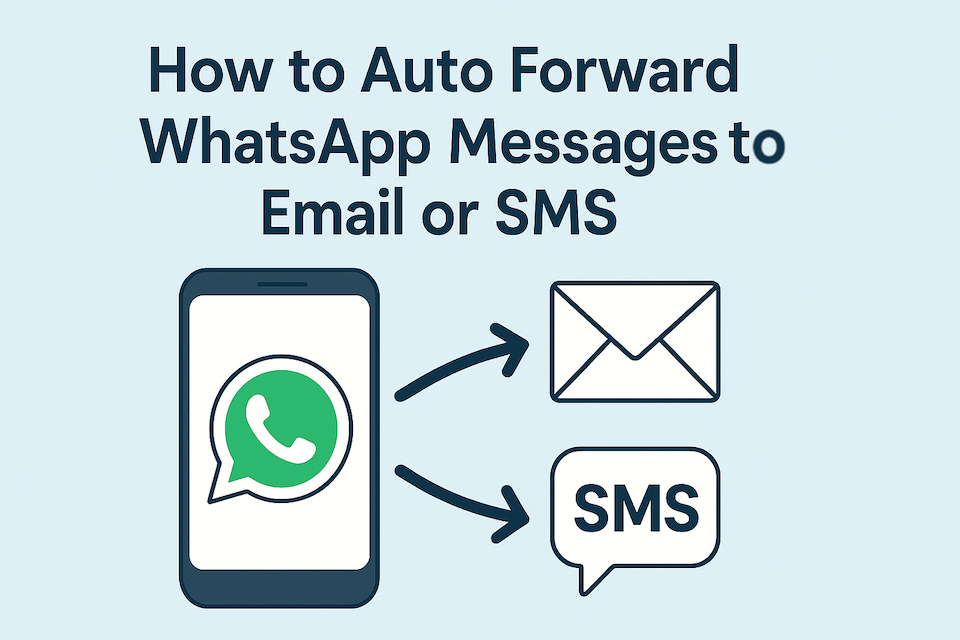
Missing important WhatsApp messages when you’re busy or offline? Auto-forwarding can help you stay on top of chats by sending them directly to your email or SMS inbox.
Whether you’re a business owner who needs a record of customer conversations, a parent wanting peace of mind, a traveler relying on limited data access, or just someone who wants a backup of important chats, auto-forwarding ensures you never miss a thing.
This guide will show you exactly how to auto-forward WhatsApp messages to email or SMS with easy steps.
Why Auto Forwarding WhatsApp Messages is Useful
Business Owners: Store customer chats in your email for record-keeping, compliance, or follow-up.
Parents: Get insights into your child’s WhatsApp activity for safety and awareness.
Travelers & Remote Workers: Stay connected to WhatsApp messages through email or SMS even if you can’t open the app.
- Everyday Users: Keep a searchable archive or backup of personal and group chats automatically.
Auto-forwarding saves time, prevents missed information, and adds an extra layer of convenience.
Forward WhatsApp Personal or Business Messages Automatically
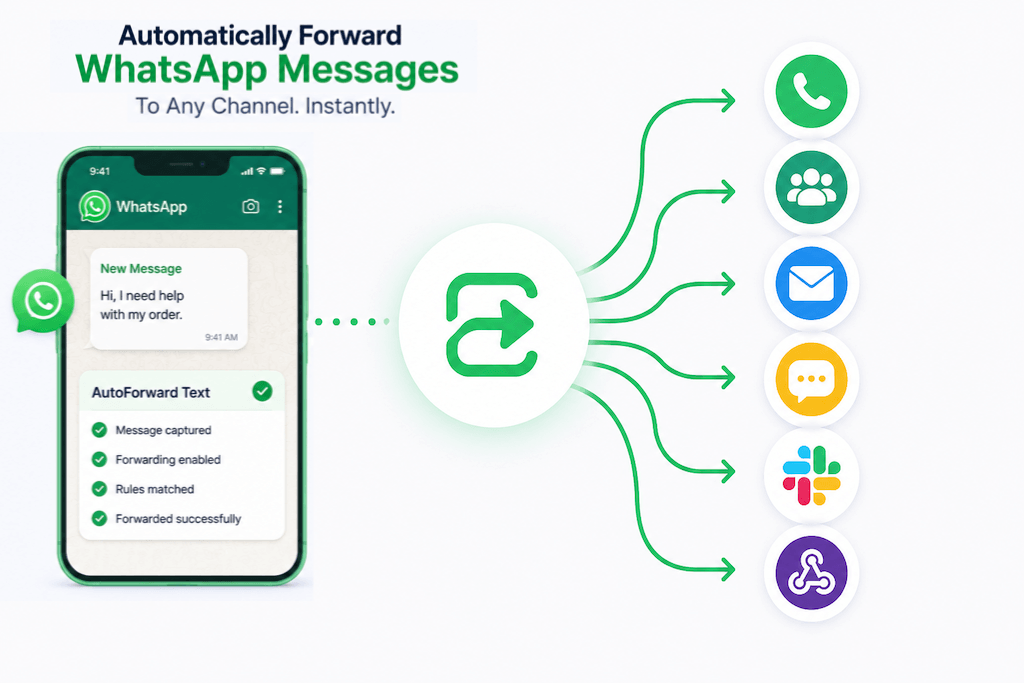
Use AutoForward Text to forward incoming messages from WhatsApp Personal or WhatsApp Business to email, SMS, another WhatsApp number, a WhatsApp group, Slack, a shared team inbox, or your own webhook. Connect your WhatsApp account securely, choose where messages should go, and AutoForward Text handles the forwarding automatically.
Start Forwarding WhatsApp MessagesHow to Auto Forward WhatsApp Messages to Email
There are two ways to send WhatsApp messages to email: the built-in WhatsApp export option, or an automated forwarding setup using AutoForward Text.
The manual method is fine for saving an old conversation once. But if you want new WhatsApp messages to arrive in your email inbox automatically, you need an automated forwarding workflow.
Manual Method: Export a WhatsApp Chat by Email
WhatsApp includes a built-in Export Chat option. This lets you email a copy of a conversation to yourself.
This is useful if you only need a one-time backup of a single chat. For example, you may want to save a customer conversation, export a personal chat, or keep a record of an old discussion.
Steps:
- Open WhatsApp.
- Open the chat you want to export.
- Tap the three-dot menu.
- Choose More > Export Chat.
- Select whether to include media or export the text only.
- Choose your email app and send the chat to yourself.
The downside is simple: this is not automatic.
You have to repeat the process manually for every chat, every time you want a new copy. It also does not forward new incoming WhatsApp messages to your email inbox in real time.
Automated Method: Forward WhatsApp Messages with AutoForward Text
For continuous WhatsApp to email forwarding, use AutoForwardText.com.
AutoForward Text lets you connect your WhatsApp account and automatically forward incoming WhatsApp messages to your chosen destination. It works with both WhatsApp Personal and WhatsApp Business, so you can use it for personal message backup, customer inquiries, team routing, lead alerts, or business communication workflows.
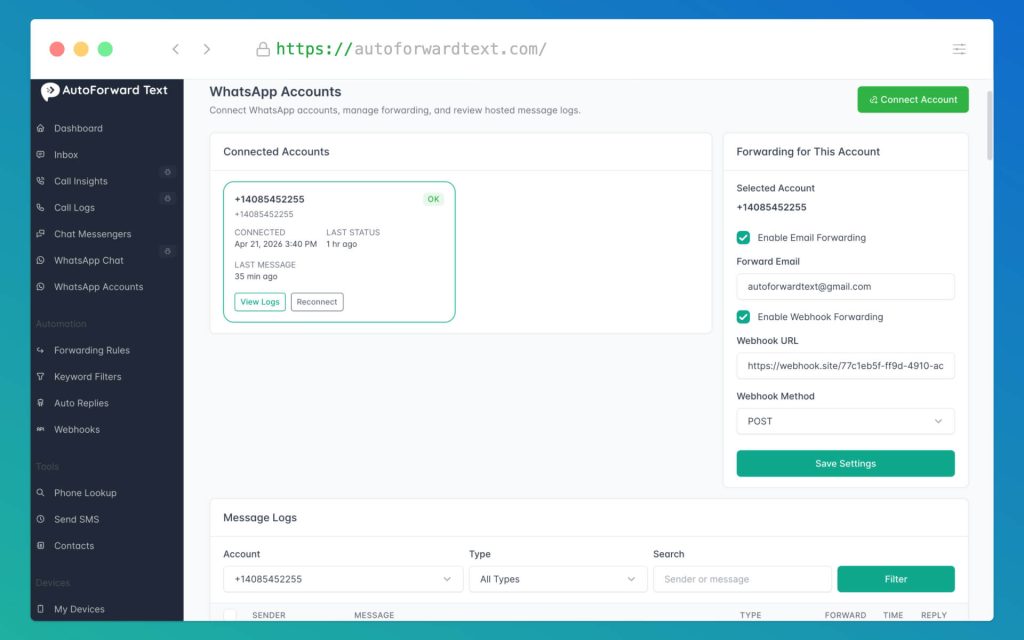
You can forward WhatsApp messages to:
- SMS
- Another WhatsApp number
- A WhatsApp group
- Slack
- A shared team inbox
- Your own webhook
Instead of exporting chats manually, AutoForward Text watches for new incoming WhatsApp messages and forwards them based on the rules you set.
How it works:
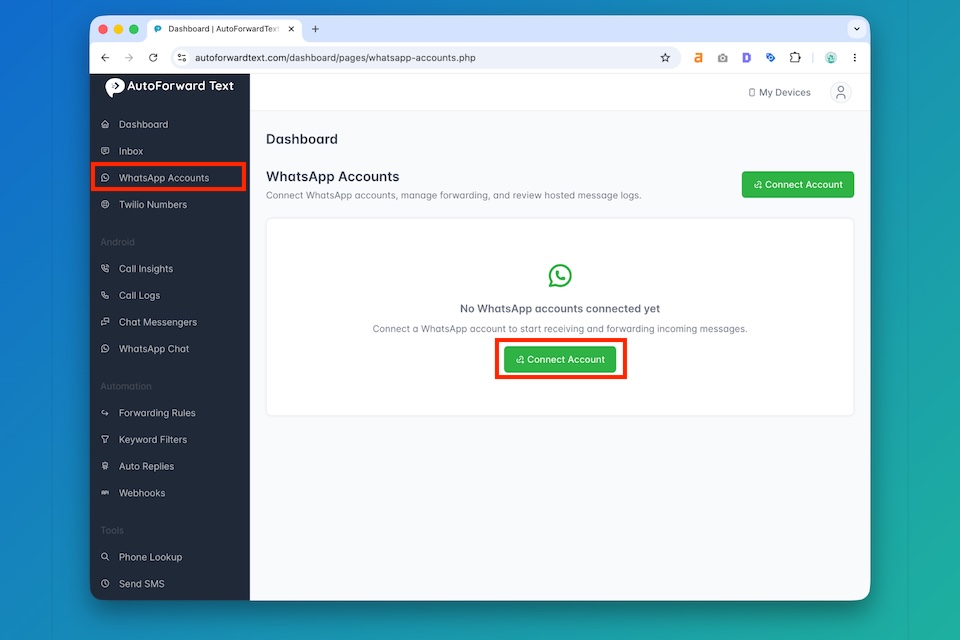
- Sign in to your AutoForward Text account.
- Connect your WhatsApp Personal or WhatsApp Business account.
- Choose your forwarding destination, such as email, SMS, WhatsApp group, Slack, or webhook.
- Add filters if needed, such as specific contacts, keywords, or message rules.
- Save the workflow.
Once the workflow is active, new incoming WhatsApp messages are forwarded automatically.
Why Use AutoForward Text Instead of Manual Export?
Manual export is only a backup tool. AutoForward Text is built for ongoing message forwarding.
Benefits include:
- Automatic forwarding of new incoming WhatsApp messages.
- Works with WhatsApp Personal and WhatsApp Business.
- Forward to email, SMS, WhatsApp, WhatsApp groups, Slack, shared inboxes, or webhooks.
- Keep a searchable copy of WhatsApp messages in your email inbox.
- Route business inquiries to the right person or team.
- Reduce missed messages when multiple people need access to the same WhatsApp communication.
- Use batching to group multiple messages together instead of sending too many separate forwards.
- Access forwarded messages from multiple devices through your email, SMS, Slack, or team inbox.
For personal users, this can work as a WhatsApp backup and notification system.
For businesses, it becomes a simple WhatsApp routing tool. Incoming WhatsApp messages can be sent to sales, support, operations, or a shared team inbox automatically, without someone manually copying and forwarding messages all day.
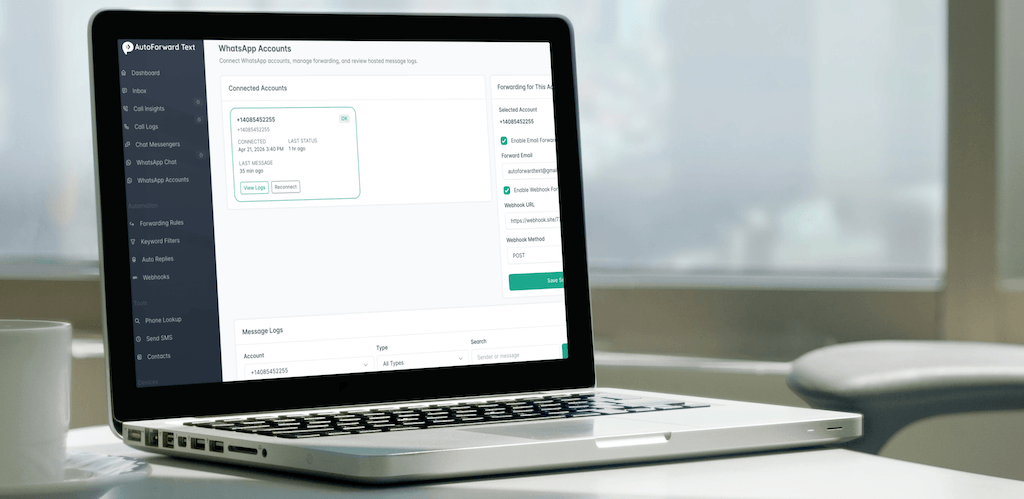
How to Auto Forward WhatsApp Messages to SMS
WhatsApp to SMS forwarding is useful when you want important WhatsApp messages to reach a regular phone number as text messages.
This can help when the person receiving the alert does not want to open WhatsApp, does not have access to the WhatsApp account, or needs urgent messages delivered through SMS instead of another app.
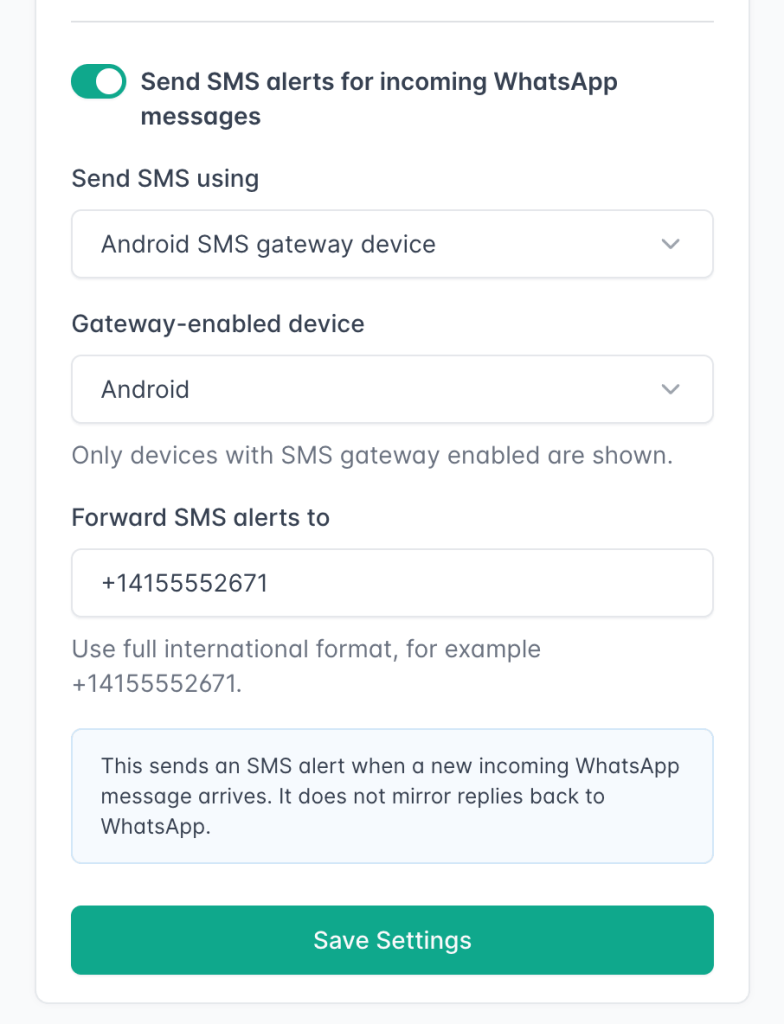
With AutoForward Text, you can automatically forward incoming WhatsApp messages from WhatsApp Personal or WhatsApp Business to an SMS number.
Why Forward WhatsApp to SMS?
WhatsApp is great for conversations, but SMS is still useful for alerts.
A WhatsApp to SMS workflow can help you:
- Receive important WhatsApp alerts as regular text messages.
- Forward WhatsApp Business inquiries to a team member’s phone.
- Send customer messages to staff who do not use WhatsApp all day.
- Get SMS notifications for urgent WhatsApp messages.
- Route messages from a shared WhatsApp number to another mobile phone.
- Keep key people informed without giving them access to the original WhatsApp account.
- Use keyword or contact filters so only selected WhatsApp messages are sent by SMS.
For example, a business can forward WhatsApp messages containing words like “booking,” “quote,” “urgent,” or “support” to an on-call phone number by SMS.
How WhatsApp to SMS Forwarding Works
AutoForward Text connects to your WhatsApp account and watches for new incoming messages. When a message matches your forwarding rules, AutoForward Text sends it to the SMS number you choose.
Steps:
- Sign in to your AutoForward Text account.
- Connect your WhatsApp Personal or WhatsApp Business account.
- Create a new forwarding workflow.
- Select WhatsApp as the source.
- Select SMS as the destination.
- Enter the phone number that should receive the forwarded WhatsApp messages.
- Add optional filters, such as specific contacts, keywords, or message rules.
- Save and activate the workflow.
Once active, new incoming WhatsApp messages are forwarded to SMS automatically.
When WhatsApp to SMS Forwarding Makes Sense
WhatsApp to SMS forwarding is especially useful for businesses and teams that cannot afford to miss messages.
Common use cases include:
- Sending WhatsApp Business leads to a sales phone.
- Forwarding appointment requests to a receptionist.
- Alerting an on-call technician about urgent customer messages.
- Sending WhatsApp support messages to a manager.
- Routing selected messages from WhatsApp to a field worker by SMS.
- Creating a simple SMS alert system for important WhatsApp conversations.
This is not the same as exporting a WhatsApp chat manually. Manual export only creates a one-time copy. AutoForward Text creates an automated WhatsApp to SMS forwarding workflow that keeps working after setup.
Benefits of WhatsApp to SMS Forwarding
The main benefit is speed and visibility.
Instead of checking WhatsApp constantly, important messages can arrive as SMS alerts on the right phone.
Benefits include:
- Automatic WhatsApp to SMS forwarding.
- Works with WhatsApp Personal and WhatsApp Business.
- Forward all WhatsApp messages or only selected messages.
- Filter by contact, keyword, or rule.
- Send alerts to another phone number.
- Useful for sales, support, appointment reminders, emergency alerts, and field teams.
- Helps teams respond faster to WhatsApp inquiries.
- Reduces the chance of missing important WhatsApp messages.
For personal use, WhatsApp to SMS can work as a simple alert system.
For businesses, it is more powerful: it lets you turn WhatsApp messages into SMS alerts that can be routed to the right person at the right time.
WhatsApp to Email vs WhatsApp to SMS — Which Should You Choose?
| Feature | Email Forwarding | SMS Forwarding |
|---|---|---|
| Best For | Storage & backup | Instant alerts |
| Connectivity | Internet needed | Works without internet |
| Searchable Archive | Yes | No |
| Long-Term Use | Yes | Short-term alerts |
AutoForward Text can forward WhatsApp messages to both email and SMS, so you don’t need to choose—you can set up both email and SMS forwarding simultaneously.
Privacy & Security Considerations
Auto-forwarding WhatsApp messages can be powerful, but it should be used responsibly:
For Businesses: Ensure compliance with data and privacy laws.
For Parents: Use with guidance and responsibility, focusing on safety, not intrusion.
For Personal Backups: Make sure your forwarded emails are stored securely.
AutoForwardText is built with privacy in mind, ensuring your forwarded data remains safe.
FAQs
Can I auto-forward WhatsApp messages without an app?
Not automatically. WhatsApp only allows one-time chat exports. Continuous forwarding requires an app like AutoForwardText.
Does WhatsApp allow auto-forwarding?
WhatsApp doesn’t natively support auto-forwarding. Third-party apps like AutoForwardText enable it safely.
Can I forward both SMS and WhatsApp to email at the same time?
Yes. AutoForwardText supports forwarding multiple message types (SMS, WhatsApp, call logs, notifications) to email simultaneously.
Will forwarding work if my phone is offline?
Forwarding requires the phone to be on and connected. SMS forwarding may still work if there’s cellular coverage, but email forwarding needs internet access.
Conclusion
With auto-forwarding, you’ll never miss an important WhatsApp message again.
Use WhatsApp → Email if you need archiving, backup, and easy search.
Use WhatsApp → SMS if you want instant alerts and offline accessibility.
- Use AutoForward Text to forward WhatsApp messages to email or sms
👉 Start with AutoForwardText.com today and take control of your WhatsApp messages.
📲 Never Miss a WhatsApp Message Again!
AutoForwardText lets you auto forward SMS directly to your Email or SMS inbox. Get instant alerts, searchable backups, and access across multiple devices – all automatically.
- ✅ Forward WhatsApp, SMS & call logs
- ✅ Choose Email or Dashboard as destination
- ✅ Smart filters for keywords & contacts
- ✅ Secure & private message forwarding