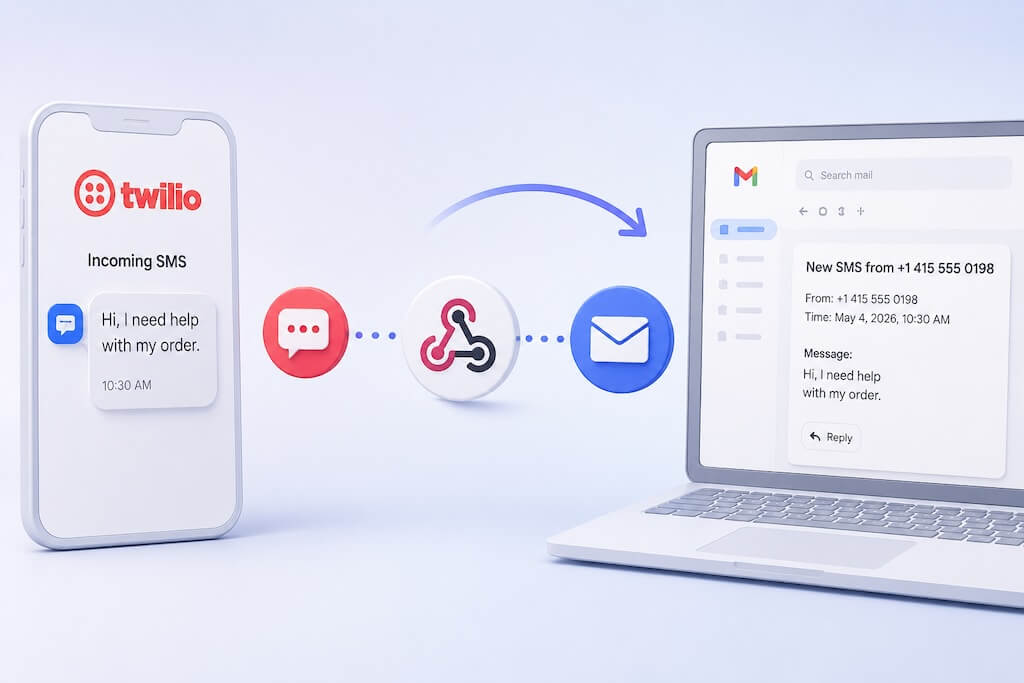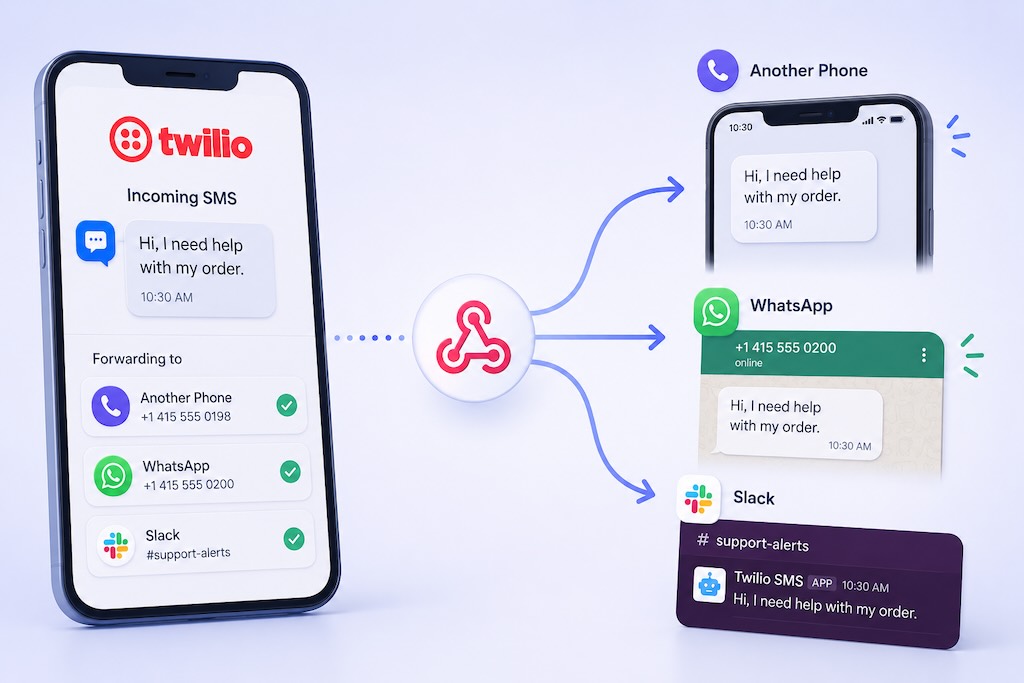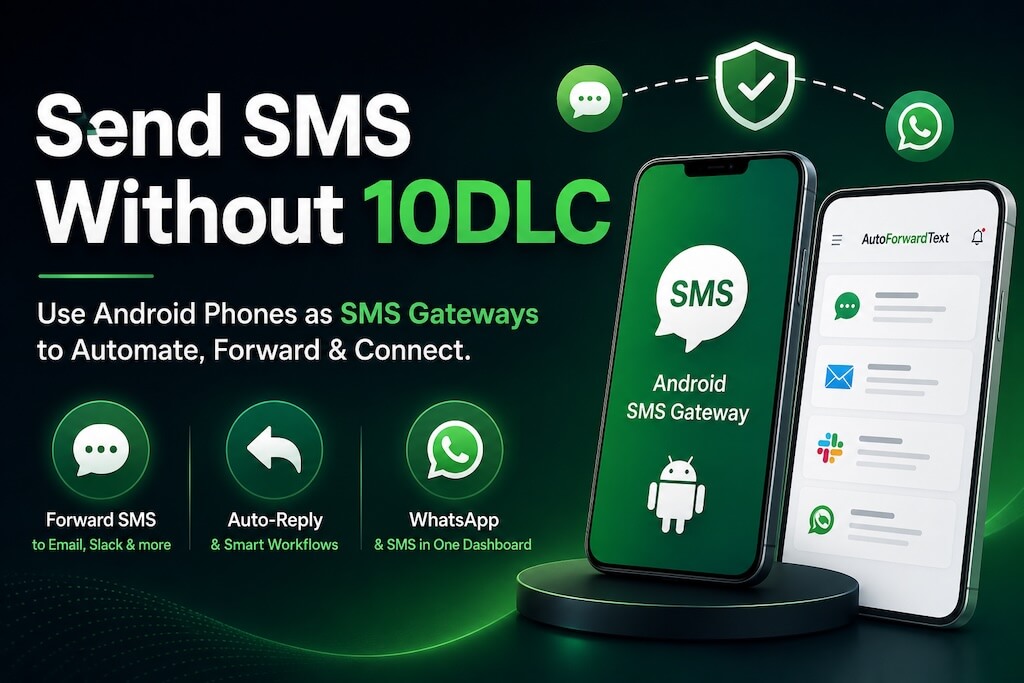
If you’ve tried sending business SMS through platforms like Twilio or other SMS APIs recently, you’ve probably run into something called 10DLC registration.
And honestly, for many small businesses, agencies, startups, and solo operators, it has become a headache.
Campaign approvals get delayed. Registrations get rejected. Monthly fees stack up. Some platforms block sending completely until everything is verified. Even legitimate businesses often struggle to understand what carriers actually want.
So naturally, many people start searching for ways to “bypass 10DLC.”
Here’s the reality:
You cannot legally bypass 10DLC if you are sending A2P (Application-to-Person) SMS through carrier-connected API platforms. Carriers in the US now enforce these rules aggressively, and shortcuts usually lead to blocked numbers, filtering issues, or account suspension.
But there’s something important most guides don’t explain clearly:
Not every SMS workflow requires 10DLC in the first place.
In many cases, you can avoid the entire A2P registration process by using a real mobile device as your SMS gateway instead of sending messages through traditional bulk SMS APIs.
That’s the approach many businesses now use for:
- SMS forwarding
- Shared team inboxes
- OTP monitoring
- Internal alerts
- Customer reply handling
- SMS-to-email routing
- Backup communication workflows
AutoForward Text allows you to turn a normal Android phone into a live SMS gateway that can forward, route, organize, and even auto-reply to messages without going through traditional A2P infrastructure.
This guide explains:
- What 10DLC actually is,
- when it applies,
- when it doesn’t,
- and the practical alternatives businesses are using today, without getting into risky or shady territory.
Quick Answer: Send SMS Without 10DLC Using a Real Phone
Want to forward SMS, auto-reply to messages, or build SMS workflows without dealing with complicated 10DLC registration?
- Create your AutoForward Text account
- Connect an Android phone as your SMS gateway
- Forward SMS to email, Slack, APIs, or team inboxes instantly
You can manage SMS routing, alerts, auto-replies, shared OTP inboxes, and even WhatsApp conversations from one dashboard using real devices instead of traditional A2P SMS APIs.
What Is 10DLC (And Why It Became a Problem)
10DLC stands for 10-Digit Long Code.
It is the registration system that US mobile carriers now require for most business text messaging sent through SMS platforms and APIs.
If you use services like Twilio, Vonage, Plivo, or similar providers to send SMS automatically, carriers usually classify that traffic as:
- A2P (Application-to-Person)
- business messaging
- automated SMS traffic
That means businesses are expected to:
- register their company,
- explain their messaging use case,
- submit sample messages,
- and sometimes even prove user opt-in methods.
In theory, this helps reduce spam.
In practice, many small businesses run into problems like:
- rejected campaigns,
- delayed approvals,
- blocked messages,
- expensive monthly fees,
- low sending limits,
- confusing compliance requirements.
Even legitimate use cases like:
- appointment reminders,
- customer replies,
- internal alerts,
- OTP forwarding,
- SMS notifications,
can still get caught in the process.
This is why many people start searching for:
- “how to bypass 10DLC”
- “send SMS without registration”
- “alternatives to Twilio 10DLC”
But here’s the important part most articles skip:
10DLC mainly applies to SMS traffic sent through carrier-connected API platforms.
If messages are sent directly from a real mobile device instead of an A2P API provider, the situation becomes very different.
That’s where the device-based SMS gateway tool, AutoForward Text, comes in.
Instead of routing messages through traditional bulk SMS infrastructure, AutoForward Text lets businesses use a real Android phone as the sending and receiving device while still adding automation features like:
- SMS forwarding,
- shared inboxes,
- keyword routing,
- auto-replies,
- email forwarding,
- Slack integrations,
- webhook automation,
- and WhatsApp integrations.
For many practical workflows, this completely avoids the complexity of traditional A2P messaging setups.
Can You Legally Bypass 10DLC?
Short answer: No — not if you are sending A2P SMS through carrier-connected APIs.
There is no secret loophole that permanently avoids 10DLC requirements while still using traditional bulk SMS providers.
US carriers now monitor business messaging aggressively. If a platform detects unregistered business traffic, messages may get:
- filtered,
- rate-limited,
- blocked,
- or suspended entirely.
Some online discussions recommend things like:
- rotating phone numbers,
- using “grey route” SMS providers,
- SIM farms,
- or constantly changing sender identities.
These methods are unreliable and usually temporary. They can also create serious deliverability and compliance problems over time.
For legitimate businesses, the smarter approach is usually one of these two options:
Option 1: Fully Register for 10DLC
This makes sense if you:
- send large marketing campaigns,
- use SMS APIs heavily,
- need high throughput,
- or operate a large customer messaging system.
The downside is:
- more compliance work,
- monthly carrier fees,
- registration delays,
- and stricter restrictions.
Option 2: Avoid Triggering A2P Requirements Entirely
This is where many smaller businesses now focus.
Instead of sending messages through API-based SMS infrastructure, they use:
- real Android phones,
- physical SIM cards,
- and device-based SMS gateways.
In this setup, messages are sent from an actual mobile device rather than from a bulk messaging API platform.
That changes the classification of the traffic significantly.
For example, with AutoForward Text, businesses can:
- send and receive SMS from a real phone,
- forward messages to email or Slack,
- create keyword-based automations,
- manage shared SMS inboxes,
- auto-reply to customers,
- and connect WhatsApp accounts,
without building a traditional A2P SMS infrastructure stack.
This approach is especially useful for:
- small businesses,
- internal operations,
- support teams,
- appointment workflows,
- OTP monitoring,
- backup SMS access,
- and customer reply handling.
That said, even device-based systems should still be used responsibly.
Sending spam, phishing messages, or abusive bulk traffic can still violate carrier policies regardless of the technology being used.
When 10DLC Is Actually Required (Most People Misunderstand This)
A lot of confusion around 10DLC comes from people assuming it applies to every type of SMS activity.
It doesn’t.
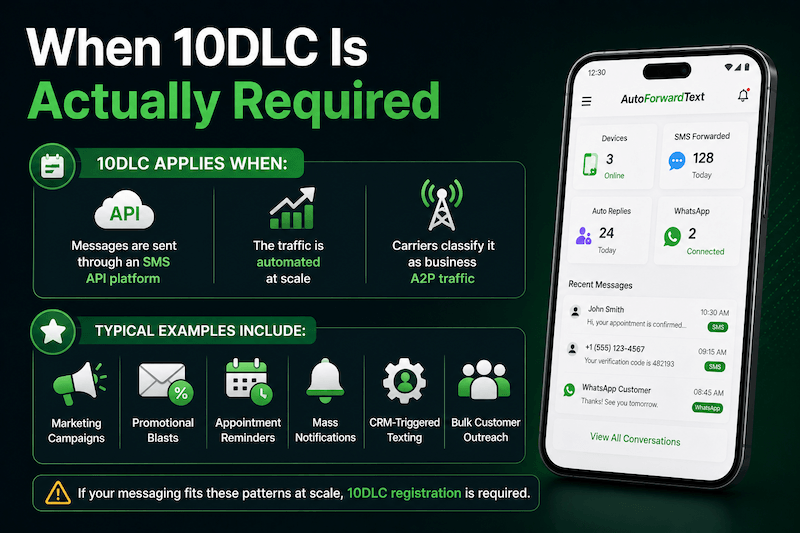
In most cases, 10DLC applies when:
- messages are sent through an SMS API platform,
- the traffic is automated at scale,
- and carriers classify it as business A2P traffic.
Typical examples include:
- marketing campaigns,
- promotional blasts,
- appointment reminder systems,
- mass notifications,
- CRM-triggered texting,
- bulk customer outreach.
If you are using platforms like Twilio or similar providers to send automated SMS from software applications, you will usually need:
- business verification,
- campaign registration,
- and 10DLC approval.
But many practical SMS workflows are completely different.
For example:
- forwarding incoming SMS to email,
- monitoring OTP codes,
- sharing access to a team inbox,
- receiving customer replies on a real phone,
- sending occasional operational replies,
- routing messages internally,
often do not require building a full A2P messaging setup.
That’s why many businesses now use device-based SMS gateways instead.
With a device-based setup:
- the Android phone itself becomes the SMS endpoint,
- messages are handled through the real SIM card on the device,
- and automation happens around the device — not through carrier bulk messaging APIs.
This is a major architectural difference.
That’s why AutoForward Text allows businesses to:
- connect Android phones directly,
- forward SMS to email, Slack, or APIs,
- auto-reply to incoming messages,
- build keyword rules,
- and centralize SMS communication,
without requiring users to build a traditional SMS API infrastructure.
This approach works especially well for:
- small teams,
- local businesses,
- service providers,
- remote operations,
- backup communication systems,
- and internal workflows.
However, there’s an important distinction:
Using a device-based gateway does not magically make spam legal.
If someone tries to send high-volume unsolicited marketing messages from rotating SIM cards or abusive setups, carriers may still block numbers or take enforcement actions.
The safest approach is always:
- legitimate communication,
- consent-based messaging,
- reasonable message volumes,
- and clear operational use cases.
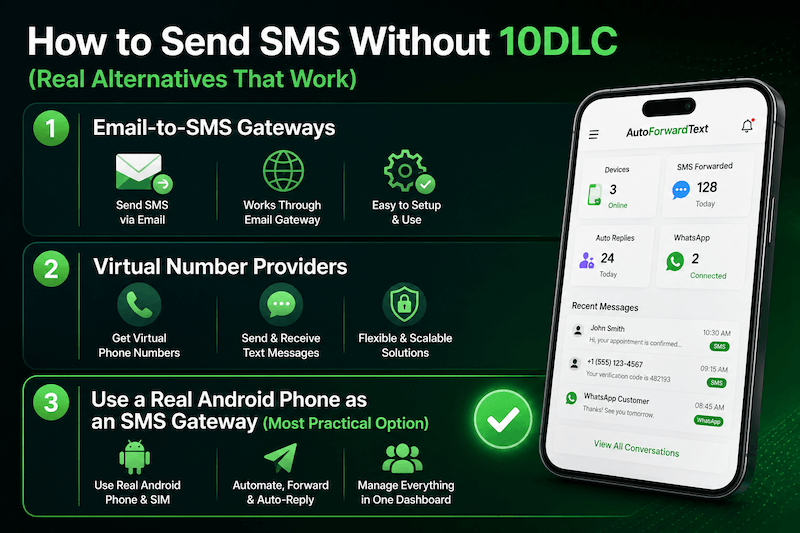
How to Send SMS Without 10DLC (Real Alternatives That Work)
If your goal is simply to:
- send or receive SMS,
- automate replies,
- forward messages,
- monitor OTPs,
- or build internal workflows,
You may not need a traditional A2P SMS provider at all.
Here are the most practical alternatives businesses are using today.
1. Email-to-SMS Gateways
Some mobile carriers allow emails to be delivered as text messages using formats like:
phonenumber@carrier-domain.com
Example:
5551234567@vtext.com
This method is simple, but it has major limitations:
- unreliable delivery,
- carrier filtering,
- poor international support,
- limited automation,
- no proper inbox management,
- difficult scaling.
Most businesses outgrow this quickly.
It may work for occasional alerts, but it is not ideal for operational workflows or customer communication.
2. Virtual Number Providers
Some services advertise “SMS without 10DLC” using:
- VoIP numbers,
- virtual numbers,
- overseas routes,
- or alternative carriers.
The problem is that many of these setups still eventually fall under:
- A2P classification,
- carrier filtering,
- or compliance enforcement.
Deliverability can become inconsistent very quickly.
This is especially true for:
- OTP messages,
- customer support replies,
- transactional notifications,
- and US carrier traffic.
If reliability matters, this usually becomes frustrating over time.
3. Use a Real Android Phone as an SMS Gateway (Most Practical Option)
This is the approach many small businesses and operational teams now prefer.
Instead of sending messages through a bulk SMS API provider, you use:
- a real Android phone,
- a real SIM card,
- and gateway software that automates messaging around the device.
The phone becomes your live SMS endpoint.
This setup works surprisingly well for:
- customer replies,
- forwarding SMS to email,
- team inboxes,
- OTP monitoring,
- missed message alerts,
- backup communication systems,
- operational workflows,
- and internal notifications.
With AutoForward Text, businesses can:
- connect Android devices in minutes,
- auto-forward SMS to email, Slack, or APIs,
- auto-reply to incoming messages,
- build keyword-triggered workflows,
- manage multiple devices,
- and even connect WhatsApp accounts from the same dashboard.
The biggest advantage is simplicity.
There’s:
- no carrier campaign approval,
- no complicated registration process,
- no 10DLC onboarding delays,
- and no need to build a full SMS infrastructure stack.
For many real-world business workflows, that is more than enough.
Use a Real Phone as Your SMS Gateway (The Smartest Alternative for Small Businesses)
For many businesses, the simplest solution is also the most practical:
Use a real Android phone as the SMS gateway instead of relying entirely on cloud SMS APIs.
This setup is much easier than most people expect.
You install an app on an Android device, connect it to your dashboard, and that phone becomes your live SMS sending and receiving endpoint.
The device can:
- send SMS,
- receive replies,
- forward incoming messages,
- trigger automations,
- and sync conversations in real time.
This is very different from traditional A2P infrastructure.
With AutoForwardText, the automation happens around the phone itself rather than through a carrier bulk messaging API.
That means businesses can build workflows like:
- SMS → Email forwarding
- SMS → Slack alerts
- Shared team inboxes
- Auto-replies
- Keyword-triggered routing
- Webhook integrations
- OTP monitoring
- Missed call text replies
- Customer support workflows
without going through a complicated 10DLC onboarding process.
For many small and medium businesses, this is enough.
Especially for:
- local service businesses,
- field operations,
- remote teams,
- agencies,
- property managers,
- repair businesses,
- healthcare offices,
- appointment-driven businesses,
- and operational alert systems.
Another major advantage is flexibility.
Unlike traditional SMS APIs that often focus only on outbound messaging, device-based gateways can also unify:
- SMS,
- phone notifications,
- calls,
- and WhatsApp conversations.
For example, AutoForward Text also supports WhatsApp account connectivity for centralized messaging workflows alongside SMS automation.
That becomes useful when businesses receive customer communication from multiple channels but want one operational dashboard.
The setup is also much faster than most A2P systems.
In many cases:
- Install the Android app
- Connect the phone
- Start forwarding or automating SMS immediately
No carrier campaign review.
No waiting days for approval.
No complicated compliance forms.
Of course, this approach is not designed for massive marketing campaigns sending tens of thousands of texts per day.
But for operational messaging, customer communication, alerts, routing, and workflow automation, it is often the simplest and most cost-effective solution available.
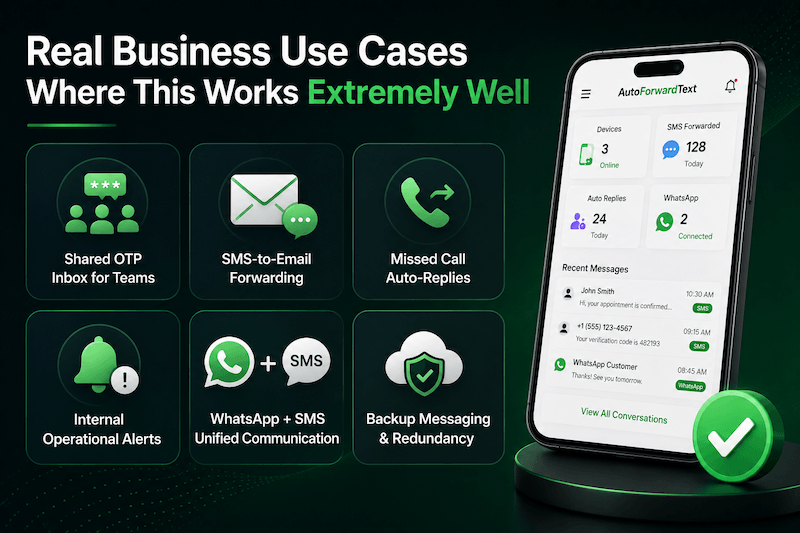
Real Business Use Cases Where This Works Extremely Well
Most businesses searching for “how to bypass 10DLC” are not actually trying to build massive SMS marketing systems.
They usually just want reliable messaging without unnecessary complexity.
That’s where device-based SMS gateways work best.
Here are some real-world use cases where businesses commonly use AutoForwardText.com instead of traditional A2P SMS infrastructure.
Shared OTP Inbox for Teams
Many companies still receive:
- login codes,
- bank verification texts,
- supplier confirmations,
- delivery alerts,
- and authentication messages
on a single phone number.
Instead of keeping that phone physically with one employee, businesses use SMS forwarding to:
- email,
- Slack,
- Microsoft Teams,
- or shared inboxes.
This is especially useful for:
- remote teams,
- support operations,
- agencies,
- and ecommerce businesses.
SMS-to-Email Forwarding
Some businesses rely heavily on text messages but don’t want staff constantly checking physical phones.
A device-based SMS gateway can automatically:
- forward incoming texts to email,
- archive conversations,
- and create searchable communication records.
This is commonly used for:
- customer inquiries,
- field service coordination,
- vendor communication,
- and appointment management.
Missed Call Auto-Replies
Small businesses often miss calls outside business hours.
Instead of losing leads, automated workflows can:
- detect missed calls,
- send instant SMS replies,
- and route conversations to team members.
Example:
“Sorry we missed your call. Reply here and our team will get back to you shortly.”
This works well for:
- contractors,
- clinics,
- repair companies,
- real estate teams,
- and local businesses.
Internal Operational Alerts
Some teams use SMS as a backup communication layer for:
- server alerts,
- security notifications,
- emergency escalation,
- logistics coordination,
- or on-call systems.
With keyword rules and forwarding automation, messages can instantly route to:
- email,
- Slack,
- APIs,
- or multiple staff members.
WhatsApp + SMS Unified Communication
Many businesses now receive customer communication across:
- SMS,
- WhatsApp,
- and phone calls simultaneously.
Managing everything from separate phones becomes messy very quickly.
AutoForward Text can centralize:
- SMS workflows,
- Android message forwarding,
- notifications,
- and connected WhatsApp accounts
into one dashboard.
That makes it much easier for teams to monitor and respond without constantly switching devices.
Backup Messaging & Redundancy
Some businesses use device-based SMS gateways simply as a backup layer.
For example:
- forwarding important texts to multiple destinations,
- keeping communication records,
- or ensuring messages are still accessible even if a phone is unavailable.
This becomes valuable for:
- operational continuity,
- distributed teams,
- and business-critical communication.
Limitations of Using a Device-Based SMS Gateway
Device-based SMS gateways are practical, flexible, and much easier to deploy than traditional A2P systems for many businesses.
But they are not perfect for every use case.
It’s important to understand the tradeoffs before choosing this approach.
It Is Not Designed for Mass SMS Marketing
If your goal is to send:
- hundreds of thousands of promotional messages,
- political campaigns,
- large-scale cold outreach,
- or enterprise-grade marketing blasts,
Then a traditional registered A2P platform is usually the better fit.
A real phone and SIM card naturally have practical limits.
Carriers may still flag:
- unusually high sending volumes,
- spam-like behavior,
- repetitive messaging patterns,
- or abusive automation.
Device-based SMS gateways work best for:
- operational messaging,
- customer replies,
- alerts,
- routing,
- support workflows,
- and moderate communication volumes.
The Android Device Must Stay Online
Since the phone itself acts as the SMS endpoint:
- it needs internet access,
- battery power,
- and a stable mobile connection.
If the device:
- powers off,
- loses signal,
- or disconnects from the internet,
Automation may pause until the connection is restored.
This is why many businesses dedicate:
- a secondary Android device,
- a stable SIM card,
- and a charger
for continuous operation.
Delivery Still Depends on the Carrier
Even though this setup avoids traditional 10DLC onboarding, carriers still monitor SMS activity.
If a business:
- sends spam,
- violates carrier policies,
- or abuses messaging volumes,
numbers may still face:
- filtering,
- throttling,
- or suspension.
No SMS system is completely immune to carrier enforcement.
iPhone Limitations Exist
Android devices work best as SMS gateways because Android allows much deeper background automation access.
iPhones are more restricted by Apple.
That means:
- Android provides the best experience for SMS gateway functionality,
- while iPhone support is usually more limited for background SMS automation.
This Is Operational Messaging — Not a “Bypass Hack”
One of the biggest misconceptions online is that device-based gateways are some kind of “illegal bypass system.”
They are not.
The real advantage is architectural simplicity.
Instead of:
- building a large A2P messaging infrastructure,
- registering campaigns,
- and integrating carrier APIs,
businesses use:
- real devices,
- real SIM cards,
- and workflow automation around those devices.
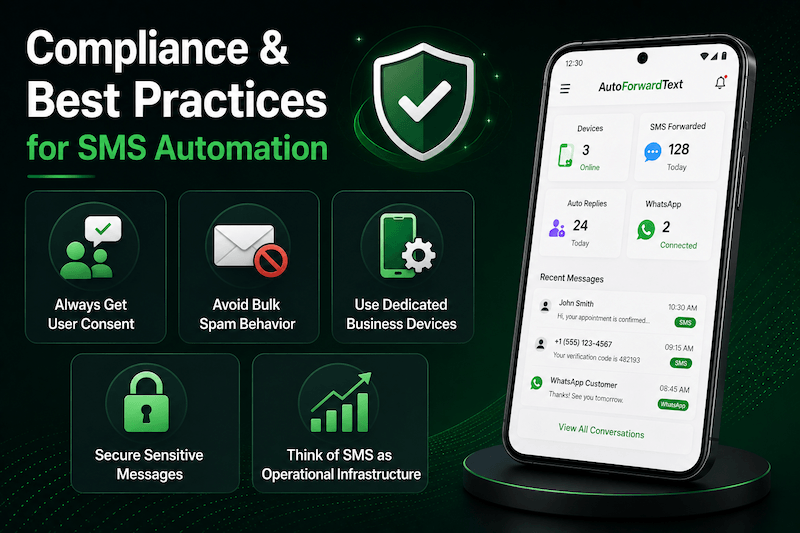
Compliance & Best Practices for SMS Automation
Even if you are not using a traditional A2P SMS platform, responsible messaging practices still matter.
Carriers continue tightening enforcement around spam, fraud, and abusive SMS behavior regardless of the technology being used.
The safest long-term approach is simple:
- send legitimate messages,
- communicate with users who expect to hear from you,
- and avoid aggressive automation patterns.
Always Get User Consent
If you are messaging customers, clients, or leads:
- They should clearly expect communication from your business,
- especially for automated replies or notifications.
This is important for:
- appointment reminders,
- support replies,
- follow-ups,
- delivery notifications,
- and operational messaging.
Unexpected messaging increases the chance of:
- complaints,
- carrier filtering,
- and blocked numbers.
Avoid Bulk Spam Behavior
Even with a real SIM card, carriers can still detect:
- unusually high message volumes,
- repetitive templates,
- suspicious sending behavior,
- or spam complaints.
Good practices include:
- moderate message volumes,
- natural conversation patterns,
- avoiding mass unsolicited campaigns,
- and limiting aggressive automation.
Device-based SMS gateways work best for operational communication — not spam blasting.
Use Dedicated Business Devices
Many businesses choose to dedicate:
- one Android phone,
- one SIM card,
- and one stable connection
Specifically for SMS workflows.
This improves:
- reliability,
- organization,
- uptime,
- and security.
With AutoForwardText.com, businesses can also monitor:
- device connectivity,
- SMS activity,
- forwarding rules,
- and automation workflows
from a centralized dashboard.
Secure Sensitive Messages
If your business handles:
- OTP codes,
- customer information,
- authentication texts,
- or operational alerts,
You should:
- secure access to dashboards,
- control forwarding permissions,
- and limit who can access sensitive messages.
Shared inbox systems are useful, but they should still follow basic security practices.
Think of SMS as Operational Infrastructure
The businesses succeeding with SMS automation today are usually not treating it like a “growth hack.”
They treat it like communication infrastructure.
That means:
- reliable workflows,
- proper message handling,
- operational visibility,
- and practical automation.
For many small and medium businesses, device-based gateways offer a much simpler path than building and maintaining a fully compliant A2P SMS stack from scratch.
Final Verdict: The Smartest Way to Avoid 10DLC Complexity
If you are running large-scale SMS marketing campaigns through carrier-connected APIs, there is no legitimate long-term way to bypass 10DLC requirements.
Carriers now enforce A2P messaging rules aggressively, and trying to work around them using shady methods usually creates bigger problems later.
But many businesses searching for “bypass 10DLC” are solving the wrong problem.
In reality, they often do not need:
- bulk SMS infrastructure,
- enterprise messaging throughput,
- or complex carrier onboarding.
They simply need reliable SMS workflows for:
- customer communication,
- forwarding,
- alerts,
- support,
- team inboxes,
- OTP monitoring
- and operational automation.
That’s where device-based SMS gateways make much more sense.
Using a real Android phone as the SMS endpoint avoids much of the friction associated with traditional A2P messaging systems while still giving businesses:
- automation,
- forwarding,
- auto-replies,
- shared inboxes,
- webhook integrations,
- and centralized communication management.
AutoForwardText.com makes this setup accessible without requiring businesses to build their own SMS infrastructure from scratch.
For many small businesses, agencies, support teams, and operational workflows, it is simply:
- faster,
- cheaper,
- easier to deploy,
- and easier to manage.
The important thing is to use these systems responsibly.
Good communication practices, user consent, and legitimate operational use cases will always matter far more than trying to find technical loopholes.
In the end, the smartest approach usually is not “bypassing” 10DLC.
It is avoiding unnecessary complexity entirely.
Frequently Asked Questions
Do I need 10DLC to send SMS from a real Android phone?
In many cases, no.
If messages are being sent directly from a real mobile device and SIM card rather than through a traditional A2P SMS API platform, the workflow is different from standard bulk messaging infrastructure.
Is using a phone as an SMS gateway legal?
Yes — using a real phone for SMS automation is generally legal for legitimate communication purposes.
However, businesses should still:
- follow carrier policies,
- avoid spam,
- and only message users who expect communication.
Illegal or abusive messaging behavior can still lead to filtering or blocked numbers regardless of the technology being used.
Can I send bulk marketing SMS without 10DLC?
Large-scale marketing campaigns usually still require proper A2P registration.
Device-based gateways are better suited for:
- operational messaging,
- support workflows,
- customer replies,
- alerts,
- forwarding,
- and moderate communication volumes.
They are not intended to replace enterprise-scale SMS marketing platforms.
What is the difference between A2P and P2P messaging?
A2P (Application-to-Person) messaging usually refers to:
- software platforms,
- APIs,
- automated business systems,
- and bulk SMS infrastructure.
P2P (Person-to-Person) messaging is traditionally associated with communication happening directly between real devices and users.
Device-based SMS gateways operate much closer to the second model because the messages are sent through an actual mobile device.
Can I forward SMS to email or Slack automatically?
Yes.
Platforms like AutoForwardText.com allow businesses to:
- forward SMS to email,
- send alerts to Slack,
- trigger webhooks,
- auto-reply to incoming messages,
- and build keyword-based workflows.
Does this work with WhatsApp too?
Yes.
In addition to SMS automation, AutoForward Text also supports connected WhatsApp accounts for centralized communication workflows.
This helps businesses manage:
- SMS,
- WhatsApp conversations,
- notifications,
- and replies
from a single dashboard.
Is Android required?
For full SMS gateway functionality, Android devices work best because Android allows deeper background automation access.
iPhones are more limited due to Apple platform restrictions.
Is this setup good for small businesses?
Yes — especially for:
- local businesses,
- support teams,
- service companies,
- agencies,
- remote operations,
- and businesses that rely heavily on phone-based communication.
Many businesses simply need reliable SMS workflows without dealing with enterprise messaging infrastructure complexity.
Skip 10DLC Complexity & Run Your Own SMS Gateway
Turn a real Android phone into a live SMS gateway for forwarding, auto-replies, OTP monitoring, shared inboxes, customer communication, and WhatsApp workflows — without building a complicated A2P SMS infrastructure.