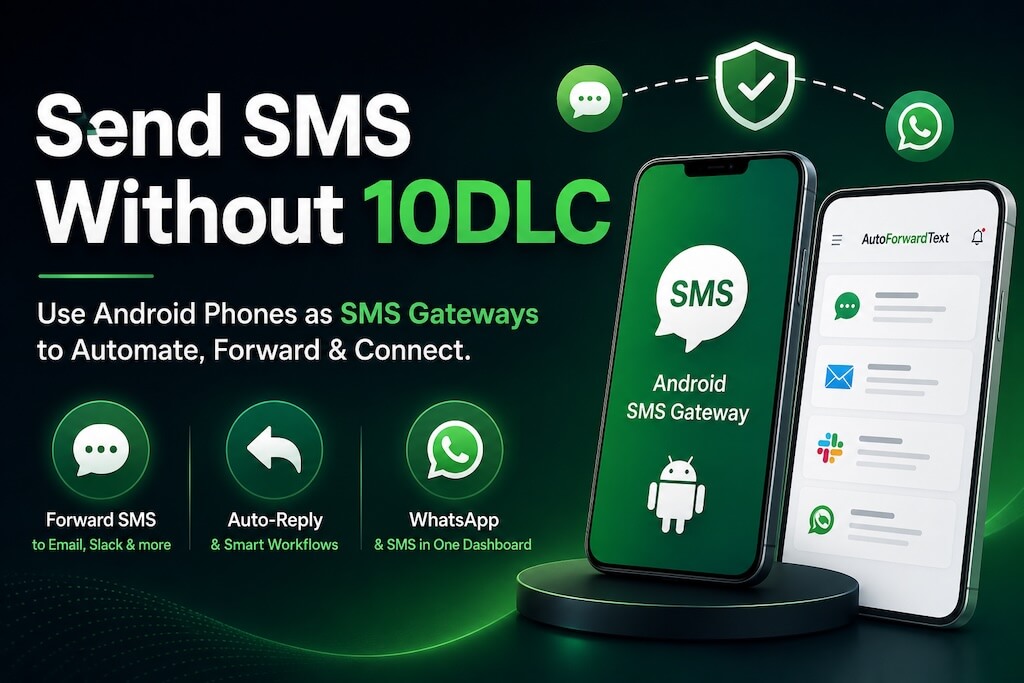
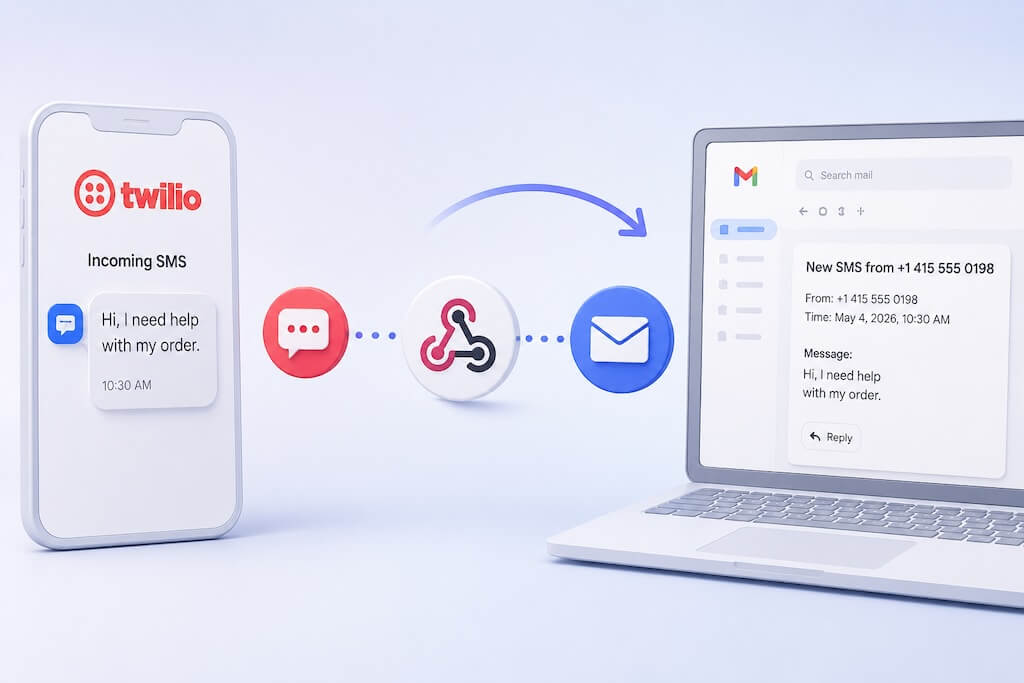
An SMS chatbot can answer customer questions, qualify leads, handle after-hours enquiries, confirm appointments, and route conversations to your team. And you do not necessarily need to buy a new SMS number to build one.
With AutoForward Text, you can connect the SMS channel your business already uses to automation and AI. That can be an Android phone with a local SIM, or an existing Twilio account and number where Twilio supports the type of messaging you need.
The idea is simple:
↓
Your existing phone number
↓
AutoForward Text
↓
AI / Automation (n8n/Make)
↓
Reply through the same SMS channel
You can then connect that message flow to n8n, Make.com, a CRM, a helpdesk, or another AI workflow without rebuilding your messaging setup around a new number.
What Is an SMS Chatbot?
An SMS chatbot is software that can receive and respond to text messages automatically.
Older SMS bots usually rely on fixed rules. A customer sends a keyword such as HOURS, STATUS, or HELP, and the system sends a predefined response.
AI-powered SMS chatbots are more flexible. Instead of requiring the customer to use an exact command, the AI can understand a normal message such as:
The AI can identify what the customer is asking, use the business information available to it, and produce an appropriate reply.
That makes SMS useful as another conversational channel rather than just a place to send alerts and one-way notifications.
SMS Chatbot vs AI SMS Agent
The terms SMS chatbot and SMS AI agent are increasingly used for similar products, but there is a useful distinction.
| SMS Chatbot | AI SMS Agent |
|---|---|
| Main job is answering messages | Can answer messages and take actions |
| May rely on fixed flows or rules | Can understand natural-language requests |
| Often handles FAQs and basic routing | Can potentially use CRM, calendar, order, or support data |
| Good for predictable conversations | Better suited to conversations requiring context or decisions |
For most businesses, the label matters less than the result. The useful question is whether the system can understand the customer’s text, respond correctly, and hand the conversation to a person when automation is not enough.
How an AI SMS Chatbot Works
A basic AI SMS workflow has three layers:
- SMS channel: the phone number customers text.
- Messaging bridge: receives the SMS and exposes it to your automation.
- AI or workflow: decides what should happen and sends the response back.
↓
SMS
Android Phone or Twilio Number
↓
AutoForward Text
↓
Webhook / API
(n8n, Make.com, CRM, or AI Workflow)
↓
AutoForward Text
↓
SMS
Customer
This separation is useful because your AI system does not need to become your telecom provider. It simply receives the message data, processes it, and returns the response to the messaging channel.

Use the SMS Number You Already Have
One of the biggest questions when setting up an SMS chatbot is what happens to the phone number customers already know.
You may already receive business texts on a mobile phone. Or your company may already have a Twilio number with an established messaging setup.
In either case, replacing the number simply to add AI can create unnecessary work.
AutoForward Text takes a bring-your-own SMS channel approach:
Android Phone + SIM
Connect a physical Android phone and continue using the mobile number already attached to its SIM.
Your Existing Twilio Setup
Connect your existing Twilio messaging setup instead of moving the number to another provider.
The right option depends on where the number lives today, the countries you message, and how much messaging infrastructure you want to manage.
Option 1: Android Phone + SIM
An Android SMS gateway is useful when customers already text a real mobile number and you want to connect that number to automation.
↓
Your Existing Mobile Number
↓
Android Phone + SIM
↓
AutoForward Text
↓
AI Workflow
When a new SMS arrives on the Android phone, AutoForward Text can forward the message to a webhook. Your AI or automation platform processes it, then sends a response back through AutoForward Text and the Android phone.
Android is a good fit when:
- You already have a business or operational mobile number.
- Customers already send SMS to that number.
- You want to keep using the local SIM and mobile plan.
- Your messaging volume is relatively modest.
- You are comfortable keeping the Android device powered on and connected.
The Android phone remains part of the infrastructure. It needs power, internet access, mobile service, SMS permission, and permission to run AutoForward Text reliably in the background.
This approach can also be useful in markets where cloud SMS services do not offer the same straightforward two-way number experience available in some other countries.
Option 2: Bring Your Own Twilio
If your business already uses Twilio, moving the number somewhere else just to add an SMS chatbot may not make sense.
A bring-your-own-Twilio setup lets you keep your existing cloud messaging infrastructure and connect it to the rest of your AutoForward Text workflows.
↓
Your Twilio Number
↓
Your Twilio Account
↓
AutoForward Text
↓
AI / Automation
Bring Your Own Twilio is a good fit when:
- Your company already uses Twilio for SMS.
- You already have the numbers you want customers to use.
- You prefer cloud messaging instead of maintaining a physical Android phone.
- Your Twilio setup supports the required inbound and outbound messaging in your market.
- You want SMS to sit alongside your other AutoForward Text forwarding and automation workflows.
Twilio is not a universal two-way SMS layer in every country. Sender types, registration requirements, inbound capabilities, and two-way messaging support vary by country. Check Twilio’s current SMS guidelines for the markets you need before choosing this route.
Android SMS vs Twilio for an AI Agent
Neither option is universally better. They solve different problems.
| Feature | Android Phone + SIM | Bring Your Own Twilio |
|---|---|---|
| Use an existing number | Yes — existing mobile/SIM number | Yes — existing Twilio number/setup |
| Physical phone required | Yes | No |
| Cloud-based | No | Yes |
| Good for an existing mobile line | Excellent fit | Usually not the reason to choose it |
| Good for an existing Twilio setup | No | Excellent fit |
| Works with n8n / Make / AI workflows | Yes | Yes |
| Country-specific rules still matter | Carrier and local rules apply | Twilio support and requirements vary by country |
Already receiving texts on an Android mobile number?
Use the Android + SIM route.
Already running SMS through Twilio?
Keep your Twilio setup where it supports the messaging experience you need.
Build Your SMS Chatbot with n8n
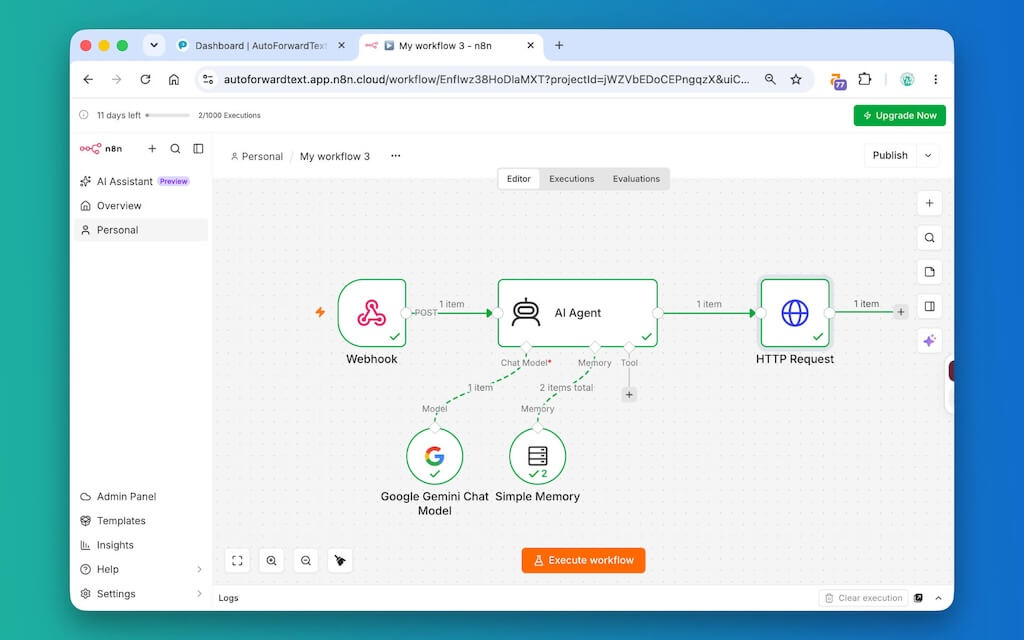
If you use n8n, AutoForward Text can send incoming SMS data to an n8n Webhook. n8n can process the message with normal workflow logic or an AI Agent and send the response back through the messaging channel.
↓
AutoForward Text
↓
n8n Webhook
↓
AI Agent / Workflow
↓
SMS Reply
For the Android route, see our detailed guide:
How to Send and Receive SMS with n8n Using Your Android Phone
That tutorial covers the practical setup for receiving incoming Android SMS in n8n, processing the message, and routing responses back through the phone.
Build Your SMS Chatbot with Make.com
Make.com provides another visual way to build the AI layer.

↓
AutoForward Text Webhook
↓
Make.com
↓
Make AI Agent
↓
Reply API
↓
Customer
For a complete Android + Make walkthrough, see:
How to Build an SMS AI Agent with Make.com Using Your Android Phone
You do not have to use AI either. The same SMS connection can trigger normal Make scenarios, filters, CRM actions, notifications, database lookups, or human approval workflows.
Which SMS Setup Should You Choose?
Start with the number you already have rather than starting with the automation tool.
Choose Android + SIM if:
- Your customers already text a normal mobile number.
- You want to keep that existing SIM-based number.
- You need automation around a phone that is already part of your business.
- You are comfortable keeping the Android device online.
Choose Bring Your Own Twilio if:
- Your company already uses Twilio.
- Your current Twilio numbers and messaging setup already fit your use case.
- You want the SMS side to remain cloud-based.
- Twilio supports the inbound/outbound messaging experience you need in your target market.
Then choose the workflow layer — n8n, Make.com, or another platform — based on what you want the chatbot to do.
The main idea: your AI agent should connect to the SMS infrastructure that makes sense for your business, rather than forcing you to replace a working phone number simply to add automation.
Common SMS Chatbot Use Cases
An SMS chatbot does not need to run your entire business to be useful. A narrow, well-defined job is often better.
Answer Customer Questions
Common questions about services, opening hours, locations, policies, or next steps can be answered automatically when the AI has reliable business information.
Qualify New Leads
The chatbot can collect the basic information your team needs before creating or updating a CRM lead.
Book or Confirm Appointments
An SMS conversation can collect a preferred day or time, confirm an existing appointment, or route a scheduling request into a calendar workflow.
Handle After-Hours Enquiries
Instead of leaving a customer waiting until the next working day, the SMS chatbot can answer basic questions and collect the reason for contacting you.
Follow Up After Missed Calls
A missed call can trigger an SMS asking how the business can help. The customer can reply by text, and the chatbot can continue the conversation or escalate it to the team.
Connect SMS to Business Data
With the right workflow, an AI agent can use approved CRM, order, booking, or support data before it answers.
Hand Difficult Conversations to a Person
The workflow can then create an internal task, send an alert, or route the conversation to a human.
Frequently Asked Questions
What is an SMS chatbot?
An SMS chatbot is software that receives and responds to text messages automatically. AI-powered SMS chatbots can understand normal conversational messages instead of relying only on fixed keywords or predefined menus.
Is an SMS chatbot the same as an AI SMS agent?
The terms often overlap. An SMS chatbot usually focuses on answering messages, while an AI SMS agent may also use business data or tools and take actions such as creating a lead, checking an appointment, or escalating a support request.
Can I build an SMS chatbot using my existing Android phone number?
Yes. AutoForward Text can connect a compatible Android phone and its SIM to webhooks and APIs so incoming SMS can trigger an AI or automation workflow and responses can be sent back through the Android device.
Do I need Twilio to build an SMS chatbot?
No. You can use an Android phone and SIM as the SMS channel. Twilio is another option if your business already uses it and its messaging capabilities fit your country and use case.
Can I bring my existing Twilio account?
Yes. If you already use Twilio, a bring-your-own setup lets you keep your existing Twilio messaging infrastructure instead of moving the number solely to add an AI workflow.
Does Twilio support two-way SMS in every country?
No. Twilio SMS capabilities and requirements vary by country, sender type, and use case. Some countries support two-way SMS while others do not, and registration or sender requirements can also differ. Check the current Twilio SMS country guidelines before designing a two-way chatbot around Twilio.
Can an SMS chatbot remember previous messages?
Yes, if the AI or workflow platform supports conversation memory. A common approach is to use the customer’s phone number as a conversation or session identifier so follow-up messages retain the correct context.
Can an SMS chatbot connect to my CRM or calendar?
Yes. Platforms such as n8n and Make.com can connect the SMS conversation to CRM records, calendars, databases, helpdesks, and other business systems.
Can an SMS chatbot send new outbound messages as well as replies?
Yes, depending on the connected SMS channel and your permissions. Outbound messages can be triggered by events such as a new lead, appointment reminder, order update, or CRM status change. Consent, carrier rules, and local messaging requirements still apply.
Do I need n8n or Make.com?
No. They are two popular workflow options, but the messaging layer can be connected to other systems that can receive webhooks and call APIs.
Does an Android SMS chatbot require the phone to stay online?
Yes. The Android phone is the physical SMS gateway, so it needs to remain powered on, connected to the internet, able to send and receive SMS, and allowed to run AutoForward Text in the background.
Is an AI SMS chatbot suitable for bulk marketing?
This article is focused on conversational and operational messaging. Bulk or promotional messaging can involve additional carrier, consent, sender-registration, and local legal requirements. Use messaging infrastructure designed for your specific use case and market.
Final Thoughts
An SMS chatbot does not have to start with a new phone number.
If customers already text an Android mobile number, you can connect that phone and SIM to an AI workflow. If your company already has a suitable Twilio setup, you can keep using that infrastructure instead.
Your Existing SMS Number → AutoForward Text → AI / Automation → SMS Reply
Start with a narrow use case: answer a few common questions, qualify a lead, confirm appointments, follow up after missed calls, or route difficult conversations to a person.
Once that works reliably, you can connect the same SMS channel to CRM data, scheduling, support tools, and more advanced AI workflows without changing the number customers already know.
Connect Your Existing SMS Number to AI
Use an Android phone and SIM or your existing Twilio setup to connect SMS conversations to automation, n8n, Make.com, and AI workflows.
- Keep the phone number you already use
- Send incoming SMS to webhooks and workflows
- Route automated or AI-generated replies back to customers
- Connect SMS to CRM, support, scheduling, and other business tools