Need to send a text message from email without relying on an old carrier email-to-SMS gateway?
With email to text, you send an email to an address that contains the destination phone number, and the message is delivered as an outgoing text message.
For example, to send a message to +1 415 555 0198, you can email:
+14155550198@reply.autoforwardtext.com
With AutoForward Text, approved sender addresses can use this email gateway to send messages through AFT Shared SMS, an Android SMS Gateway, a connected Twilio number, or a WhatsApp QR account.
The destination is contained in the email address itself, so you can send to different phone numbers without creating a separate forwarding rule for every recipient.
Basic email-to-text flow:
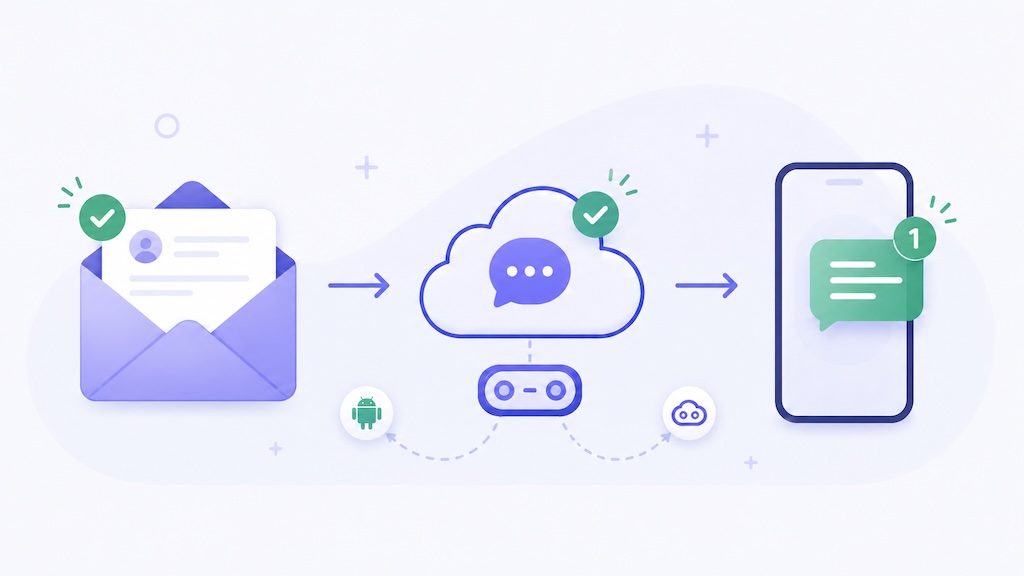
Email → AutoForward Text → Shared SMS / Android / Twilio → SMS Recipient
Quick Answer: How Do You Send a Text Message from Email?
Send the email to an address that contains the recipient’s international phone number. AutoForward Text checks whether the sender is approved, extracts the message content, and sends it using your selected delivery method.
The leading + is optional. These two addresses point to the same destination:
+14155550198@reply.autoforwardtext.com14155550198@reply.autoforwardtext.com
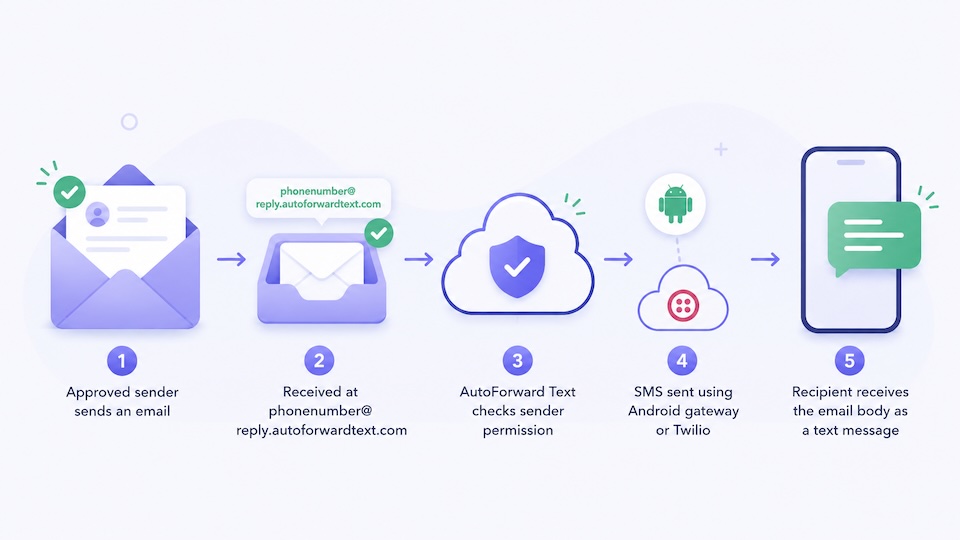
Important: AutoForward Text only accepts email-to-text messages from approved sender email addresses. This helps prevent unauthorized use of your sending gateway.
Send a Text Message from Email
Use AutoForward Text as an email-to-text gateway with approved senders and your preferred SMS delivery method.
What Does Email to Text Mean?
Email to text means sending an email that becomes an outgoing text message.
Instead of opening an SMS app or integrating directly with an SMS API, a person or system sends an email. The email is processed and delivered to the destination phone number as SMS.
Email message → Email-to-text gateway → SMS message
This is useful because almost every business system can send email notifications, while many do not provide a simple way to send SMS.
Email to Text Is Not the Same as SMS Forwarding
| Workflow | What Happens |
|---|---|
| Email to Text | An email is converted into an outgoing SMS message. |
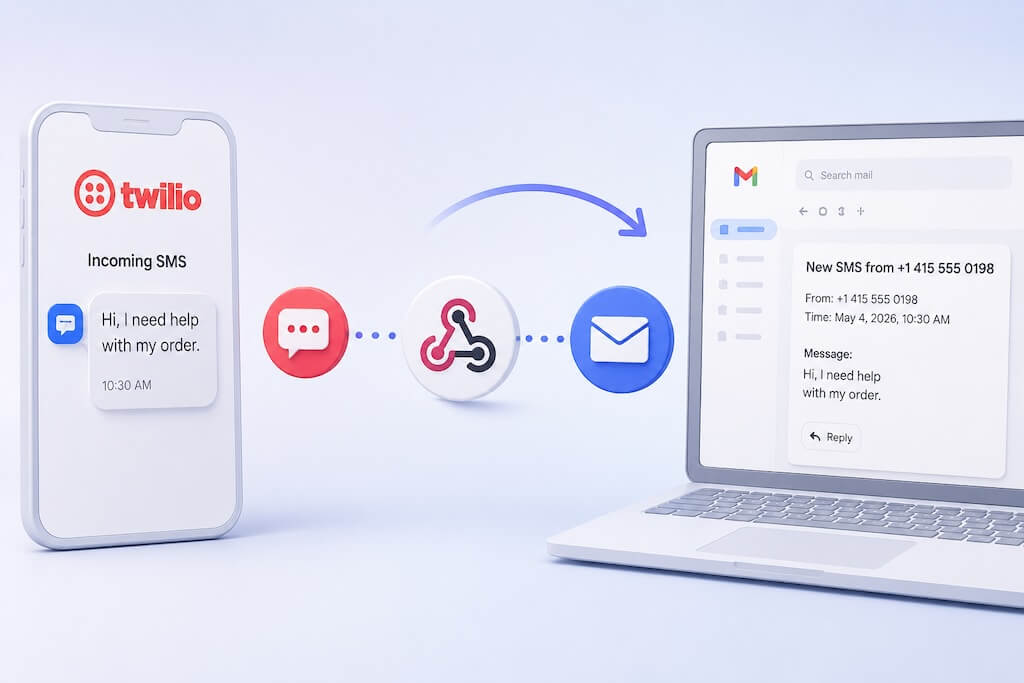
| SMS to Email | An incoming SMS message is forwarded to an email address. |
| Email Reply to SMS | You reply to a forwarded SMS email and the reply is sent back as SMS. |
| Automatic Email Forwarding | Selected incoming emails are automatically routed to a saved SMS or WhatsApp destination. |
This guide focuses on the first workflow: sending a message to a phone number by email. If you want selected incoming Gmail, Outlook, CRM, helpdesk, or monitoring emails forwarded automatically to one saved destination, see our automatic email forwarding guide.
Why Use an Email-to-Text Gateway?
Email is a useful universal trigger. A person, website, CRM, monitoring system, or older business application can often send email even when it has no built-in SMS integration.
An email-to-text gateway lets that existing email capability become an SMS delivery method without building a custom email parser or direct SMS API integration.
- Send a one-off SMS from Gmail or Outlook.
- Let a website or CRM send a text using email.
- Turn a short system alert into an SMS message.
- Give legacy software an email-based SMS output.
- Send urgent operational messages to a phone number.
Why Old Carrier Email-to-SMS Gateways Are Not Enough
For years, people used carrier-specific email-to-SMS addresses such as number@vtext.com, number@txt.att.net, or number@tmomail.net.
The idea was simple: email a carrier-specific address and let the mobile carrier deliver the message as SMS. For business workflows, however, this approach has several weaknesses.
| Problem | Why It Matters |
|---|---|
| You need to know the recipient’s carrier | Phone numbers can move between carriers, making carrier-specific routing unreliable. |
| Gateways may be restricted or discontinued | Many traditional carrier gateways are no longer dependable for regular workflow messaging. |
| Limited control | You do not control sender approval, routing, logs, or provider selection. |
| Poor business fit | Carrier gateways were not designed as managed workflow infrastructure. |
| No central dashboard | It is difficult to manage senders, destinations, usage, and delivery methods. |
Note: Many traditional carrier email-to-SMS gateways have been discontinued, restricted, or are unreliable for business workflows.
How AutoForward Text Email to Text Works
AutoForward Text gives you a controlled email gateway instead of relying on the recipient’s mobile carrier domain.
You put the destination phone number directly into the email address, send the message from an approved sender, and AutoForward Text routes it through the sending method selected in your account.
| Part | Purpose |
|---|---|
| Destination phone number | The number that should receive the outgoing message. |
| Email-to-text address | For example +14155550198@reply.autoforwardtext.com. |
| Approved sender email | The Gmail, Outlook, website, CRM, helpdesk, or system address allowed to use your account. |
| Delivery method | AFT Shared SMS, Android SMS Gateway, Twilio SMS, or WhatsApp QR. |
| Message content | The email content that becomes the outgoing message. |
The key difference from automatic forwarding is that the recipient number is part of the email address. That makes this workflow useful when you want to send to different phone numbers.
Method 1: Send Email to Text Using AFT Shared SMS
AFT Shared SMS Service is the simplest option when you want to send SMS from email without setting up your own Android gateway or connecting a separate Twilio account.
Messages sent through the shared service use your AutoForward Text SMS credits.
- Fast setup.
- No Android gateway required.
- No separate Twilio account required.
- Useful for occasional email-to-SMS alerts and simple workflows.
Email
↓
AutoForward Text
↓
AFT Shared SMS
↓
Recipient receives SMS
Method 2: Send Email to Text Using an Android SMS Gateway
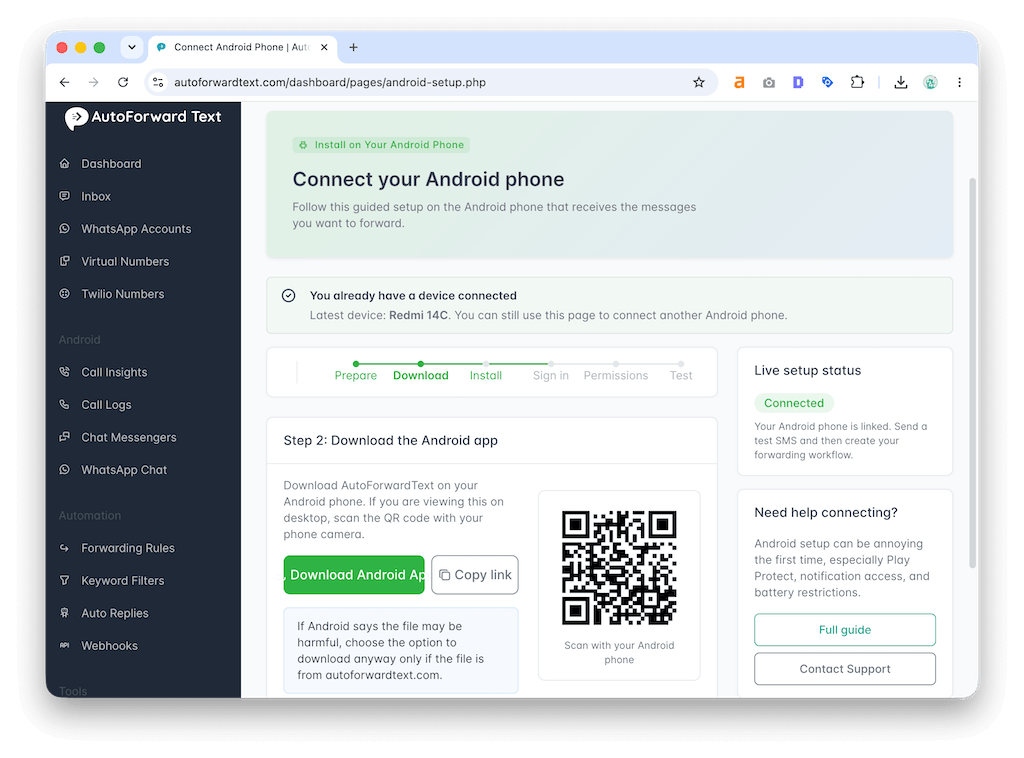
The Android gateway method lets you send SMS through your own Android phone and SIM card.
Install the AutoForward Text Android app, enable SMS gateway mode, and select that device as the sender for email-to-text messages.
- Send through an existing Android phone and SIM.
- Use your own mobile number as the SMS sender.
- Useful for internal alerts and operational notifications.
Method 3: Send Email to Text Using a Twilio Number
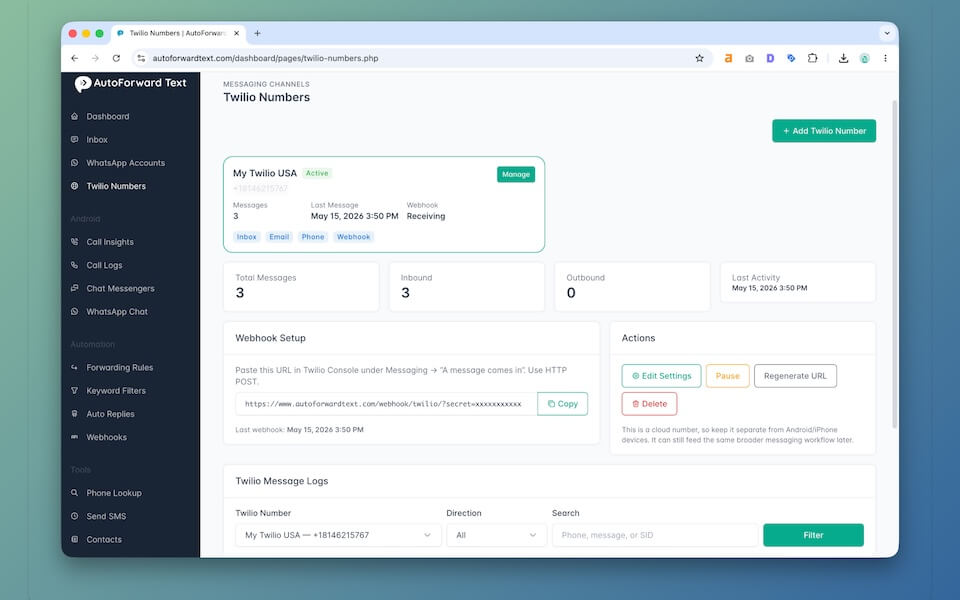
If you already use Twilio, AutoForward Text can send email-to-text messages through your connected Twilio number. This provides a cloud-based SMS route without keeping an Android phone online.
Compliance note: If you use Twilio for application-to-person business messaging, follow the registration and messaging requirements that apply to your destination country and use case.
Can Email Be Sent to WhatsApp Instead?
Yes. If you have connected a WhatsApp account to AutoForward Text using QR, that account can be selected as a delivery method for the email gateway.
The email address still contains the destination phone number, while AutoForward Text uses the selected connected WhatsApp account to deliver the message.
If your goal is to automatically route selected incoming emails to a fixed WhatsApp number, chat, or group, use the automatic email forwarding workflow instead.
Email to Text Address Format
+phonenumber@reply.autoforwardtext.com
phonenumber@reply.autoforwardtext.com
Include the international country code. The leading + is optional. Do not include spaces, brackets, or hyphens in the email address.
| Phone Number | Valid Email-to-Text Address |
|---|---|
+1 415 555 0198 | +14155550198@reply.autoforwardtext.com |
+1 415 555 0198 | 14155550198@reply.autoforwardtext.com |
+44 7700 900123 | +447700900123@reply.autoforwardtext.com |
+61 412 345 678 | 61412345678@reply.autoforwardtext.com |
How to Set Up Email to Text in AutoForward Text
Setup takes a few steps: enable the email gateway, choose the sending method, approve trusted sender addresses, and send a test message.
Step 1: Open Email to Text Settings
Log in to AutoForward Text, open Workflows, and select Email to Text.
Step 2: Enable Email to Text
Turn on Enable Email to Text. This allows approved sender addresses to send messages through your account by emailing a destination phone number at reply.autoforwardtext.com.
Step 3: Choose How Messages Should Be Sent
| Delivery Method | Best For |
|---|---|
| AFT Shared SMS Service | The easiest SMS setup without connecting your own provider. |
| Android SMS Gateway | Sending through your own Android phone and SIM. |
| Twilio SMS Number | Sending through your own connected Twilio number. |
| WhatsApp QR Account | Sending through a connected WhatsApp account instead of SMS. |
Step 4: Configure the Selected Delivery Method
- AFT Shared SMS: no Android device or Twilio number is required. Messages use AutoForward Text SMS credits.
- Android SMS Gateway: select the connected gateway-enabled Android device.
- Twilio: select the connected Twilio number you want to send from.
- WhatsApp QR: select the connected WhatsApp account you want to use.
Step 5: Add Approved Sender Emails
Add each trusted email address that is allowed to send messages through your account.
owner@example.comalerts@yourcrm.comnotifications@yourhelpdesk.comnoreply@yourwebsite.com
Step 6: Send a Test Email
If your selected delivery route is SMS, the recipient should receive the message as a text. If you selected WhatsApp, it should be delivered through the connected WhatsApp account.
Step 7: Use the Address from Gmail, Outlook, or Another System
Once the test works, you can send to the address manually or add it as a notification recipient in a trusted system that can send email.
If you want Gmail, Outlook, CRM, helpdesk, or monitoring emails forwarded automatically to one saved SMS or WhatsApp destination, use the automatic email forwarding workflow.
Example Email-to-Text Messages
Systems That Can Use an Email-to-Text Gateway
| Source | Example Message |
|---|---|
| Website form | New lead or quote request. |
| CRM | Assigned lead, deal, or task notification. |
| Helpdesk | High-priority ticket or SLA warning. |
| Monitoring tool | Downtime, error, or incident alert. |
| Booking system | Appointment or cancellation notification. |
| Internal system | Operational or staff alert. |
For recurring rules that automatically forward selected incoming emails to one saved destination, see How to Auto Forward Email to SMS.
Send a Text from Gmail or Outlook
- Open Gmail or Outlook.
- Create a new email.
- Enter the recipient as
+phonenumber@reply.autoforwardtext.com. - Write the message in the email body.
- Send it from an approved sender address.
This is useful for one-off messages. If you want to create automatic Gmail or Outlook forwarding rules for selected incoming emails, use the separate automatic email forwarding guide.
Email to Text vs SMS API vs Automatic Forwarding
| Method | Best For | Main Difference |
|---|---|---|
| Email to Text | Sending a message to a phone number using email. | The recipient number is in the email address. |
| SMS API | Developers building direct application-to-SMS integrations. | Requires API integration and more development work. |
| Automatic Email Forwarding | Routing selected incoming emails to a saved destination. | The SMS or WhatsApp destination is configured in advance. |
| SMS Forwarding | Forwarding incoming SMS messages to email, Slack, another phone, or webhook. | Works in the opposite direction. |
| Carrier Email-to-SMS Gateway | Legacy or casual one-off sending. | Carrier-specific and often unreliable for managed workflows. |
Security, Limits, and Abuse Prevention
An email-to-text gateway needs guardrails because it can trigger outbound messages. AutoForward Text checks the sender against the account’s approved email list before accepting an email-to-text message.
- Only approve sender email addresses you control or trust.
- Do not approve broad public addresses.
- Keep messages short and relevant to the recipient.
- Do not send passwords, full payment details, or highly sensitive personal information by SMS.
- Watch usage limits and SMS credit consumption.
- Follow the rules that apply to your SMS provider, carrier, country, and messaging use case.
Common Problems and Fixes
| Problem | Likely Cause | Fix |
|---|---|---|
| Email is not converted to a message | Email to Text is disabled | Open Email to Text settings and enable the feature. |
| Sender email is rejected | Sender is not approved | Add the sender to the approved sender list. |
| Destination is not recognized | Recipient address format is invalid | Use the international number with country code. A leading + is optional; remove spaces, brackets, and dashes. |
| AFT Shared SMS does not send | Insufficient SMS credits or delivery issue | Check your AutoForward Text SMS credits and recent activity. |
| Android SMS does not send | Gateway device is unavailable | Check that the selected Android device is online and SMS gateway is enabled. |
| Twilio SMS does not send | Twilio connection, balance, number, or compliance issue | Check your connected Twilio account and number. |
| WhatsApp does not send | Connected QR account is unavailable | Check the WhatsApp connection and reconnect it if necessary. |
| Message is too long | Email body is too verbose | Keep the email body short and focused. |
Frequently Asked Questions
What is email to text?
Email to text is a workflow where an email becomes an outgoing text message. You send to an email address that contains the destination phone number, and the gateway delivers the message using the configured sending method.
Can I send a text message from email?
Yes. With AutoForward Text, approved sender addresses can send a message by emailing a destination such as +14155550198@reply.autoforwardtext.com.
Can I include a + before the phone number?
Yes. Both +14155550198@reply.autoforwardtext.com and 14155550198@reply.autoforwardtext.com are valid formats.
Do I need an Android phone?
No. An Android phone is only required if you choose the Android SMS Gateway method. You can use AFT Shared SMS or a connected Twilio number without an Android phone.
Do I need Twilio?
No. Twilio is optional. AFT Shared SMS and the Android SMS Gateway are alternatives for sending SMS.
Which email-to-text sending method should I use?
Use AFT Shared SMS if you want the simplest setup without connecting your own provider. Use Android if you want to send through your own phone and SIM. Use Twilio if you already operate a connected cloud SMS number.
Can email be sent to WhatsApp instead of SMS?
Yes. A connected WhatsApp QR account can be selected as the delivery method for messages sent through the email gateway.
Can anyone send messages through my email-to-text gateway?
No. AutoForward Text checks approved sender email addresses. Messages from unauthorized sender addresses should not be accepted.
Can I send to different phone numbers?
Yes. The destination number is part of the email address, so you can send to different supported phone numbers without changing a fixed forwarding destination each time.
Can a website form or CRM use the email-to-text gateway?
Yes, if the system can send email notifications and its sender address is approved in AutoForward Text. Add the email-to-text address as the notification recipient.
Final Thoughts
Email to text is useful when you already have a person or system capable of sending email but need the message delivered to a phone number as SMS.
With AutoForward Text, an approved sender can email a destination such as +14155550198@reply.autoforwardtext.com, and the message can be routed through AFT Shared SMS, your Android SMS Gateway, or your connected Twilio number.
You do not need to know the recipient’s mobile carrier, and you do not need to build your own email parser or direct SMS API integration.
If your goal is different — automatically forwarding selected incoming emails to a fixed SMS number or WhatsApp destination — use the automatic email forwarding workflow instead.
Send a Text Message from Email
Use AutoForward Text as an email-to-text gateway for approved sender addresses.
- Send to a phone number using a simple email address
- Use AFT Shared SMS without connecting your own SMS provider
- Send through your own Android phone and SIM
- Connect your own Twilio number
- Control access with approved sender emails