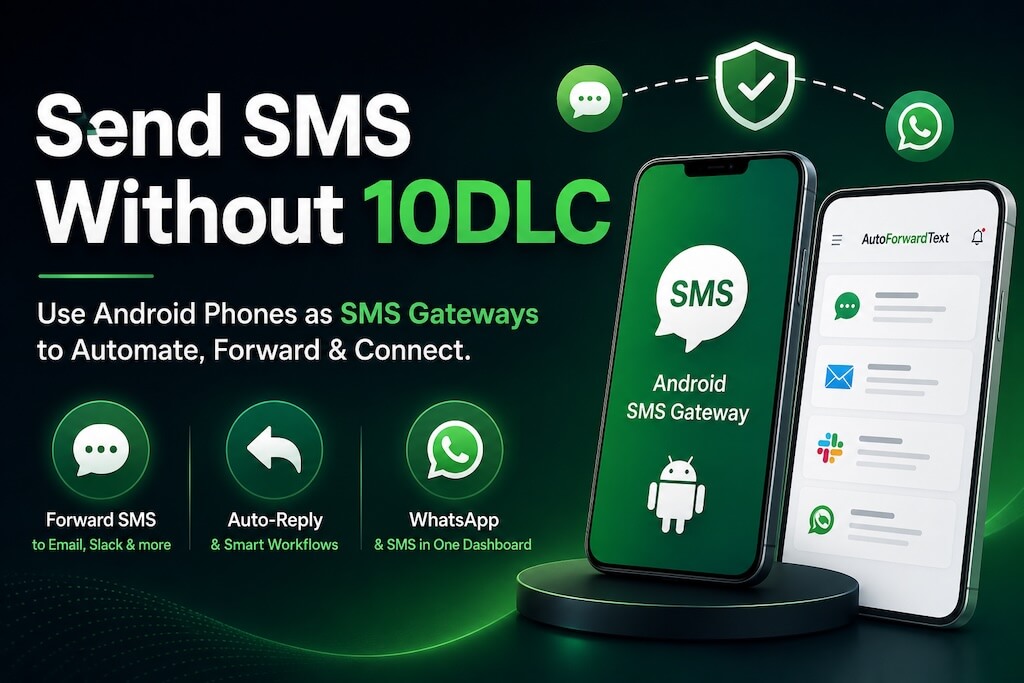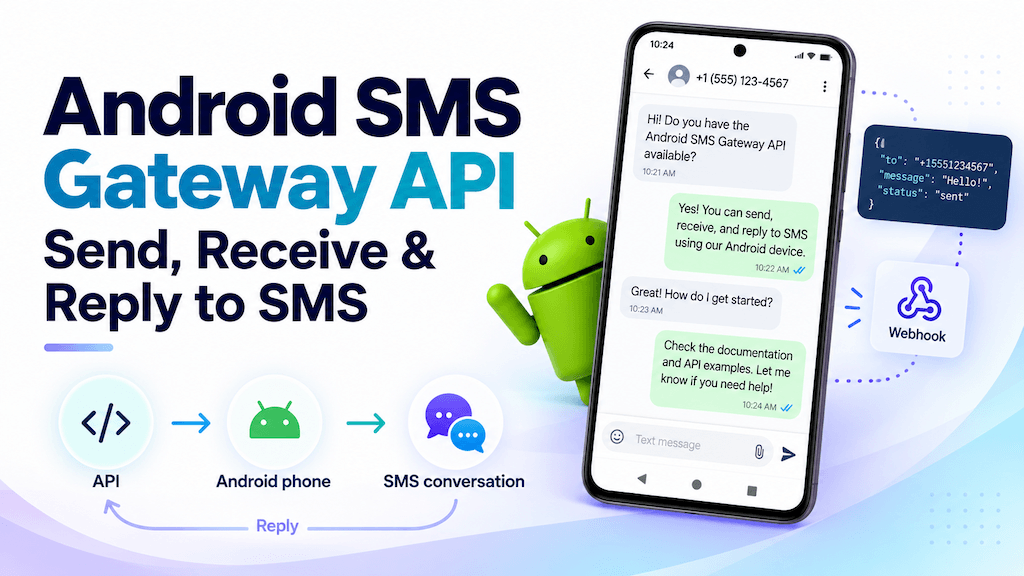
An Android phone can do more than send and receive text messages manually. With the right gateway and API layer, it can become a programmable SMS endpoint for your apps, automations, CRMs, n8n workflows, Make.com scenarios, and AI agents.
With AutoForward Text, you can use an Android phone and its existing SIM as an SMS gateway API. Incoming SMS can trigger webhooks, outbound SMS can be sent through an API, and automation systems can reply to supported messages through dedicated reply endpoints.
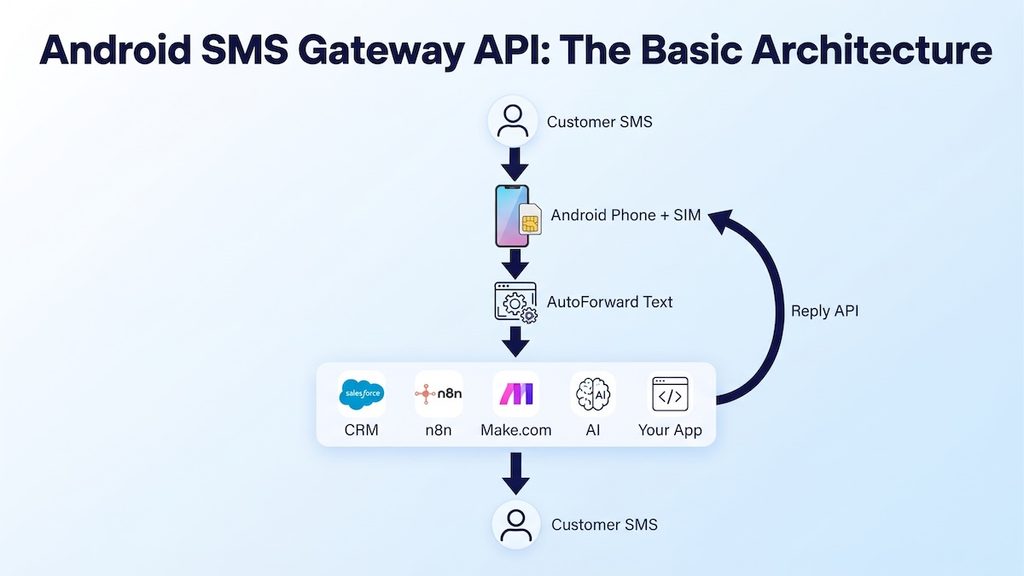
This lets you keep the mobile number and SIM you already use while adding a programmable layer around the SMS channel.
Install the Android gateway: Download AutoForward Text from Google Play on the Android phone that holds your SIM. Sign in, grant the SMS permissions, and allow the app to run in the background. Once the phone appears in your dashboard, you can connect a webhook and create an API key.
What Is an Android SMS Gateway API?
An Android SMS gateway API uses a real Android phone and SIM as the SMS endpoint, then adds API and webhook access around it.
The phone still handles the telecom side. It receives incoming SMS through the mobile network and sends outgoing SMS through the SIM. The API layer makes those actions available to other software.
↕
Android Phone + SIM
↕
AutoForward Text
↕
API / Webhooks / Automation
| Android SMS Gateway | Cloud SMS API | Basic SMS Forwarder |
|---|---|---|
| Uses a real Android phone and SIM | Uses a cloud messaging provider | Usually forwards messages to another destination |
| Can expose SMS to APIs and webhooks | Usually exposes SMS to APIs and webhooks | May not provide programmable replies |
| Can keep an existing mobile number | Usually uses provider-managed numbers | Depends on the app and workflow |
| Physical Android device remains part of the system | No physical phone required | Physical phone is often involved |
The important point is that an Android gateway does not replace the SIM. It makes the SIM-based SMS channel programmable.
What You Can Do with the API
| Capability | Direction | Typical Use |
|---|---|---|
| Receive SMS | Android → webhook | Send incoming messages to n8n, Make.com, CRM, AI, or your own app |
| Send SMS | API → Android | Send a new outbound message through the phone’s SIM |
| Reply to SMS | Workflow → original sender | Respond to an incoming conversation programmatically |
| Forward SMS | SMS → email / webhook / other channel | Route incoming messages to the systems your team already uses |
| Trigger automation | SMS → workflow | Create CRM tasks, alerts, tickets, or business actions |
| AI-generated replies | SMS → AI → SMS | Build an AI SMS assistant or first-line agent |
How the Architecture Works
Incoming SMS
↓
Android phone receives it
↓
AutoForward Text processes the message
↓
Webhook sends the message to your workflow
Outgoing SMS
↓
API request
AutoForward Text
↓
Android gateway
↓
SMS
Recipient
Reply to an Incoming SMS
↓
webhook
Business logic or AI
↓
reply endpoint
AutoForward Text
↓
Android phone
↓
SMS
Original sender
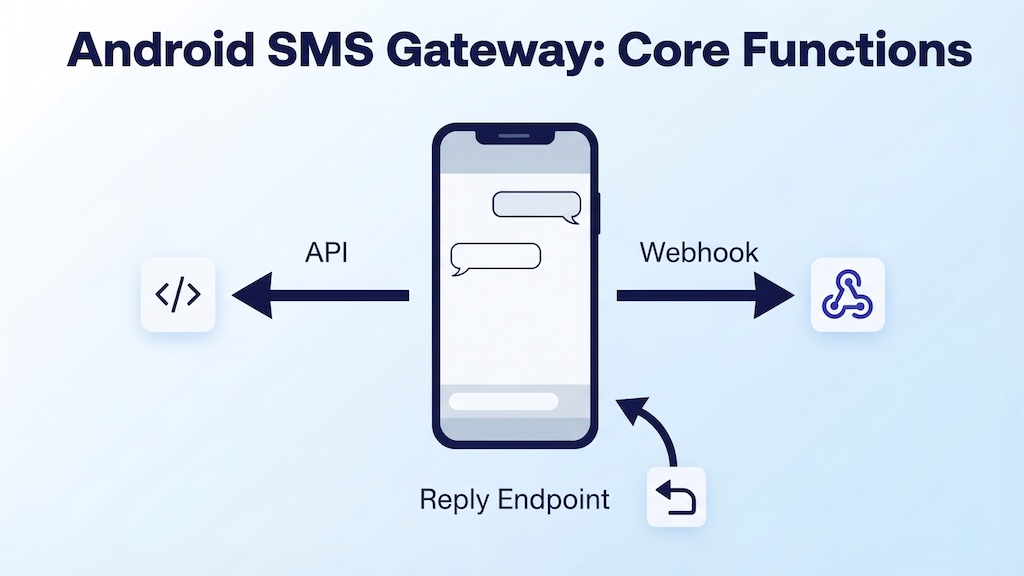
Receive SMS Through a Webhook
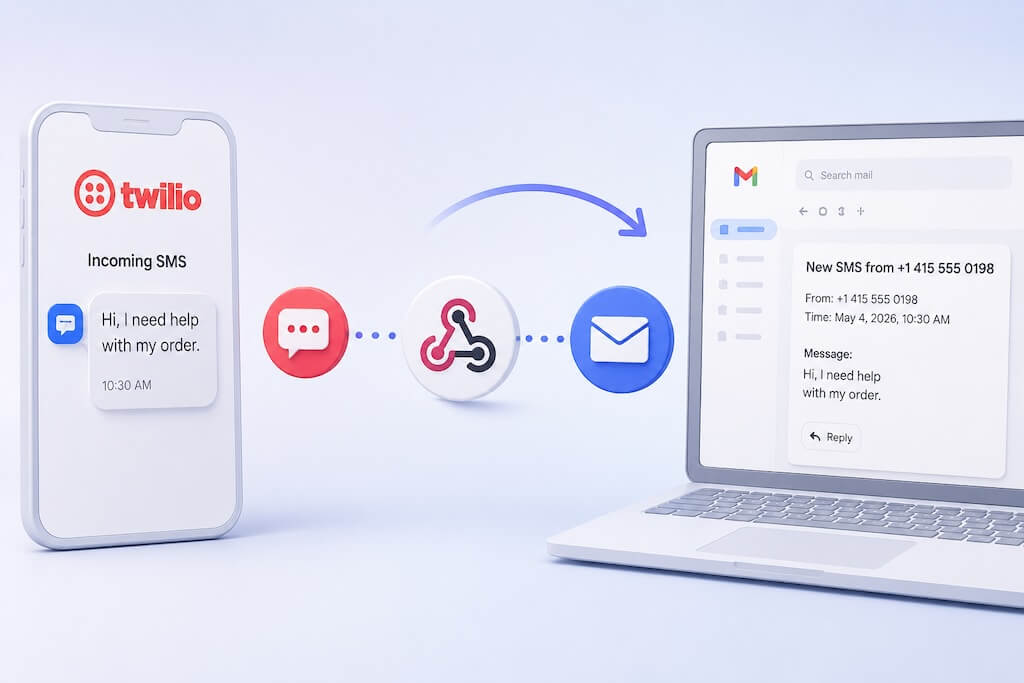
Incoming SMS messages can be forwarded from the Android device to a webhook so your application or automation platform can process them in real time.
A webhook can pass message details such as the sender, message content, device information, and reply information that lets the workflow respond without manually rebuilding the route.
Your webhook endpoint can receive the message, look up the customer in a CRM, pass the content to an AI agent, or trigger any other workflow you need.
Important: The exact webhook fields depend on the workflow configuration. The key idea is that incoming SMS becomes structured data that your automation can use.
Send SMS Using the Android Gateway API
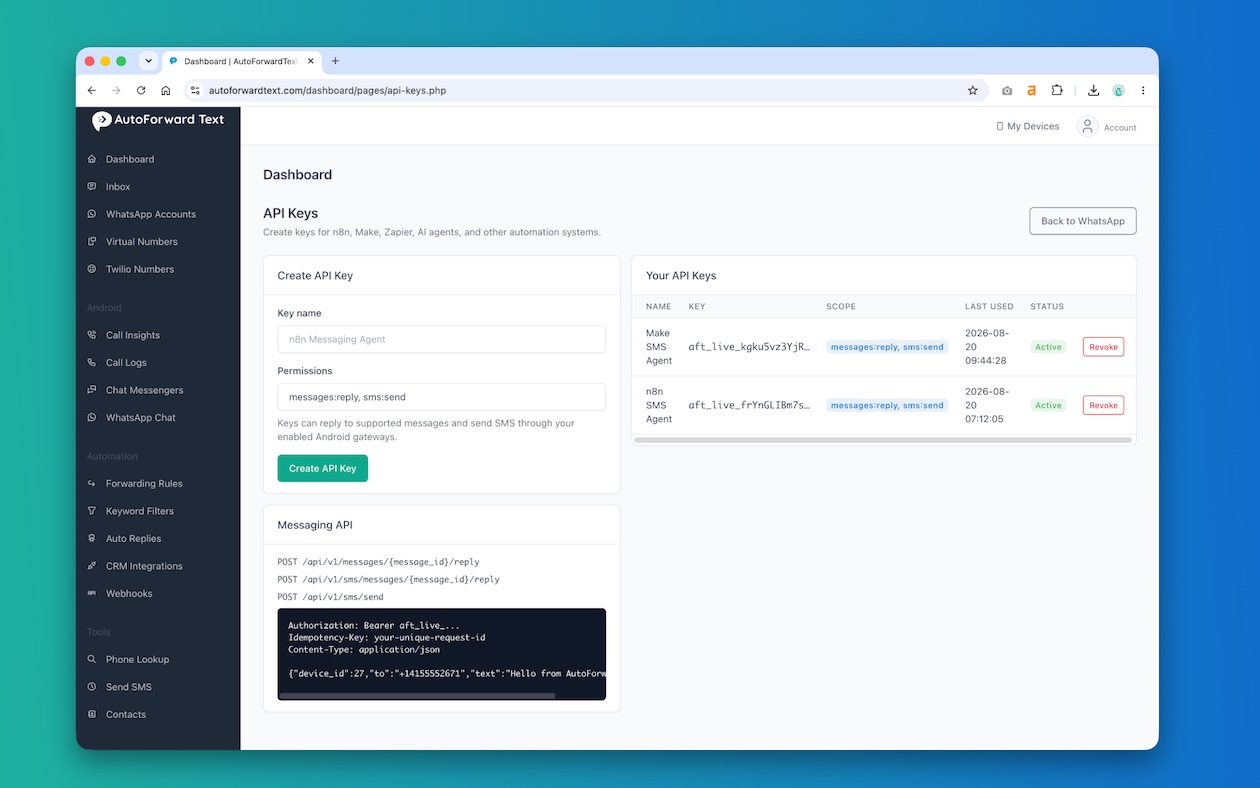
AutoForward Text exposes a Messaging API for sending SMS through enabled Android gateways.
API keys are created from the dashboard for automation systems such as n8n, Make.com, Zapier, AI agents, or your own application.
Messaging API endpoints:
POST /api/v1/messages/{message_id}/reply
POST /api/v1/sms/messages/{message_id}/reply
POST /api/v1/sms/send
To send a new SMS, call:
POST /api/v1/sms/send

Authorization: Bearer aft_live_...
Idempotency-Key: your-unique-request-id
Content-Type: application/json

{"device_id":27,"to":"+14155552671","text":"Hello from AutoForwardText"}
| Field | Purpose |
|---|---|
device_id | The Android gateway that should send the SMS |
to | The destination phone number in international format |
text | The SMS message content |
Authorization | Bearer API key created in your AutoForward Text account |
Idempotency-Key | A unique request identifier used to reduce accidental duplicate sends |
Reply to an Incoming SMS
For conversational workflows, replying is often more useful than sending a completely new message.
AutoForward Text provides reply endpoints for supported messages:
POST /api/v1/messages/{message_id}/reply

POST /api/v1/sms/messages/{message_id}/reply
The workflow can take the incoming message ID, process the content, and then send the response back through the original SMS route.
↓
Webhook
↓
CRM / AI / Business Logic
↓
Reply API
↓
Android SMS Gateway
↓
Customer
Send vs Reply: What Is the Difference?
| Send SMS | Reply to SMS |
|---|---|
| You choose the destination number | The destination comes from the original conversation |
| Creates a new outbound message | Responds to an incoming message |
Uses POST /api/v1/sms/send | Uses a message-specific reply endpoint |
| Good for alerts, reminders, and outbound workflows | Good for two-way conversations and automation |
Requires device_id, to, and text | Uses the existing message context plus your reply content |
Build a Two-Way SMS Workflow
→ Webhook
→ Business Logic / AI
→ Reply API
→ Customer
- n8n: receive the SMS in a Webhook node, process it, and call the reply API.
- Make.com: trigger a scenario from the incoming webhook and send the response back through the API.
- CRM: create or update a contact record, then send an automated response.
- Helpdesk: open a support ticket and acknowledge the customer by SMS.
- Custom application: receive webhook events in PHP, Node.js, Python, or another backend and decide how to respond.
- AI agent: use the incoming SMS as the prompt, apply business rules, and send the AI-generated reply back through the same number.
For a deeper n8n walkthrough, see How to Send and Receive SMS with n8n Using Your Android Phone.
For Make.com, see How to Build an SMS AI Agent with Make.com Using Your Android Phone.
Android SMS Gateway API vs Twilio
| Feature | Android SMS Gateway | Twilio |
|---|---|---|
| Uses an existing mobile/SIM number | Yes | Usually uses a Twilio-managed number |
| Physical phone required | Yes | No |
| API and webhook workflows | Yes | Yes |
| Uses local mobile plan | Yes | No |
| Cloud-only | No | Yes |
| Good for keeping an existing mobile line | Excellent fit | Usually not the main reason to choose it |
| Good for cloud telecom infrastructure | Limited | Excellent fit |
When an Android SMS Gateway Makes Sense
Existing Business Mobile Number
Your customers already know and text a mobile number. Instead of replacing it, you can connect that line to automation.
Field or Service Phone
A field technician, branch, dispatch phone, or service team may already rely on a local SIM. The gateway can expose incoming messages to the rest of the business.
CRM and Helpdesk Integration
Incoming SMS can create contacts, tickets, tasks, or internal alerts while replies are sent back through the same phone.
AI and Automation
An incoming message can be routed to an AI agent, classified, answered, or escalated automatically.
Markets Where Cloud Two-Way SMS Is Awkward
In some countries, cloud SMS availability, sender rules, or two-way capabilities may not match the simple experience of a local SIM-based phone number.
Low to Moderate Operational Messaging
Android gateways are often practical for conversational, support, alerting, and operational workflows where a real mobile line is already part of the process.
When It Is Not the Right Tool
- Very high-volume messaging: a physical phone and SIM are not designed to replace carrier-grade bulk messaging infrastructure.
- Bulk marketing: promotional messaging can involve consent, carrier, registration, and local legal requirements.
- Phone expected to be offline: the Android device is part of the SMS route and must remain available.
- Telecom-grade redundancy: if you need multi-region failover or enterprise messaging infrastructure, a cloud provider may be a better fit.
- Unsupported carrier use: your SIM, plan, and carrier rules still apply.
Important: The Android gateway makes SMS programmable; it does not remove carrier rules, consent requirements, or local messaging regulations.
Build an AI SMS Agent
↓
Android Gateway
↓
Webhook
↓
AI Agent
↓
Reply API
↓
Customer
The AI layer can answer common questions, qualify leads, collect information, route support requests, or decide when a human should take over.
For a deeper guide to the AI-agent pattern, see SMS Chatbot: Build an AI SMS Agent with Your Existing Phone Number.
Security and Reliability
Use API Keys
Create API keys from the AutoForward Text dashboard for n8n, Make.com, Zapier, AI agents, and other automation systems. Keep keys private and only grant access to systems you trust.
Use Idempotency Keys
For outbound sends, include an Idempotency-Key with a unique request identifier. This helps reduce accidental duplicate sends when a workflow retries the same API request.
Idempotency-Key: order-4821-sms-confirmation
Keep the Android Gateway Online
The phone must remain powered on, connected to the internet, able to send and receive SMS, and allowed to run AutoForward Text reliably in the background.
Watch Android Background Restrictions
Battery optimization and manufacturer-specific background restrictions can interfere with gateway reliability. Make sure the app is allowed to continue running.
Log and Monitor Failures
Keep an eye on delivery failures, offline devices, duplicate workflow attempts, and API errors so problems can be corrected quickly.
Common Problems and Fixes
| Problem | Likely Cause | What to Check |
|---|---|---|
| Webhook not received | Webhook URL or workflow configuration issue | Check the configured webhook destination and whether the receiving workflow is active |
| Android gateway offline | Phone lost internet, power, or background access | Check connectivity, battery optimization, and app status |
| SMS permissions missing | Android permissions are not granted | Confirm the required SMS permissions are enabled |
| Send API accepted but no SMS arrives | Device, SIM, carrier, or destination problem | Check the selected device_id, mobile service, recipient number, and logs |
| Duplicate SMS | Workflow retried the request | Use a unique Idempotency-Key and avoid duplicate workflow branches |
| Reply does not send | Original message context or reply request is invalid | Check the message ID, reply endpoint, API key, and message status |
| Wrong destination number | Number format issue | Use the full international number such as +14155552671 |
| Automation works only while phone is open | Android background restrictions | Allow AutoForward Text to run in the background and disable aggressive battery optimization |
Frequently Asked Questions
What is an Android SMS Gateway API?
An Android SMS Gateway API uses a real Android phone and SIM as the SMS endpoint, then exposes sending, receiving, and replying to other software through APIs and webhooks.
Can Android receive SMS through a webhook?
Yes. Incoming SMS can be processed by AutoForward Text and forwarded to a webhook so an automation platform, CRM, AI agent, or custom application can handle the message.
Can I send SMS through an API using my Android phone?
Yes. AutoForward Text provides POST /api/v1/sms/send for sending SMS through enabled Android gateways.
Can I reply to an incoming SMS through an API?
Yes. AutoForward Text provides reply endpoints for supported messages, including POST /api/v1/messages/{message_id}/reply and POST /api/v1/sms/messages/{message_id}/reply.
Does the Android phone need to stay online?
Yes. The Android phone is part of the SMS infrastructure, so it must remain powered on, connected, able to send and receive SMS, and allowed to run AutoForward Text in the background.
Can I use my existing SIM and phone number?
Yes. That is one of the main reasons to use an Android SMS gateway: you can keep the mobile number and SIM already used by your business.
Does this work with n8n?
Yes. Incoming SMS can trigger an n8n Webhook, and n8n can call the AutoForward Text send or reply API to continue the conversation.
Does this work with Make.com?
Yes. Make.com can receive incoming SMS through a webhook, run automation or AI logic, and send a reply through the AutoForward Text API.
Can I build an AI SMS agent with it?
Yes. The webhook sends the incoming message to your AI workflow, and the reply API can send the generated response back through the Android phone.
Is this a replacement for Twilio?
Not necessarily. Android is useful when you want to keep an existing mobile/SIM number, while Twilio is suited to cloud-based messaging where its country support and messaging model fit your use case.
Is an Android SMS Gateway suitable for bulk SMS marketing?
This article focuses on conversational, operational, support, and automation use cases. Bulk promotional messaging may require different infrastructure, consent management, sender registration, and carrier compliance.
Final Thoughts
An Android phone does not have to be an isolated SMS device.
With an API and webhook layer around it, the same phone and SIM can become part of your automation stack. Incoming SMS can trigger workflows. Your application can send new messages. AI agents and business systems can reply programmatically through the same SMS channel.
Android Phone + SIM → AutoForward Text → Webhooks / API → CRM / Automation / AI
The strongest use case is not replacing telecom infrastructure for everything. It is connecting an existing mobile number to the software your business already uses.
Start with one narrow workflow: receive an SMS in n8n, send a CRM alert, reply automatically to a customer, or connect a simple AI assistant. Once that works reliably, you can build more advanced two-way workflows on top of the same number.
Turn Your Android Phone Into an SMS API Gateway
Use AutoForward Text to connect your Android phone and SIM to webhooks, APIs, automation, CRMs, n8n, Make.com, and AI agents.
- Receive incoming SMS through webhooks
- Send SMS through your Android SIM using the API
- Reply programmatically to supported incoming messages
- Use API keys and idempotency controls for automation
- Keep the mobile number your business already uses