
Missed Call Alerts
Surface supported missed-call events so a customer enquiry can be followed up promptly.
Review supported call logs, identify missed calls and route important call activity into the places your team already monitors. Keep communication events visible even when nobody is holding the original phone.
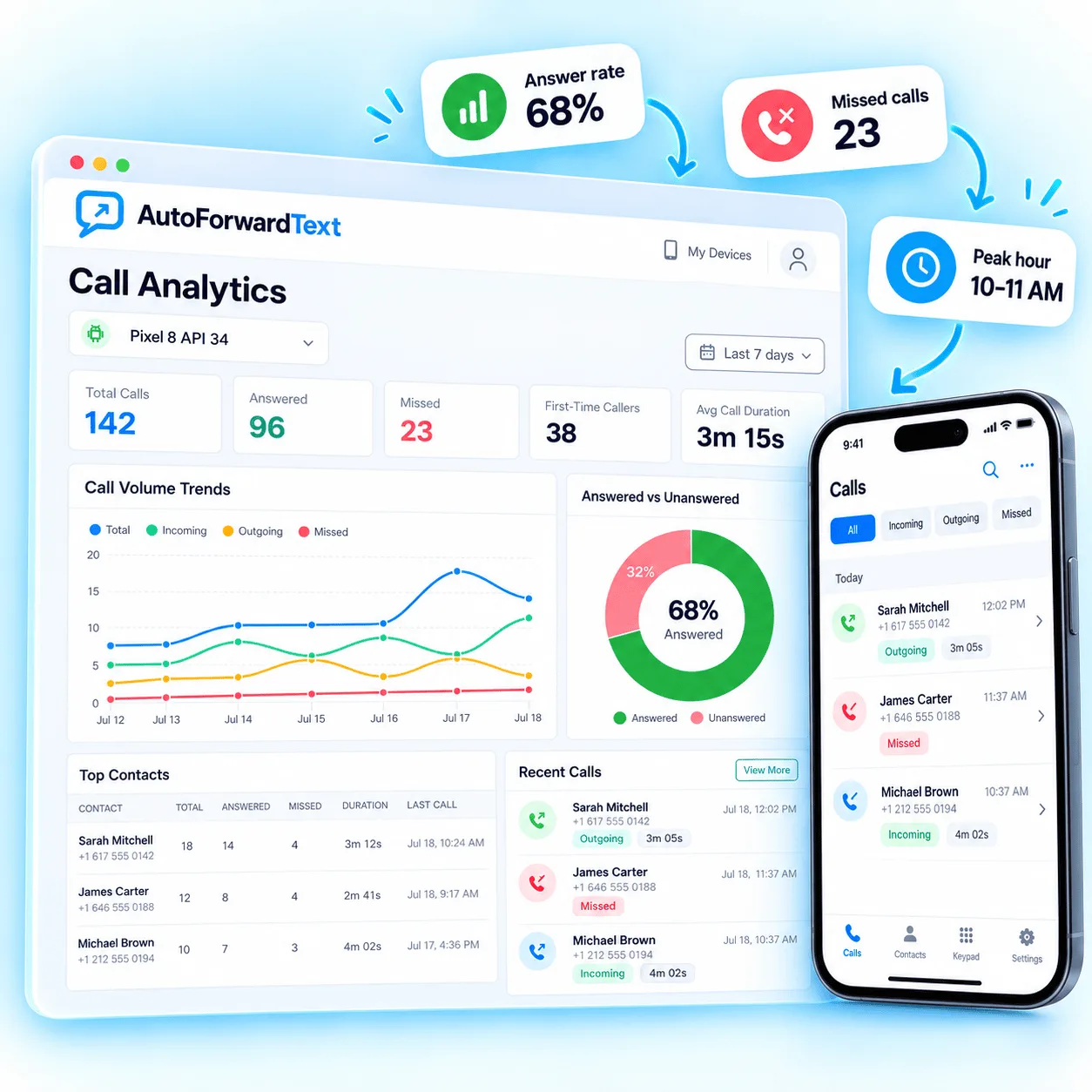
Keep important unanswered call activity from disappearing on one phone.
Use supported call logs and insights to understand communication patterns.
Send important call events to the people and tools that need them.
Call activity adds useful context alongside forwarded messages, customer enquiries and team communication.
Surface supported missed-call events so a customer enquiry can be followed up promptly.
Review supported incoming and outgoing call activity associated with a connected device.
See patterns in supported communication activity across the periods available in the dashboard.
Forward important call events into email or connected workflows where the right person can act.
Connect the supported Android device, allow call activity to reach the dashboard and decide which events need attention elsewhere.
Pair the supported business phone with your AutoForward Text account.
Supported call logs and missed-call events become visible in the dashboard.
Use the available activity view or forward important events into the team workflow that handles follow-up.
Call visibility depends on the connected platform and permissions available to the AutoForward Text application.
Visit the Help CenterSupported connected devices can provide call-log and missed-call activity for visibility in the dashboard. Exact fields depend on the device and current product support.
Supported missed-call events can be routed into available forwarding and notification workflows so they are easier to act on.
This page describes call activity, logs and missed-call visibility. It does not claim that AutoForward Text records call audio.
Where supported, communication events can be passed into connected workflows so a team or system can handle follow-up.
Connect a supported phone, review call activity and route missed-call alerts into the workflows your team monitors.