
Shared Inbox
Keep supported Twilio conversations visible in the AutoForward Text dashboard.
Your customer-owned Twilio number remains the messaging route. AutoForward Text adds the workflow layer that sends supported incoming SMS to shared inboxes, email, Slack, WhatsApp, CRM systems, webhooks, automation or another phone.
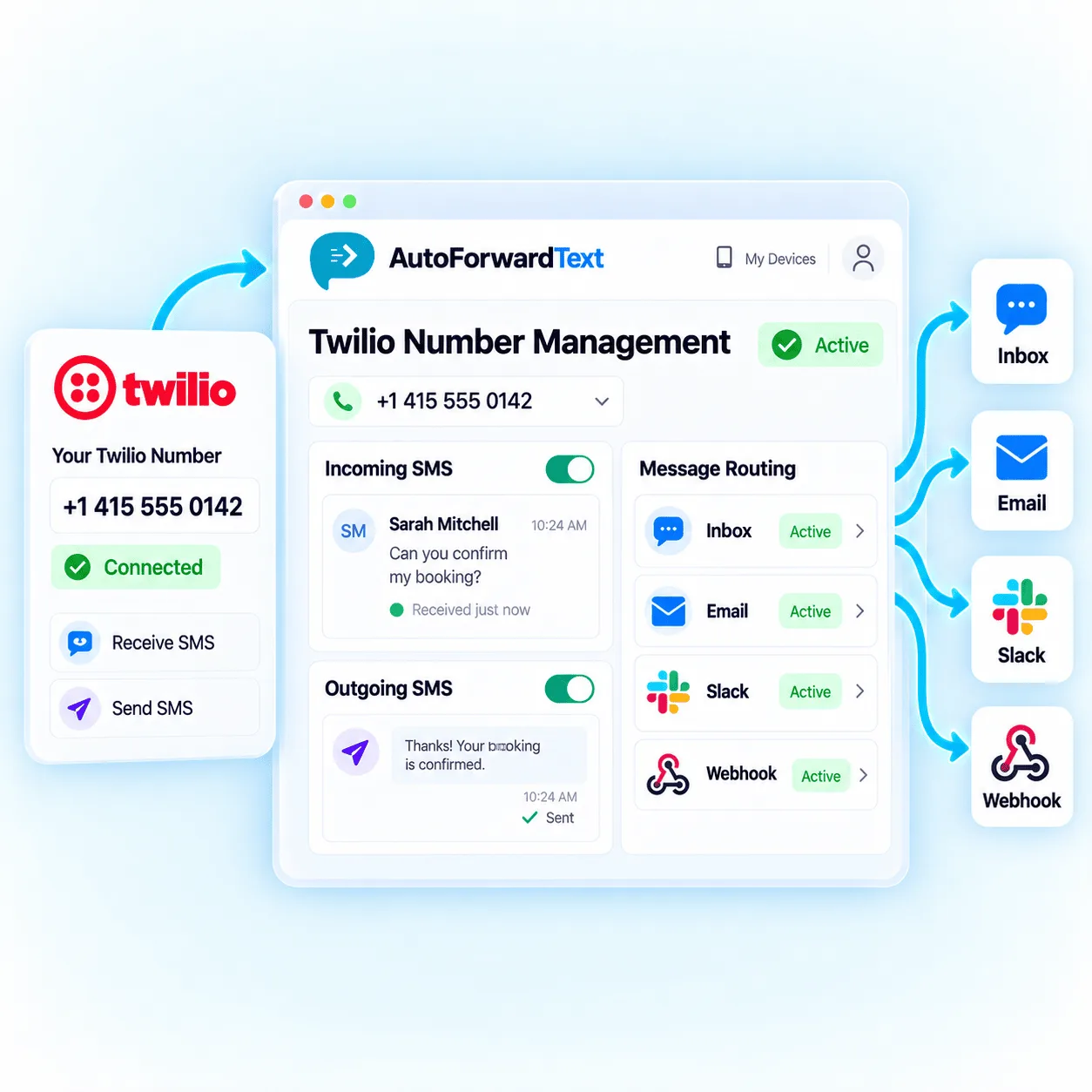
Continue using the number and infrastructure you already have.
Choose destinations without building each workflow from scratch.
Add inbox, rules, replies, webhooks and automation over time.
Twilio provides the phone number and programmable messaging infrastructure. AutoForward Text adds a practical routing layer for teams that need incoming messages delivered beyond the Twilio console.
Route a message to one destination or build shared visibility across multiple people and systems.
Keep supported Twilio conversations visible in the AutoForward Text dashboard.
Create searchable Gmail, Outlook, shared inbox and helpdesk workflows.
Route sales, support and operations messages into relevant Slack channels.
Send Twilio SMS content to a supported WhatsApp contact or group as an alert.
Pass message events into CRM, databases, ticketing or internal applications.
Use n8n, Make.com or your own logic to classify, route and respond where supported.
Notify several people when one recipient is not enough for reliable coverage.
Forward business texts to an owner, manager, dispatcher, sales rep or duty phone.
Add the Twilio number, connect the incoming-message workflow, select destinations and test before relying on the route.
Add or edit the Twilio number inside the AutoForward Text dashboard.
Provide the required Twilio account details and configure the incoming webhook as instructed.
Select phone, WhatsApp, email, Slack, webhook or multiple forwarding routes.
Send a test SMS to the Twilio number and confirm each destination receives it.
Basic forwarding creates visibility. Supported two-way workflows add the routing logic needed to send a response through the connected Twilio number and keep it associated with the original conversation.
Supported email replies can be mapped back through the connected SMS route.
Use supported dashboard and API workflows for remote responses.
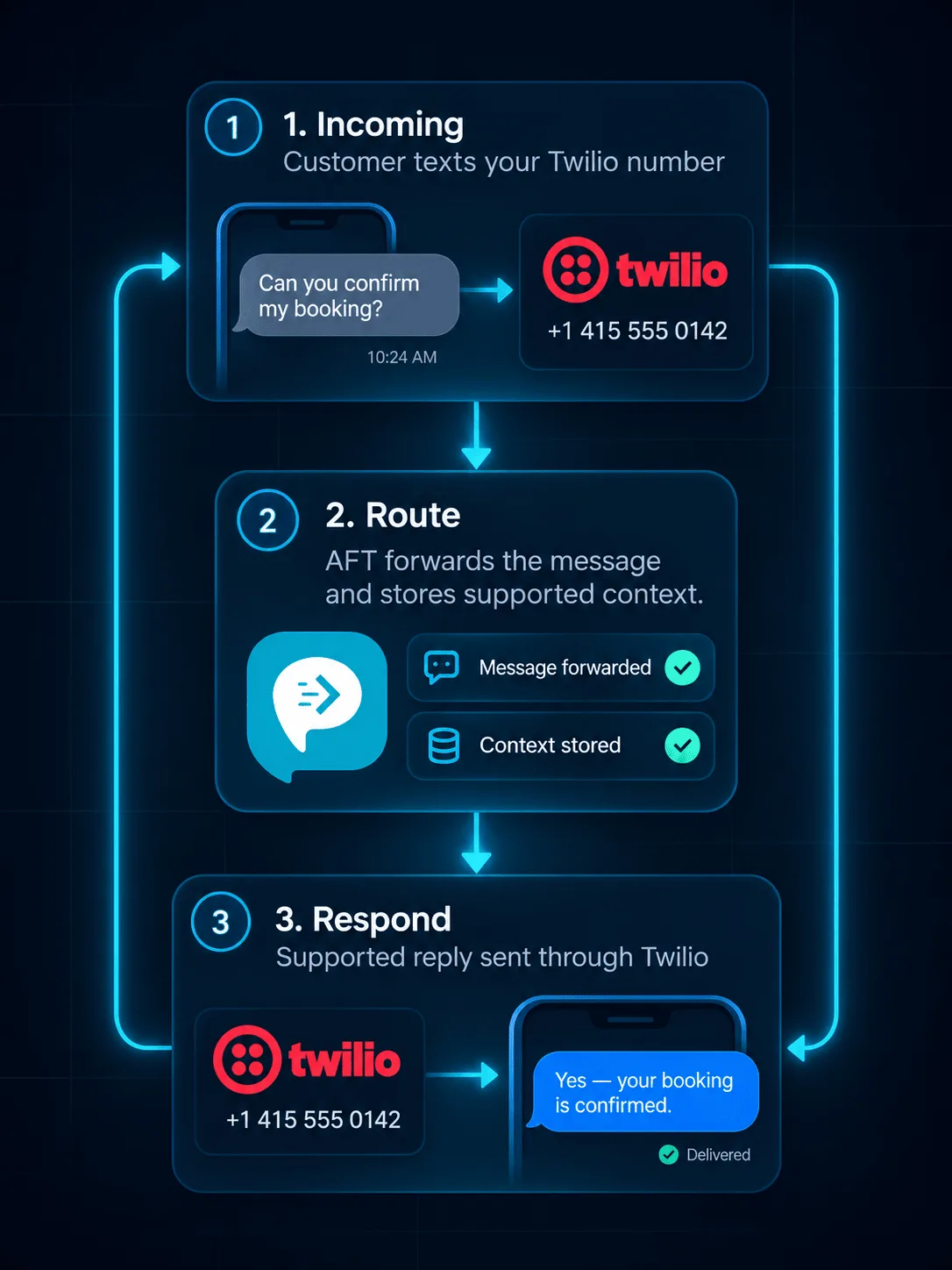
Technical teams can build forwarding with Twilio Functions and custom webhooks. AutoForward Text is the practical option when the goal is common routing, shared visibility and supported replies without maintaining every integration yourself.
Forwarding to another number may send an additional SMS and create usage charges.
Forwarded SMS content does not become a native synchronized WhatsApp thread.
Images and attachments require more handling than plain text SMS.
Two-way replies require the workflow to preserve sender and conversation context.
Configure email destinations carefully so important alerts do not land in spam.
It is not a dependable programmable destination for automated SMS workflows.
Route customer texts to support staff, email or Slack.
Send new enquiries to phones, WhatsApp or sales channels.
Route booking requests to the person managing the calendar.
Forward driver, vendor, dispatch and system alerts.
Notify multiple people instead of relying on one Twilio login.
Create searchable email, database or webhook records.
Choose the connected customer-owned route and set a future delivery time.
Keep Twilio’s messaging costs, destination behavior and two-way routing requirements in mind.
Visit the Help CenterYes. Incoming Twilio SMS can be forwarded through webhooks, Twilio Functions, custom code, automation tools or a routing platform such as AutoForward Text.
Yes. Incoming messages can be forwarded to another supported phone number. Sending the additional outbound SMS may create Twilio messaging charges.
Yes. AutoForward Text can route supported incoming Twilio messages to multiple configured destinations or recipients.
Yes. Supported workflows can route Twilio SMS content to a connected WhatsApp contact or group for alerts and visibility. This is not native SMS-to-WhatsApp synchronization.
Yes. Supported incoming Twilio SMS can be sent to email inboxes and Slack channels through AutoForward Text routing workflows.
Yes. Incoming message events can be passed to a custom webhook or API endpoint for CRM, database, ticketing, reporting and automation workflows.
Supported two-way workflows can route replies through the connected Twilio number. Reply behavior requires proper conversation mapping and depends on the destination used.
Not for basic AutoForward Text routing. Developers can still build custom Twilio Functions, but AutoForward Text provides a dashboard-based workflow layer for common forwarding destinations.
Keep your Twilio number and infrastructure while AutoForward Text handles routing, shared visibility and supported reply workflows.