
Appointments
Route supported booking, rescheduling and cancellation requests to reception or scheduling staff.
Route supported appointment requests, schedule changes, missed-call activity and operational alerts from connected business channels to approved staff, shared inboxes or workflows. AutoForward Text supports communication routing; it is not an electronic health record or emergency service.
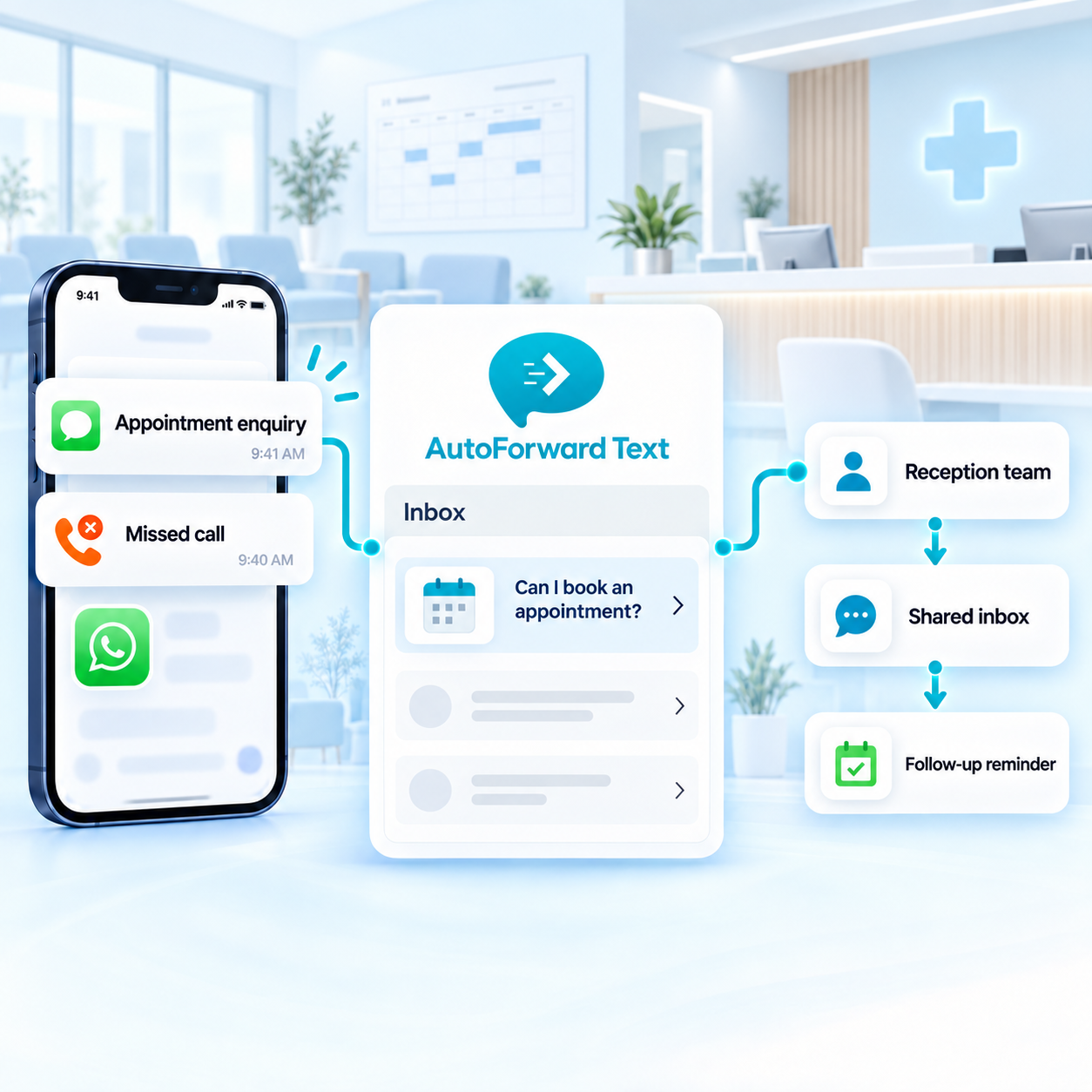
Move supported communication beyond one reception phone.
Send scheduling and operational messages to approved teams.
Use automation to assist triage, not make clinical decisions.
A clinic receives different kinds of communication throughout the day. Separate routine scheduling and operational traffic so authorized staff can act without exposing messages more broadly than necessary.
Route supported booking, rescheduling and cancellation requests to reception or scheduling staff.
Make supported unanswered-call activity visible for authorized administrative follow-up.
Send staffing, facility and supplier messages to the people responsible for operations.
Forward selected Android app notifications and business-phone activity where appropriate.
Use available source, sender, keyword and schedule conditions to distinguish appointments from administrative or on-call operational messages. Avoid including sensitive clinical detail when a simple alert is sufficient.
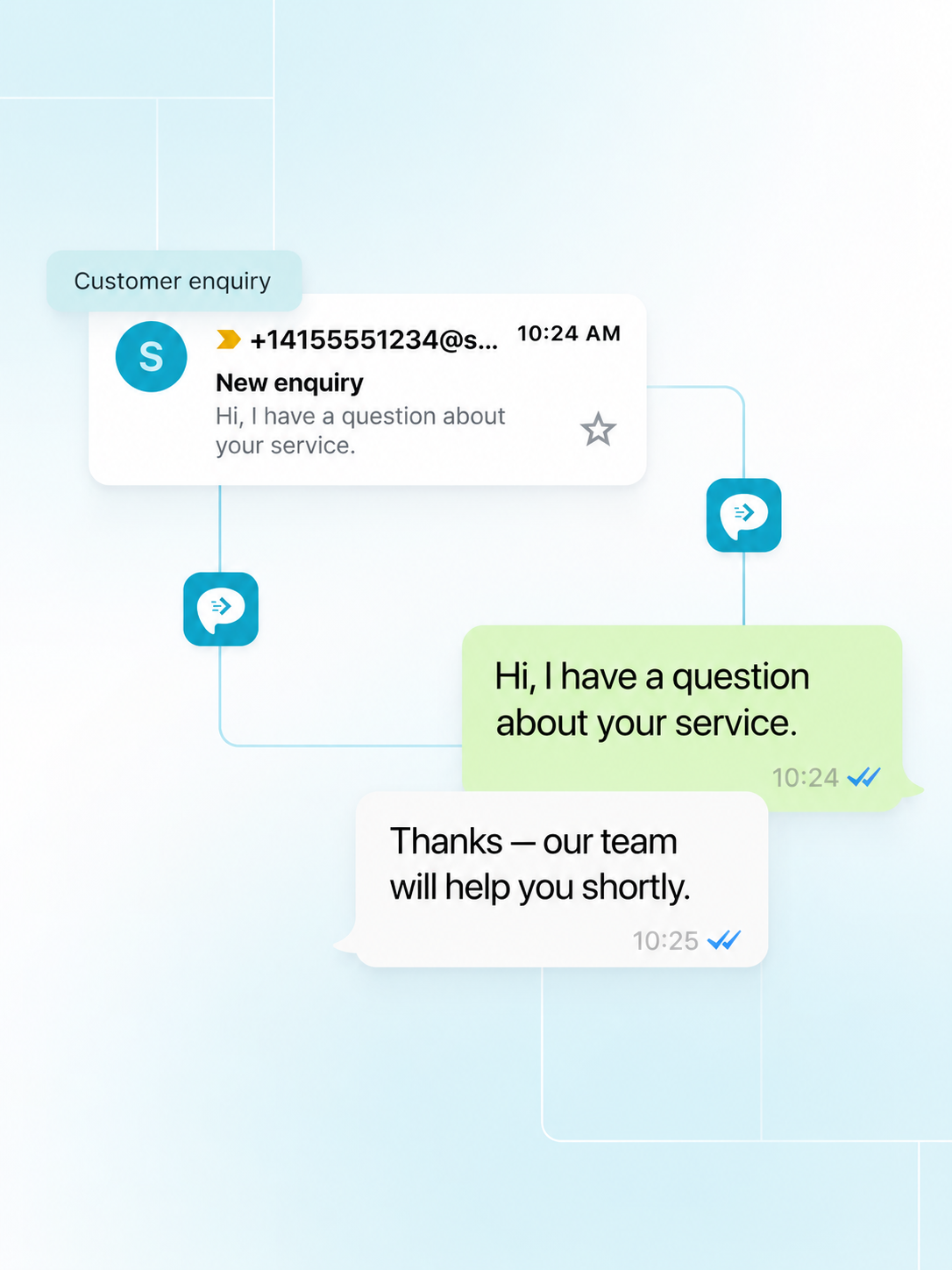
Supported missed-call events can notify approved staff through selected destinations. For emergencies, patients should always use the clinic’s published emergency guidance or local emergency services—not rely on a forwarding workflow.
Make unanswered calls visible to reception without promising immediate clinical response.
Keep emergency, clinical and routine administrative procedures explicitly separate.
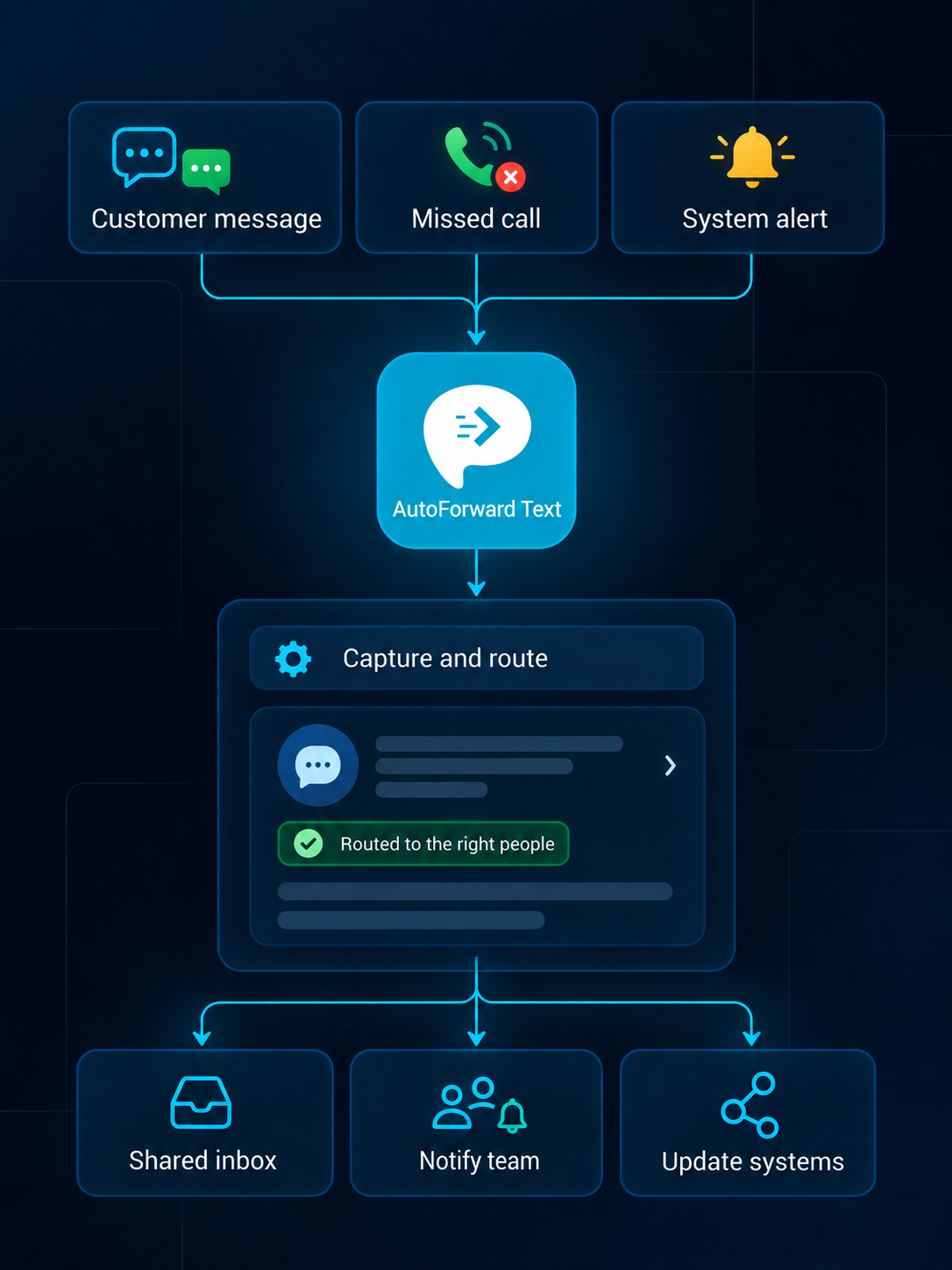
Use destinations with appropriate access controls, and limit message content to what each workflow genuinely requires.
Review supported conversations from a web dashboard.
Create searchable alerts in individual or shared inboxes.
Notify the right team channel when selected messages arrive.
Route supported alerts into connected WhatsApp workflows.
Forward priority communication to an owner or duty phone.
Add supported events to customer and operational records.
Pass available event data into your own applications.
Trigger n8n, Make.com, Zapier or custom logic.
A careful workflow prioritizes minimum necessary access and clear human responsibility.
A supported appointment or administrative message reaches the clinic channel.
Available source, keyword and schedule conditions choose an approved route.
The configured reception or operations destination receives the event.
Clinic staff verifies context and responds through the approved process.
AutoForward Text can support operational routing, but your clinic determines whether a destination and workflow are appropriate for protected or sensitive information.
Do not use forwarding as the only path for urgent or emergency communication.
Do not treat the dashboard as a substitute for required clinical records.
Limit destinations, users and message content according to policy.
Review privacy, retention, consent and vendor requirements for your jurisdiction.
Capabilities vary by source channel, country, permissions, destination and integration configuration.
Discuss Your WorkflowAvailable options include supported Android phones and SIMs, virtual phone numbers, Twilio and WhatsApp configurations. Choose the source based on whether you need to retain an existing number or add a cloud channel.
Supported events can be routed to email, another phone, Slack, WhatsApp, the AutoForward Text inbox, webhooks, APIs and connected business workflows.
Yes. Supported rules can use available sender, contact, keyword, schedule and source information to select destinations and follow-up actions.
Supported inbox, email, WhatsApp and gateway configurations can provide reply workflows. Availability depends on the source channel, destination and permissions.
Supported message events can feed connected systems through available integrations, webhooks or APIs. The exact fields and actions depend on the destination configuration.
Supported Android and virtual-number setups can make missed-call records visible in team workflows. Available call data depends on the channel, device and permissions.
No. Your organization remains responsible for lawful access, consent, privacy, retention, carrier and local communication requirements.
Yes. Device-based Android forwarding requires the phone to remain powered, connected and allowed to run in the background. Cloud channels do not rely on that Android device.
Connect administrative communication with authorized staff while preserving clear privacy, emergency and clinical boundaries.