Android SMS Forwarding
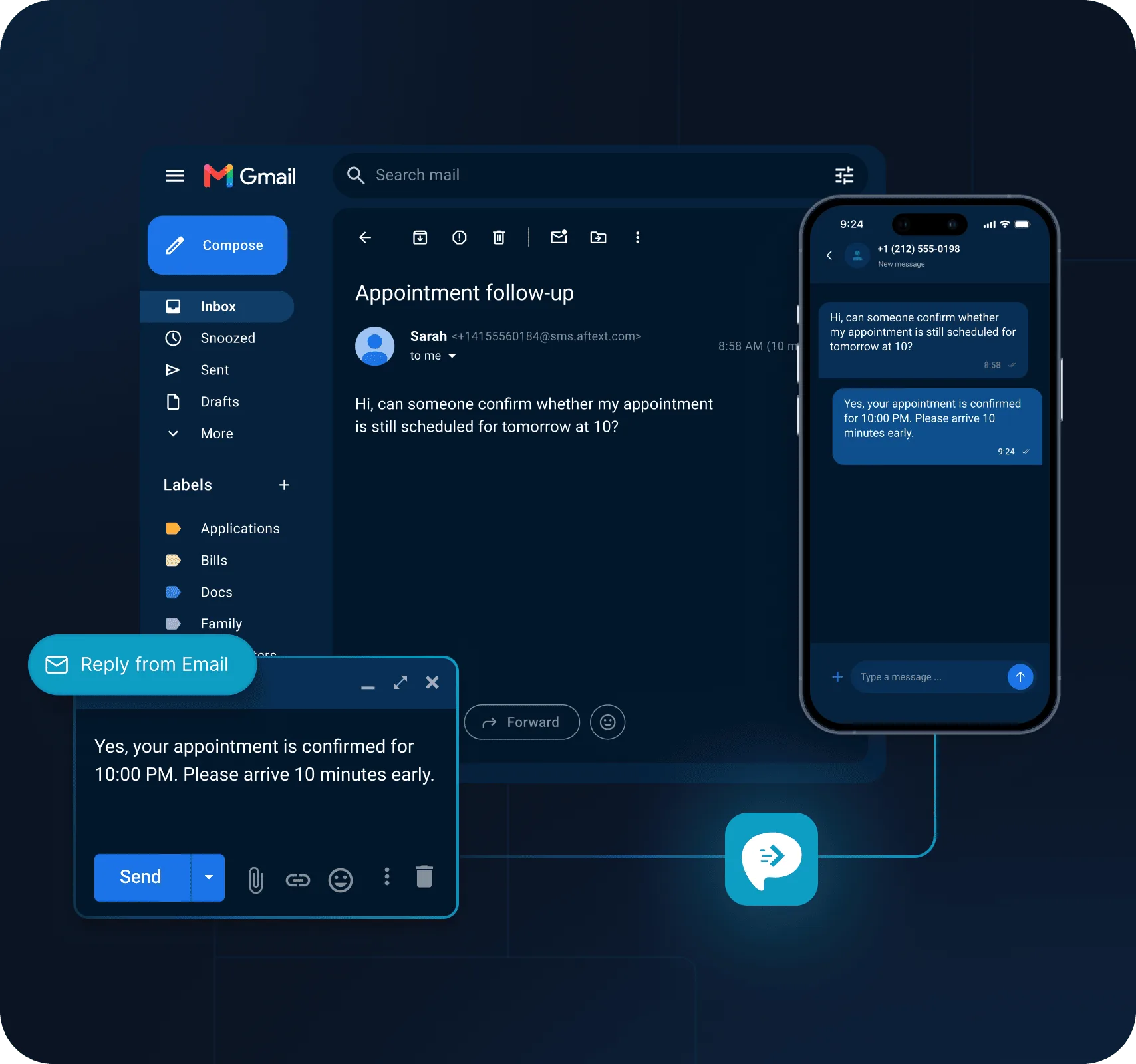
Install AutoForward Text on an Android phone and continue receiving SMS on the same SIM and mobile number. Incoming texts can then be forwarded automatically to your selected destinations.
Existing phone + existing SIM
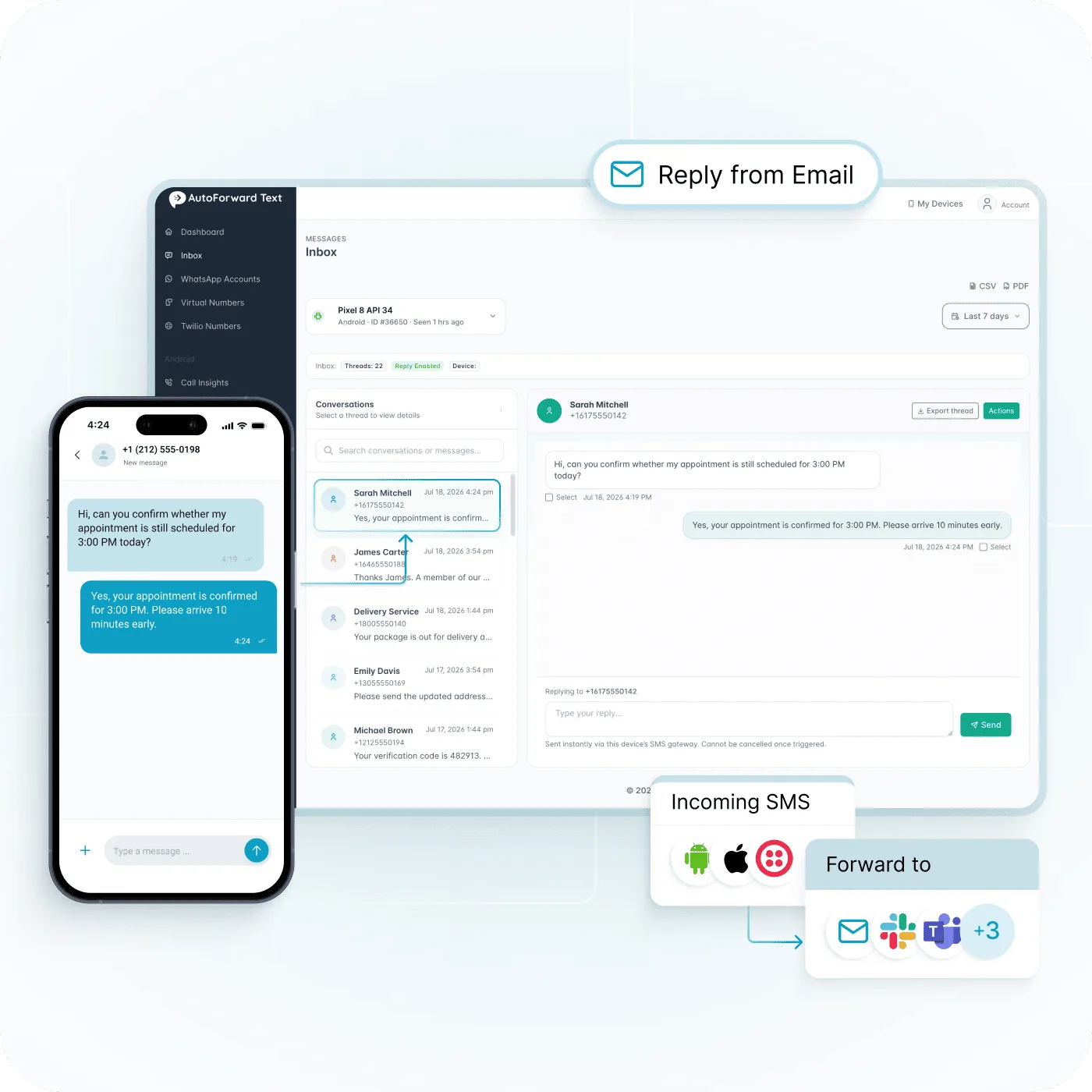
Automatically forward incoming text messages from Android, iPhone or Twilio to email, shared inboxes, Slack, CRM systems, webhooks, automation or another phone. Keep your existing number and reply from email where supported.
No need to move every workflow to a new phone number.
Route incoming SMS to the people and tools that need them.
Respond without having the original phone in your hand.
AutoForward Text is not tied to one SMS source. Choose the connection that matches how your messages arrive today.
Install AutoForward Text on an Android phone and continue receiving SMS on the same SIM and mobile number. Incoming texts can then be forwarded automatically to your selected destinations.
Use supported Apple Shortcuts automations to pass incoming SMS into AutoForward Text and onward to email and other supported destinations.
View iPhone setupAlready using Twilio? Connect a supported Twilio number to AutoForward Text and route incoming SMS into the same email, team and automation workflows.
A business text should not be trapped on one physical device. Route incoming SMS to an inbox, teammate, collaboration channel, CRM or automation endpoint.
Forward incoming text messages into one or more email inboxes so they can be seen without checking the phone.
Keep supported SMS conversations visible from the AutoForward Text web dashboard and reply without switching devices.
Route messages and alerts into shared Slack channels instead of leaving them on a business handset.
Bring incoming SMS into Microsoft Teams so operational messages can reach the people already working there.
Forward selected SMS into supported WhatsApp workflows when WhatsApp is where your team monitors communication.
Connect text-message activity with CRM workflows rather than leaving customer communication isolated on the phone.
Send structured SMS events into your own applications, n8n, Make.com or other automation systems.
Send important incoming texts onward to another mobile number when a second person or device needs visibility.
Send supported incoming texts from a business, travel or secondary number to another phone so the person responsible can see the message without holding the original device.
The original SMS arrives.
Eligible messages are selected.
The forwarded SMS is delivered.
Route supported incoming SMS from Android, iPhone or Twilio into a connected WhatsApp workflow. This is useful when a business number receives texts but the team coordinates inside WhatsApp.
Notify a specific person when a selected text arrives.
Share selected SMS with sales, support or operations.
A supported WhatsApp connection and valid destination are required. Group availability and outbound behavior depend on the selected connection type.
Explore WhatsApp WorkflowsStart with simple forwarding. Add filters, integrations and two-way workflows only when you need them.
Connect an Android phone, configure the supported iPhone workflow, or connect your Twilio SMS number.
Select email, a shared inbox, Slack, Teams, WhatsApp, CRM, webhooks, automation or another phone.
Incoming messages are routed automatically. Use email, the web inbox or API-based reply workflows when a response is needed.
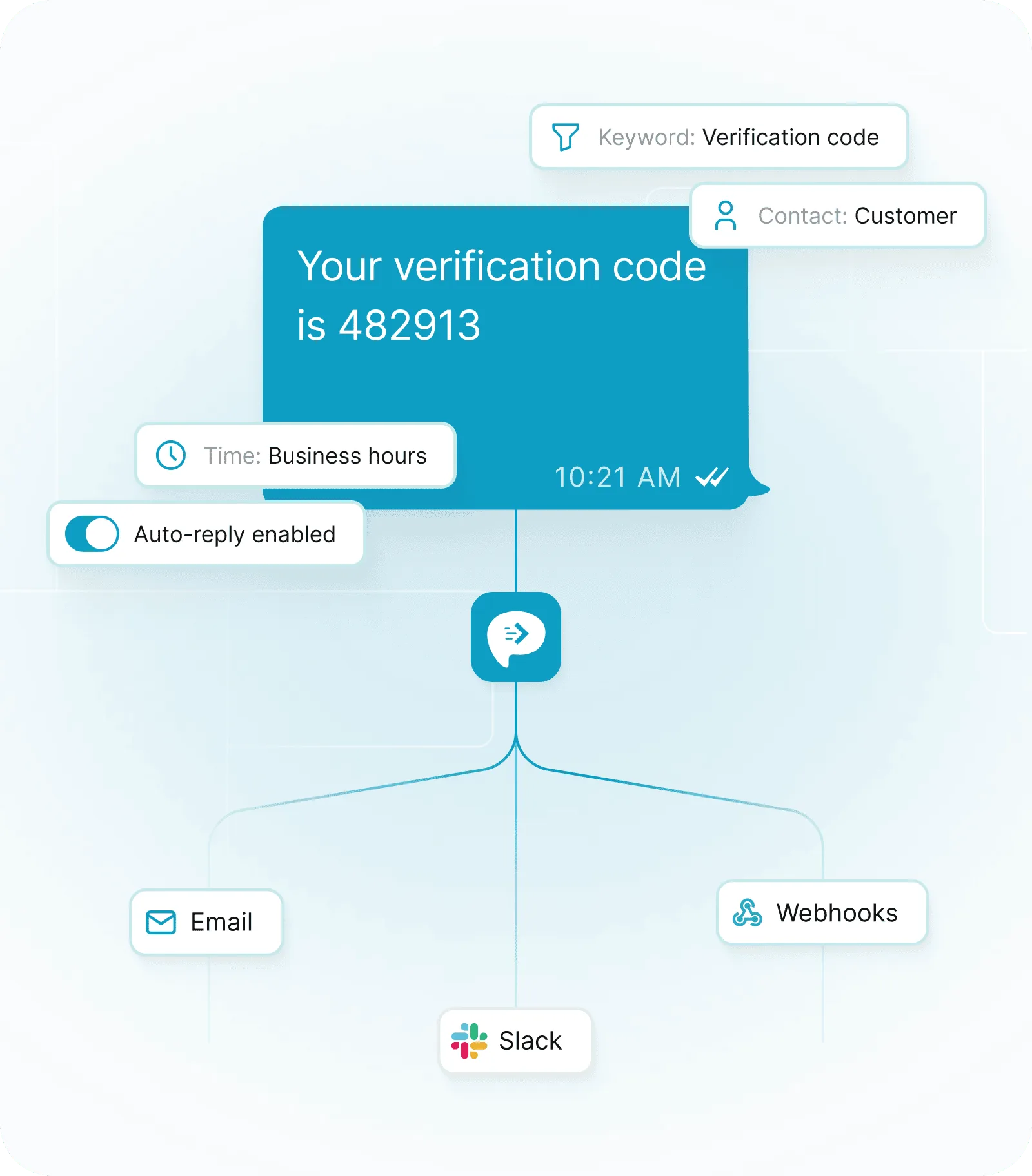
Simple forwarding is useful. Rules make it practical for business. Control which text messages are routed and what should happen when they arrive.
Forward messages containing specific words, codes or phrases.
Use sender information to route relevant conversations differently.
Use forwarding rules that match working hours or operational needs.
Trigger supported automatic response workflows for defined incoming messages.
Use AutoForward Text when important messages arrive on a number that cannot stay beside the person who needs to see or answer them.
Make texts arriving on one company phone visible to the wider team.
Route verification messages and operational codes to the approved destination that needs them.
Get customer SMS out of a handset and into email, collaboration or CRM workflows.
Stay aware of important SMS when the receiving phone is somewhere else.
A simple SMS forwarding app copies a text somewhere else. AutoForward Text can keep that workflow simple, while giving businesses room to add remote replies, shared visibility, filtering, CRM routing, webhooks and automation.

AutoForward Text has been a great solution for our business. Jason was extremely responsive, professional, and patient while helping us set up a forwarding workflow that matched our specific needs.
The final solution was delivered quickly, customized for our use case, and easy to rely on.
Schedule supported SMS through an Android gateway or customer-registered Twilio sender.
Use AutoForward Text for straightforward text-message forwarding, or connect the same SMS stream to business tools and reply workflows.
Visit the Help CenterAn SMS forwarding service automatically takes an incoming text message from one connected number or device and routes it to another destination, such as email, another phone, Slack, Microsoft Teams, WhatsApp, a CRM or a webhook.
Yes. AutoForward Text can automatically forward supported incoming SMS to email so you can monitor text messages from your normal inbox.
For supported SMS connections, you can reply to the forwarded email and have the response routed back through the connected number. Dashboard and API-based reply options are also available for supported workflows.
Android can use the AutoForward Text app with the existing SIM. iPhone users can configure supported Apple Shortcuts forwarding workflows. The setup differs by platform.
Yes. A key use case is keeping the mobile number and SIM you already use while adding forwarding and remote-access workflows around it.
Supported Twilio messaging can be connected to AutoForward Text so incoming SMS can be routed to email, team tools and automation workflows.
Yes. Supported incoming SMS can be routed into collaboration tools such as Slack and Microsoft Teams so the people who need the message can see it without monitoring the original phone.
Forwarding rules can use criteria such as contacts, keywords, schedules and filters to control which messages are routed onward.
Yes. Device-based forwarding requires the connected Android phone to stay powered on and able to communicate with the service. If the device is offline, forwarding resumes after connectivity is restored.
Connect Android, iPhone or Twilio and route incoming text messages to email, shared inboxes, Slack, Teams, WhatsApp, CRM systems, webhooks or another phone.