
1
Compose the Email
Send from Gmail, Outlook, your business email, monitoring system, CRM or any software capable of sending an email.
Use Gmail, Outlook, business email or software alerts to send outbound SMS or WhatsApp through a connected Android, Twilio, AutoForward Text or WhatsApp route. Separately, supported two-way SMS workflows can deliver customer replies to email and route your email response back through the original number.
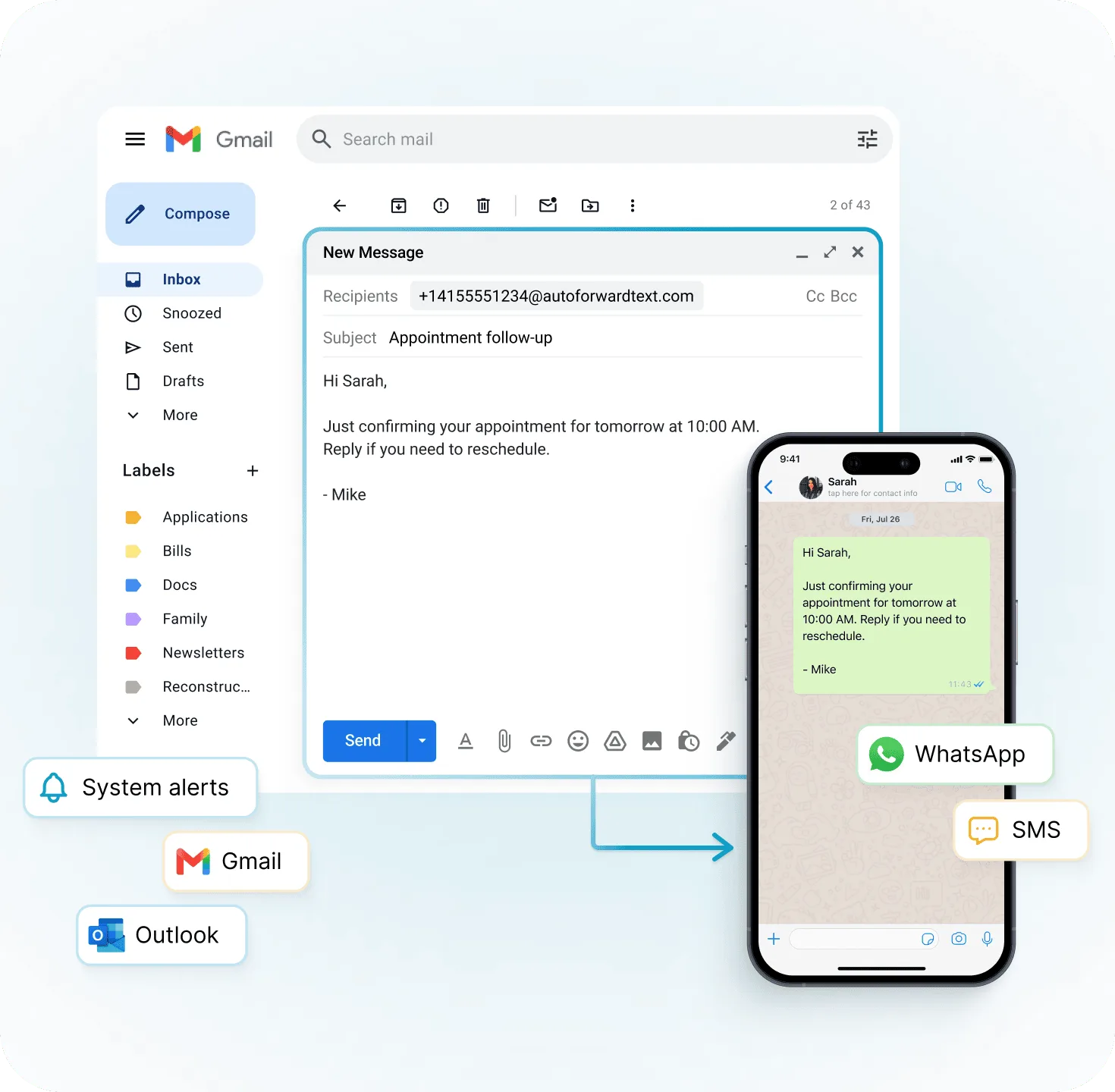
Keep the email workflow you already have. AutoForward Text handles the conversion and delivery through the messaging route you select.
Send from Gmail, Outlook, your business email, monitoring system, CRM or any software capable of sending an email.
Send to a recipient-number gateway address, or use a private AutoForward Text email address tied to a fixed destination.
The message is sent through Android + SIM, your Twilio number, an AutoForward Text number, or a connected WhatsApp destination.
Use the number and channel that already fits your business instead of being locked into a single SMS provider.
Connect an Android phone and send SMS generated from email using the mobile number and SIM already in that device.
Android SMS GatewayAlready have Twilio? Keep your existing number and use AutoForward Text as the email routing and workflow layer.
Use an AutoForward Text messaging number when you do not need to connect your own mobile or Twilio number.
Route email content to a configured WhatsApp contact or group through a connected WhatsApp account.
Create a private AutoForward Text email destination and tie it to the recipient you choose. Anything sent to that address can be delivered automatically to a phone number, WhatsApp contact or WhatsApp group.
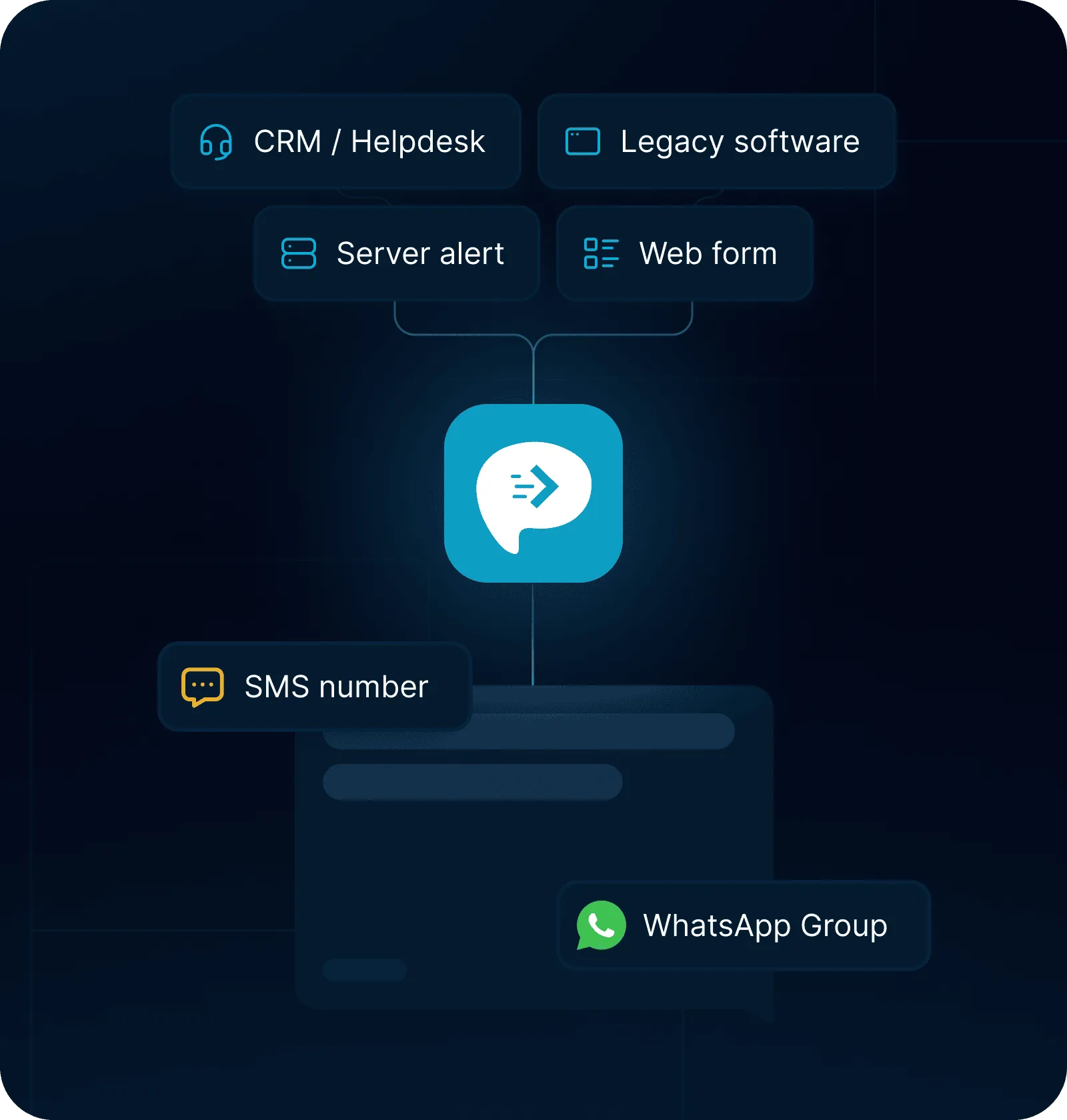
Use a recipient-based gateway when the destination changes, or a private gateway address when the destination should stay fixed.
Best when a person or system needs to choose the SMS recipient for each email. The recipient is determined by the gateway address used for that message.
Best for alarms, monitoring tools and automation. Send every email to one private address and let AutoForward Text route it to the configured phone number or WhatsApp destination.
For supported two-way routes, customer replies can come back to your inbox. Reply to that email and continue the SMS conversation without opening the original phone or another messaging dashboard.
Incoming responses are forwarded into the inbox your team already monitors.
Reply from email and AutoForward Text sends the response back through the connected SMS route where supported.
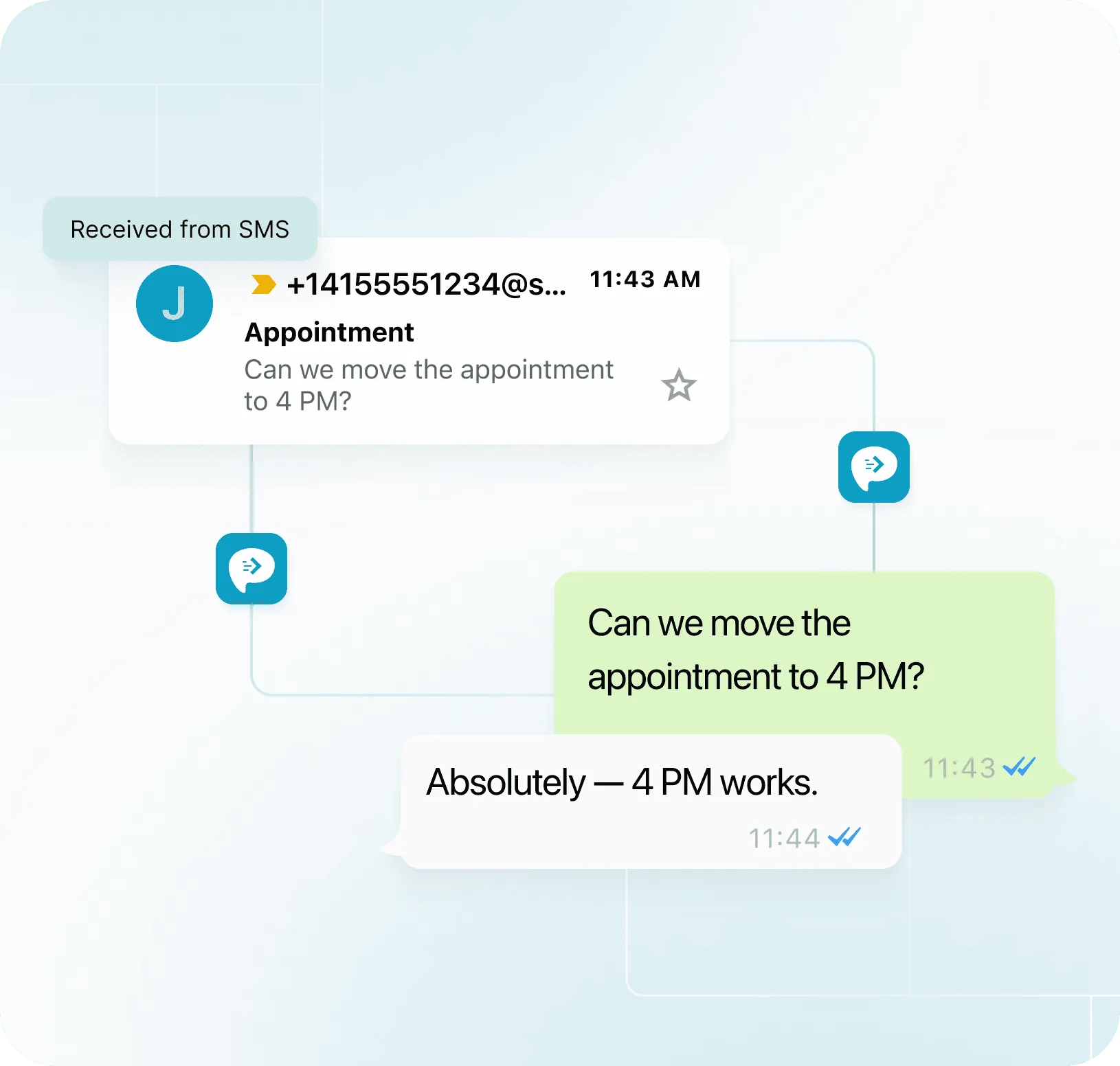
Useful for transactional alerts, enquiries and operational messaging — without rebuilding the original system around an SMS API.
Turn existing email alerts into SMS or WhatsApp messages for the people on call.
Keep an existing email-only alert workflow and add a mobile delivery channel.
Route a new enquiry notification from email to a salesperson's phone or team WhatsApp group.
Use existing email automations to trigger customer or staff messages without a custom API integration.
Add SMS or WhatsApp delivery to older software that was designed only to send email.
Forward email-based device notifications into the mobile messaging channel your team watches.
If a monitoring system, alarm, application or workflow previously sent email through a carrier email-to-text address, AutoForward Text gives you a controlled replacement with multiple delivery options.
Dependent on a carrier-specific email-to-text address and the limitations of that gateway.
Keep email as the trigger while choosing Android + SIM, Twilio, AFT numbers or WhatsApp as the delivery path.
AutoForward Text sits between the email trigger and the final messaging channel, giving you a place to control routing, destination and message history.
Create a dedicated email entry point for a defined messaging workflow.
Choose which connected number, SMS route or WhatsApp destination should receive the message.
Keep visibility into messages processed through AutoForward Text from the web dashboard.
Where the connected route supports replies, continue conversations from email or the AutoForward Text inbox.
Use your Android phone and SIM, keep your Twilio number, use an AutoForward Text number, or route the same email into WhatsApp.
An email to SMS gateway converts an email into a text message. With AutoForward Text, the email can be delivered through a connected Android phone and SIM, Twilio, an AutoForward Text number, or routed to supported WhatsApp destinations.
Yes. Gmail, Outlook and other email clients can send messages into the AutoForward Text gateway, which then delivers them through the messaging route you configure.
Yes. Connect a supported Android phone and SIM to use the existing mobile number as the SMS delivery route for email-generated messages.
Yes. If you already use Twilio, AutoForward Text can sit on top of that number as the email routing and workflow layer instead of forcing you to move to a new provider.
Yes. A private AutoForward Text email destination can be configured to route incoming email content to a supported WhatsApp contact or group through a connected WhatsApp account.
For supported two-way routes, incoming SMS replies can be forwarded to email and responses can be sent back through the connected SMS route.
That is one of the main uses for the private gateway address. Configure the destination once in AutoForward Text, then point the software at the private email address it already knows how to send to.
It can replace many workflows that previously depended on carrier email-to-text addresses by keeping email as the trigger and delivering through one of the messaging routes supported by your AutoForward Text setup.
No. The recipient receives a normal SMS or WhatsApp message through the delivery route you configured. They do not need an AutoForward Text account or app just to receive the message.
Connect your preferred delivery route and start sending transactional messages without rebuilding the system that generates the email.