
Vehicle Enquiries
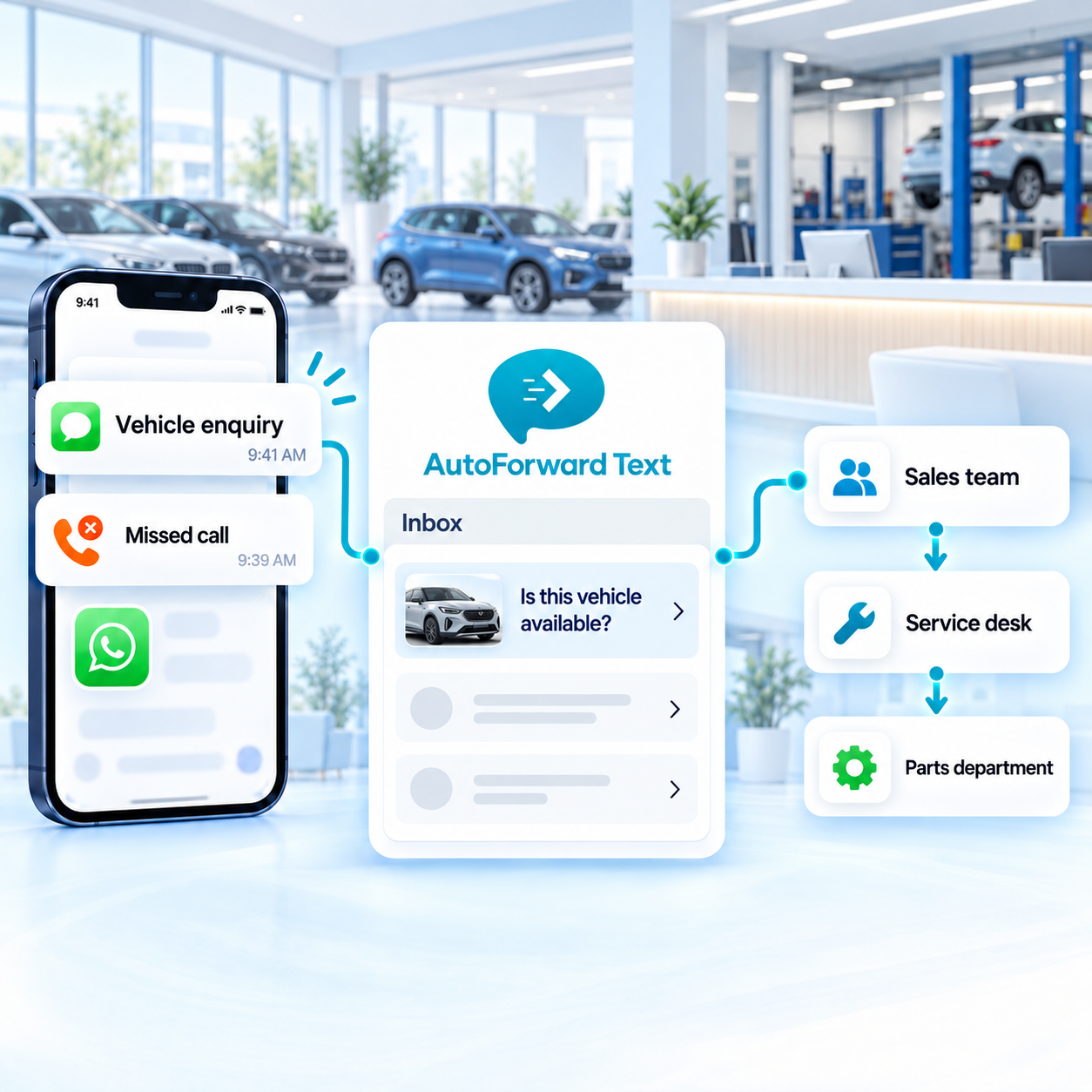
Route model, stock, price and test-drive questions to the sales team.
Forward supported vehicle enquiries, trade-in questions, service requests, parts messages and missed-call activity to the dealership team responsible for the next step. Keep communication visible across departments without relying on one shared handset.
Alert an available salesperson when supported enquiries arrive.
Keep sales, service and parts conversations on distinct routes.
Make selected messages and missed calls visible to managers.
A single dealership number can receive very different requests. Routing helps prevent a service booking from sitting with sales—or a new vehicle lead from disappearing into a general inbox.
Route model, stock, price and test-drive questions to the sales team.
Send booking, repair-status and maintenance questions to service advisors.
Direct availability and order questions to the parts department.
Make valuation and trade-in leads visible to the appropriate sales workflow.
Use supported keywords, contacts, schedules and source numbers to choose the right dealership destination and acknowledgement.
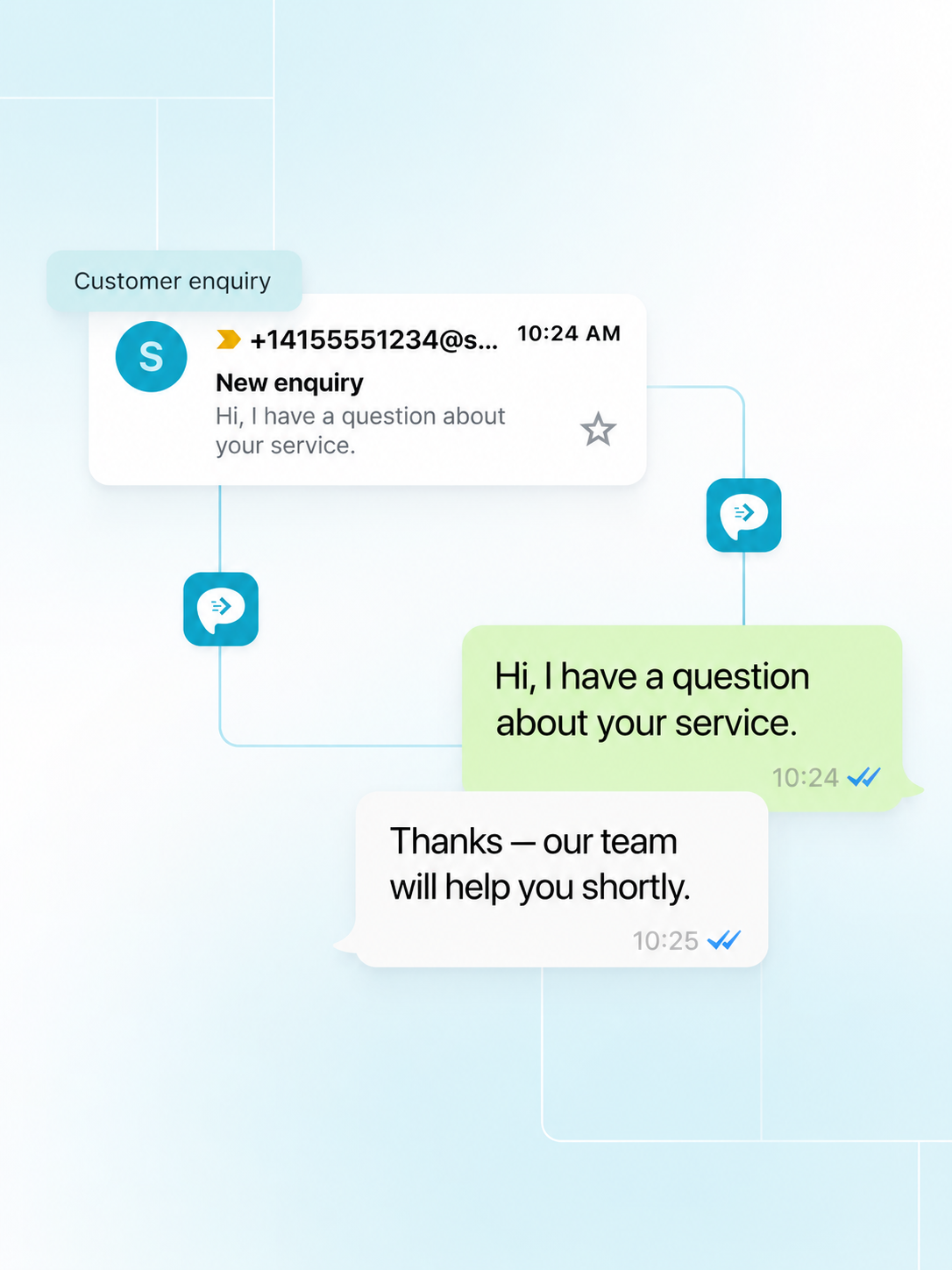
Supported call activity can alert sales or service teams when a customer does not reach the dealership, creating a clearer opportunity for timely human follow-up.
Notify the sales team when supported lead calls are missed.
Help advisors identify customers who may be waiting to book or check a repair.
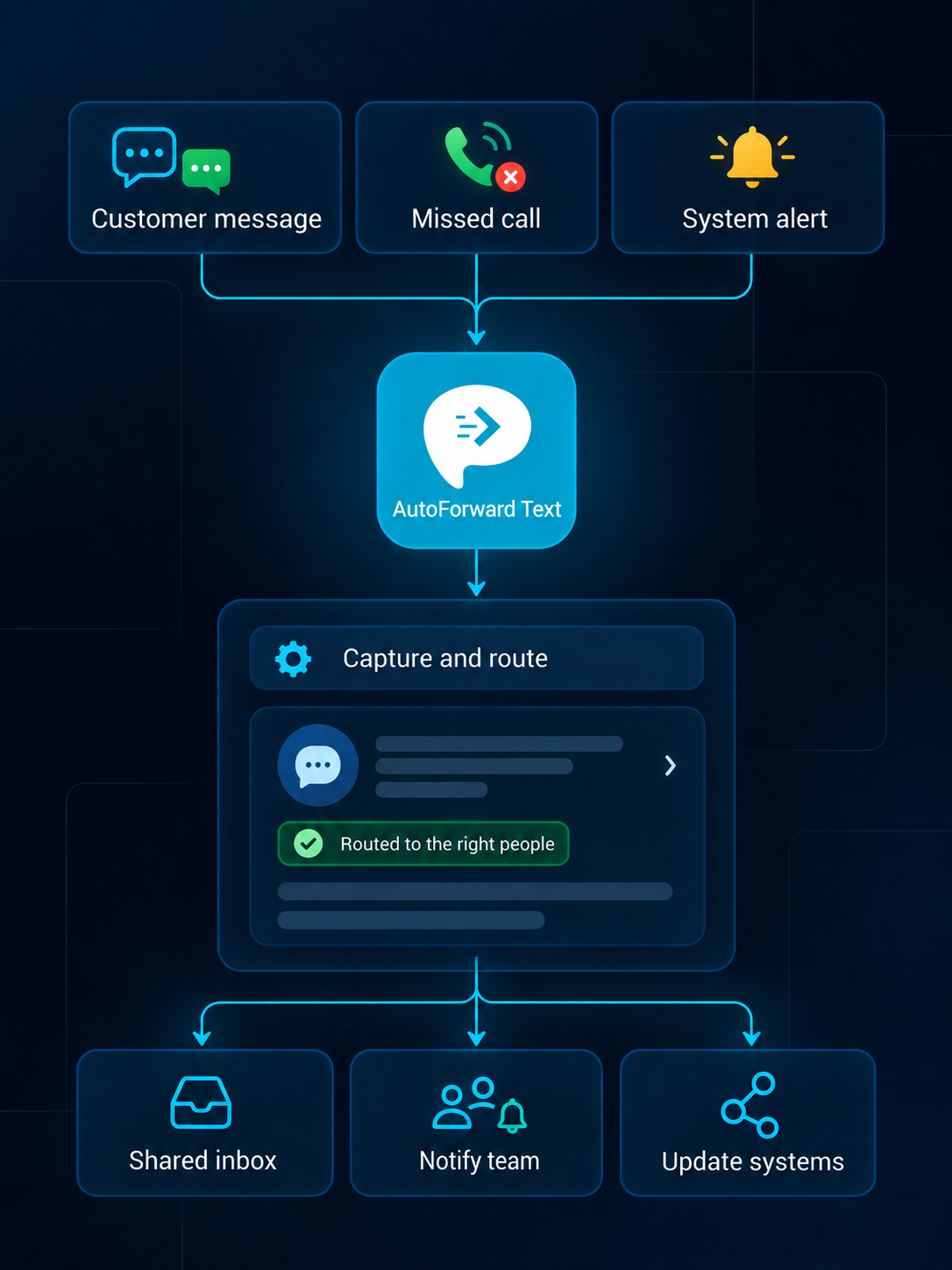
Use simple alerts or connect supported events with CRM, dealer and automation workflows.
Review supported conversations from a web dashboard.
Create searchable alerts in individual or shared inboxes.
Notify the right team channel when selected messages arrive.
Route supported alerts into connected WhatsApp workflows.
Forward priority communication to an owner or duty phone.
Add supported events to customer and operational records.
Pass available event data into your own applications.
Trigger n8n, Make.com, Zapier or custom logic.
Start with a reliable departmental route, then add qualification and CRM steps where they support the team.
A prospect asks about a vehicle through a supported channel.
Available keywords or source information select the sales route.
The enquiry reaches the configured agent, inbox or team channel.
A supported CRM or workflow stores available context and next action.
Automation can route and acknowledge communication, but staff should verify inventory, pricing, repair status and customer identity before giving definitive answers.
Do not let a generic auto-reply promise current stock, price or financing.
Limit access to vehicle, account and contact information.
Use appropriate consent and opt-out processes for outbound communication.
Confirm who handles each route during business hours and after hours.
Capabilities vary by source channel, country, permissions, destination and integration configuration.
Discuss Your WorkflowAvailable options include supported Android phones and SIMs, virtual phone numbers, Twilio and WhatsApp configurations. Choose the source based on whether you need to retain an existing number or add a cloud channel.
Supported events can be routed to email, another phone, Slack, WhatsApp, the AutoForward Text inbox, webhooks, APIs and connected business workflows.
Yes. Supported rules can use available sender, contact, keyword, schedule and source information to select destinations and follow-up actions.
Supported inbox, email, WhatsApp and gateway configurations can provide reply workflows. Availability depends on the source channel, destination and permissions.
Supported message events can feed connected systems through available integrations, webhooks or APIs. The exact fields and actions depend on the destination configuration.
Supported Android and virtual-number setups can make missed-call records visible in team workflows. Available call data depends on the channel, device and permissions.
No. Your organization remains responsible for lawful access, consent, privacy, retention, carrier and local communication requirements.
Yes. Device-based Android forwarding requires the phone to remain powered, connected and allowed to run in the background. Cloud channels do not rely on that Android device.
Give sales, service and parts teams clearer visibility into supported customer messages and missed-call activity.